Object Browser Configuration#
The object browser is the dialog for selecting objects for an attribute, for example the servers an application is installed on. It displays the selectable objects in a tabular format. Via the configuration, the table is adapted to the needs of the users, such as the visible columns, the sort order and the object types offered.
Accessing the configuration#
The configuration is accessed via Administration → Data view → Configure object browser.
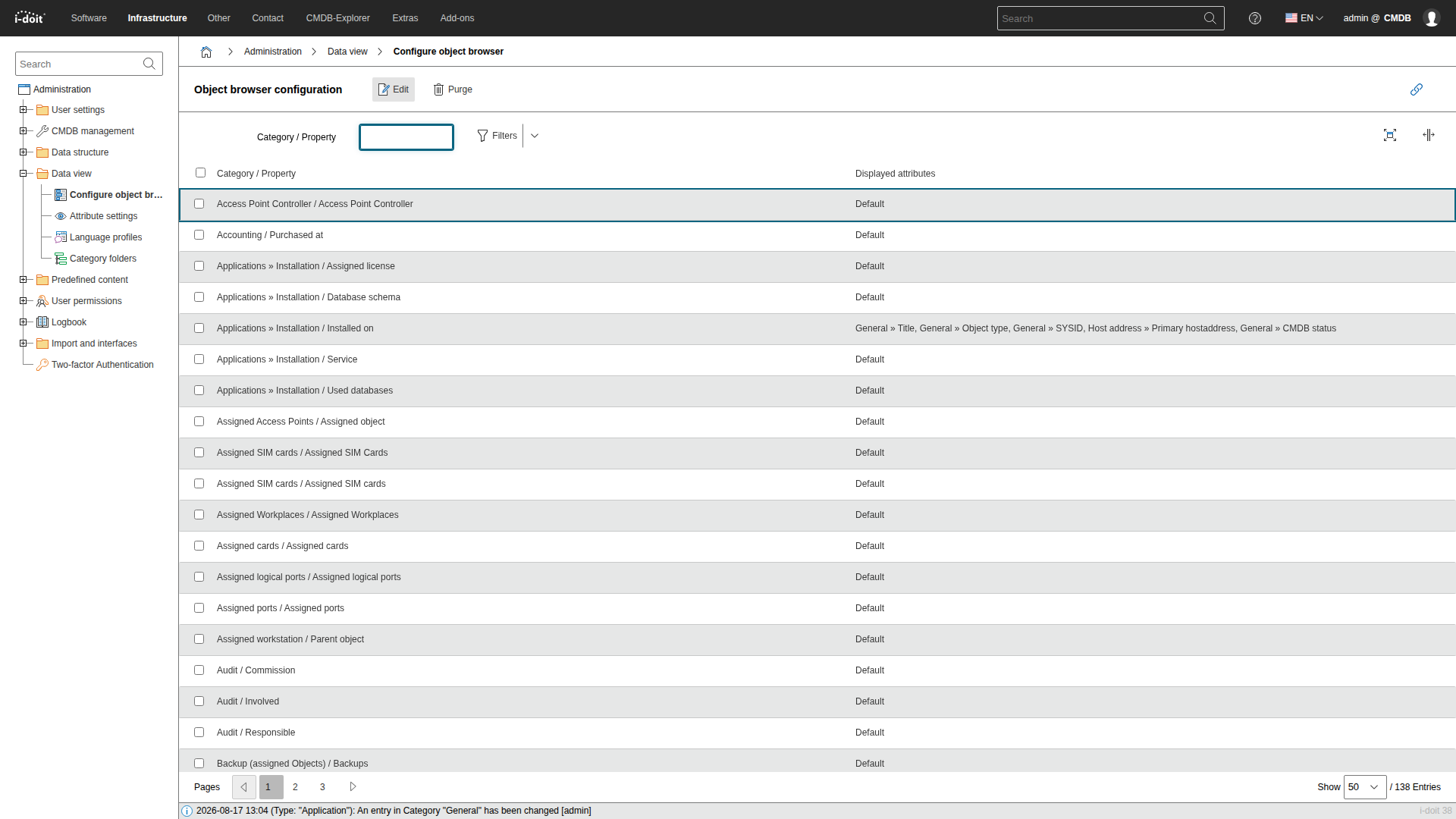
Every row is one object browser, named after the category and the attribute it belongs to. The column Displayed attributes shows which attributes an object browser currently displays, or Default if it has never been configured. Open the object browser that is to be changed, for example Applications » Installation / Installed on.
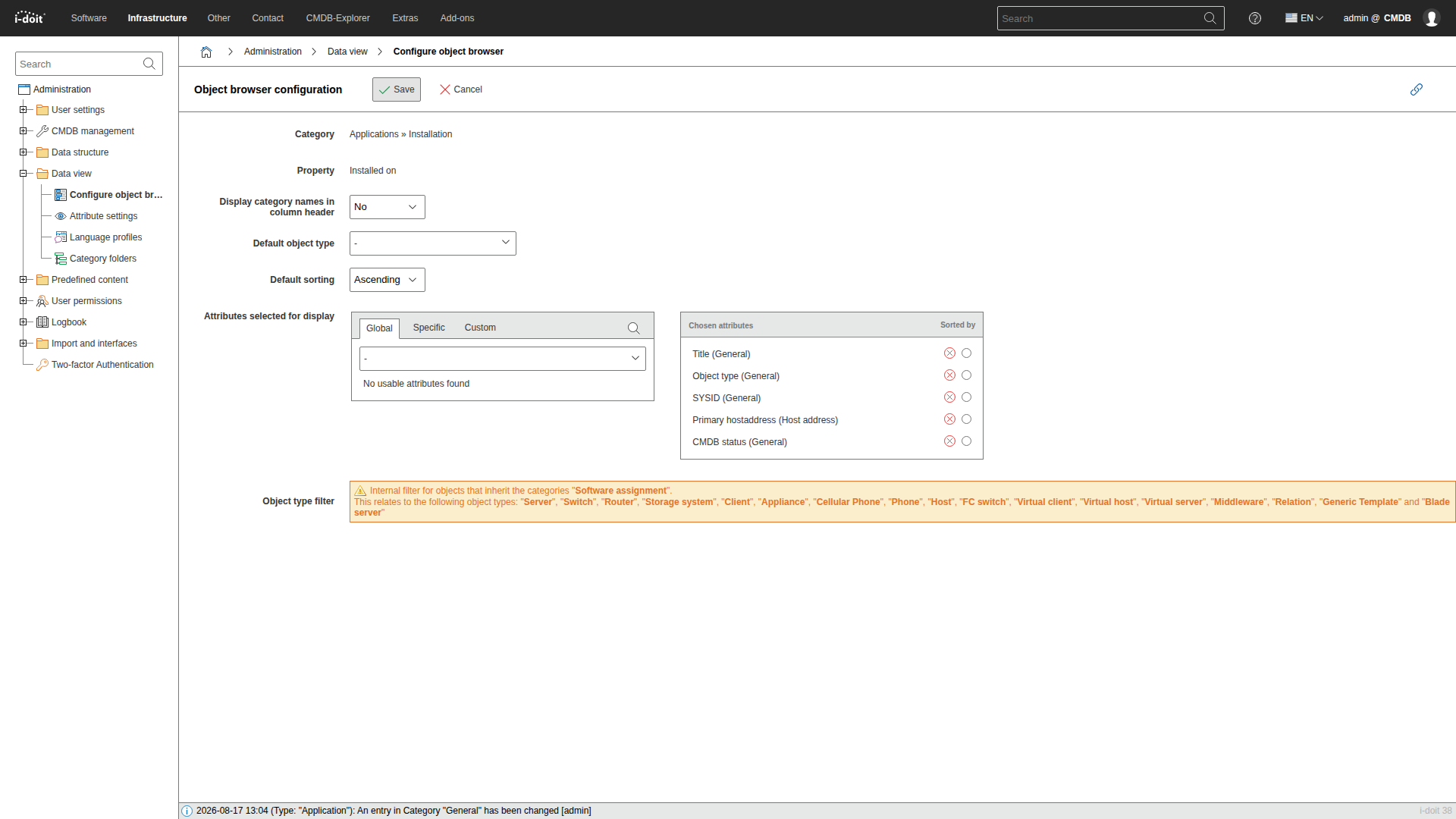
Selecting attributes#
Similar to the configuration of the list view, columns are defined by selecting a category and the attributes contained therein.
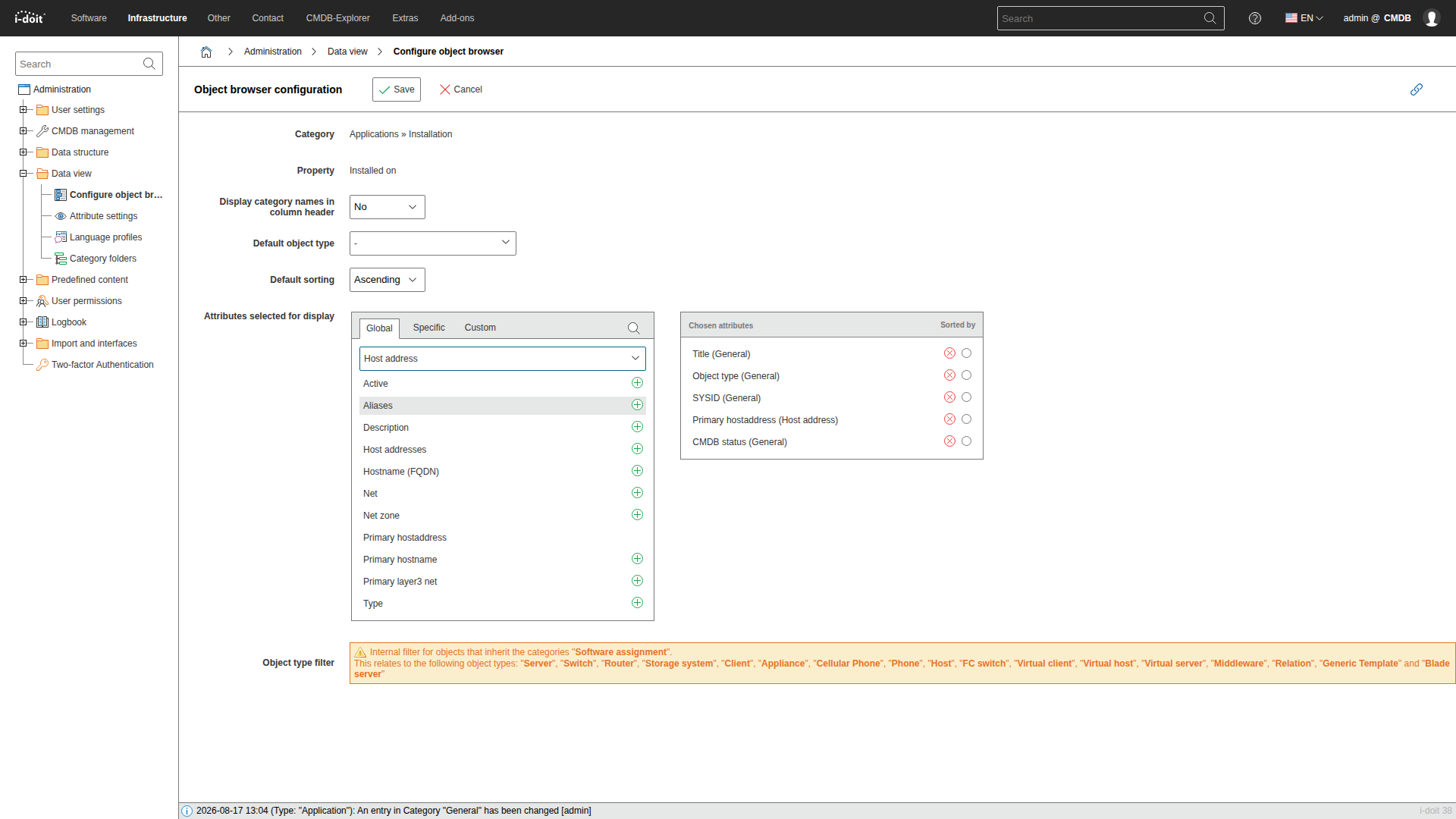
First, the tab Global, Specific or Custom is chosen under Attributes selected for display, depending on the kind of category. Then a category is selected in the drop-down menu, for example Host address. As long as no category is selected, the area below the drop-down menu stays empty and reads No usable attributes found.
When a category is selected, the attributes that can be defined as columns appear. Clicking the plus button adds an attribute to the chosen attributes on the right. Categories can be switched as often as necessary, so columns from several categories can be combined. The radio buttons in the column Sorted by define the default sorting, the red button removes an attribute again. The configuration takes effect after saving.
The chosen attributes are displayed as additional columns in this object browser.
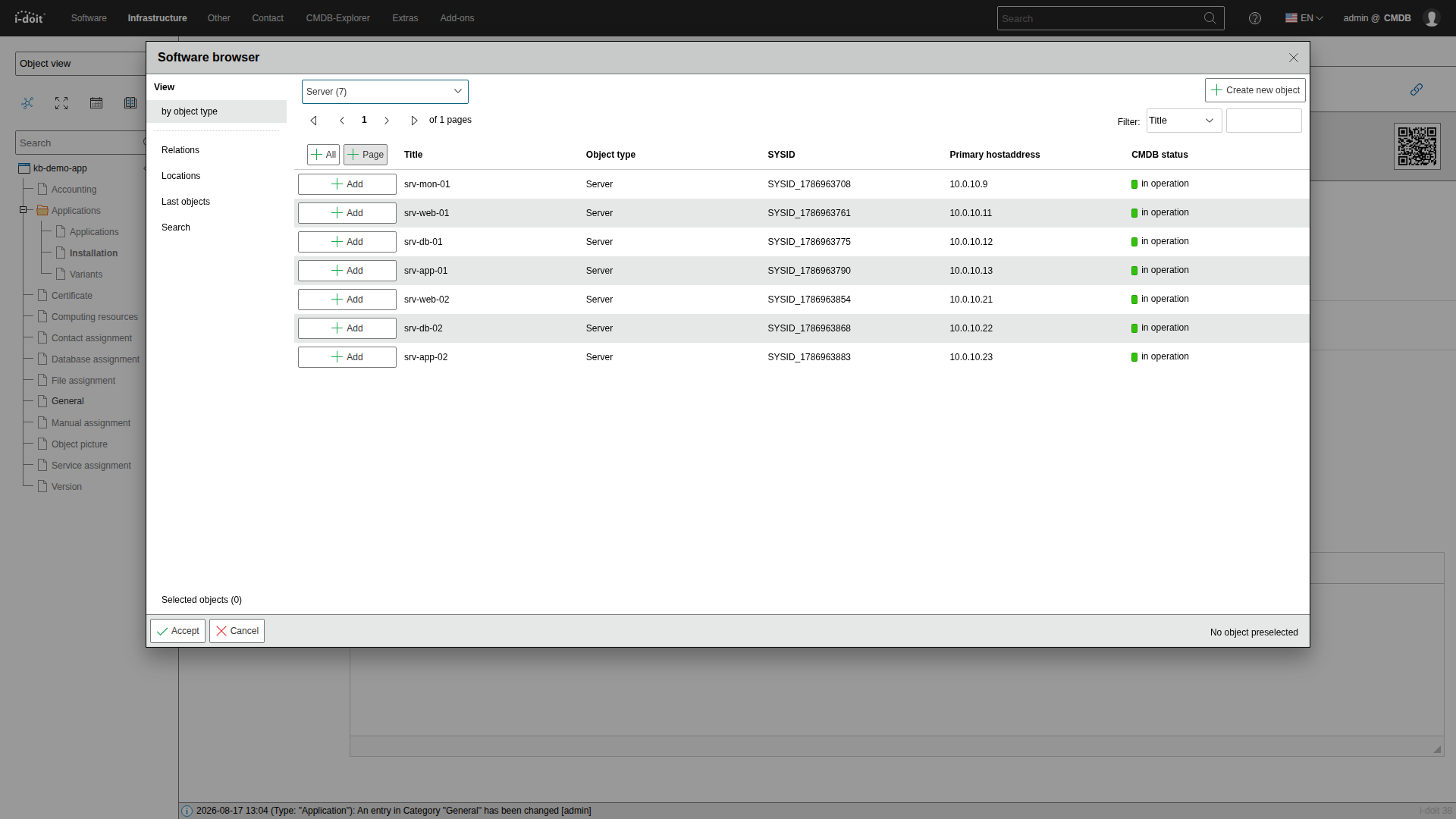
Scope of a configuration#
A configuration belongs to one object browser, not to an object type. The columns therefore apply to every object type this object browser offers, and every other object browser keeps its own columns.
Object lists
The columns of a regular object list are not configured here. The button Configure list view in the list itself is used instead.