QR Code#
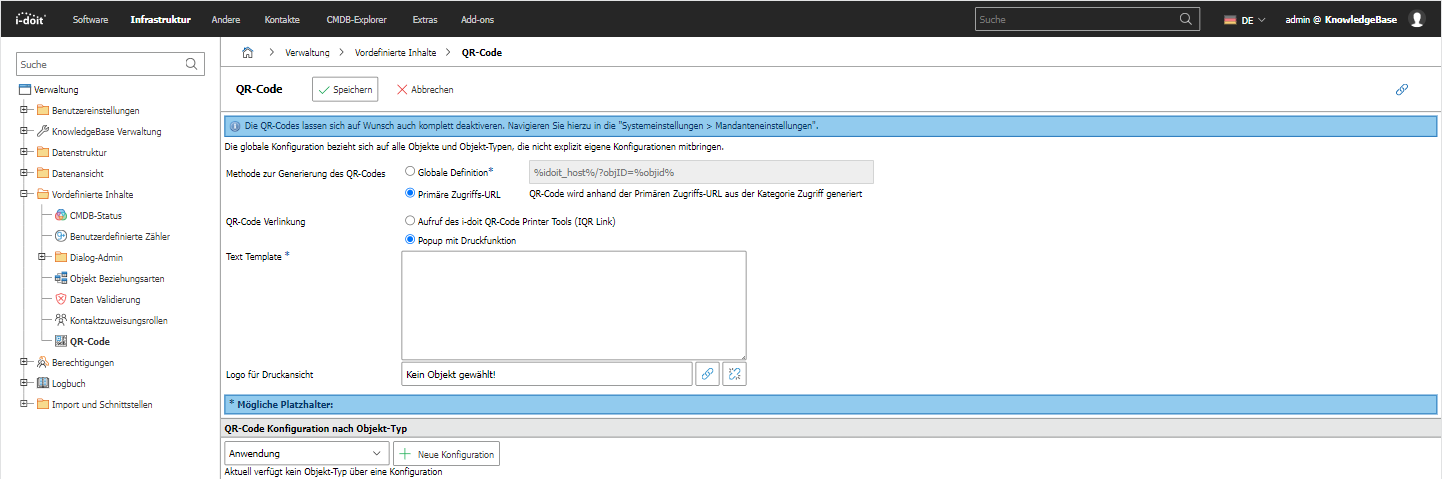
Configure the QR code settings in this dialog. You can choose whether the QR code should contain the primary access URL of objects as content or whether a global definition should be used. Additionally, you can decide what happens when you click on a displayed QR code. → READ MORE
Modifying variables#
Since i-doit 39 you can modify the variables of the global definition with modifiers, for example to use them in a URL. Append the modifier to the variable name with a pipe character, for example %hostname|lower%. Several modifiers can be combined and are applied from left to right, for example %hostname|lower|encode%.
| Modifier | Effect |
|---|---|
encode | Applies URL encoding (spaces become +) |
raw-encode | Applies raw URL encoding according to RFC 3986 (spaces become %20) |
lower | Converts the value to lower case |
upper | Converts the value to upper case |
slug | Converts the value to a URL friendly form (slug) |
The same modifiers are available for the URL in the category Access.