Edit Lock#
Under Administration → User Settings → Edit Lock, you configure protection against simultaneous editing of the same object by multiple users. The edit lock prevents multiple users from editing the same object at the same time. As soon as a user edits an object, it is locked for other users. The lock remains in place until the editing process is completed or the configured timeout is reached.
Via the option Enable locking of objects in edit mode, you enable or disable the function. The Timeout specifies after how many seconds a lock is automatically released if a user does not properly exit the edit mode. Under Currently locked objects, you can see an overview of all currently locked objects and manually release locks if needed.
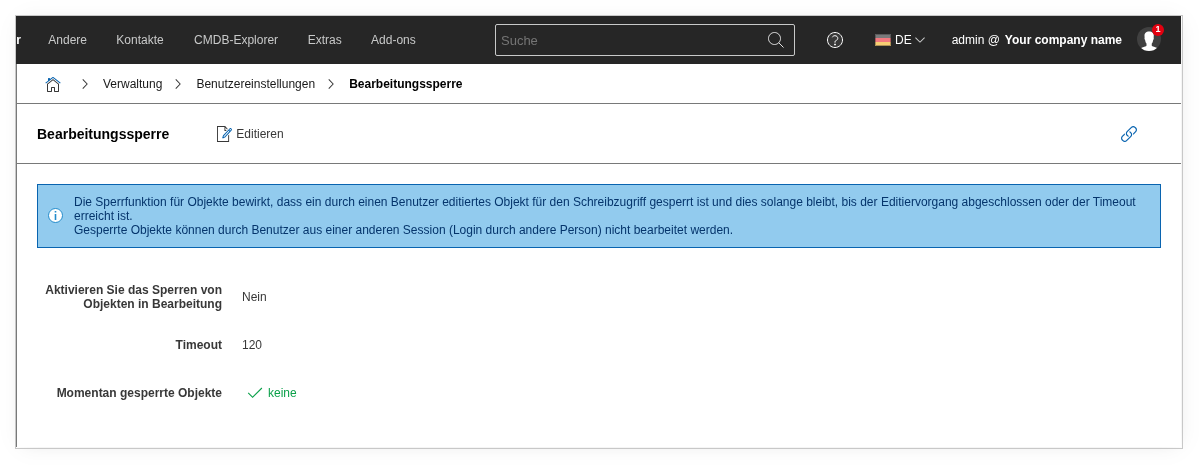
| Option | Value |
|---|---|
| Enable locking of objects in edit mode | Yes or No |
| Timeout | 120 value in seconds |
| Currently locked objects | List of objects or none |
See also#
- User Language -- Set the interface language
- Data Formats -- Set date and number formats per user