Reset Password#
With this feature, users can reset their password on their own without having to contact an administrator.
For this to work, three prerequisites must be met:
- SMTP is configured in the Admin Center
- Reset password is enabled in the Settings for [Tenant Name]
- A password reset email address is set for the user
SMTP Configuration in the Admin Center#
- Log in to the Admin Center
- Configure the SMTP section under System settings
- Test the configuration using the Check SMTP configuration button
When you update i-doit to v34, the SMTP configuration is migrated from the first tenant.
Enabling Password Reset#
- Log in to the tenant
- Navigate to Administration and open the Settings for [Tenant Name]
- Expand the Reset password section
- Select the value Enabled and click Save
Once a tenant has enabled this feature, the Forgot password? button appears on the login page.
Setting the Email Address#
For i-doit to send the reset email, the field Password reset email address in the category Persons → Login must be set.
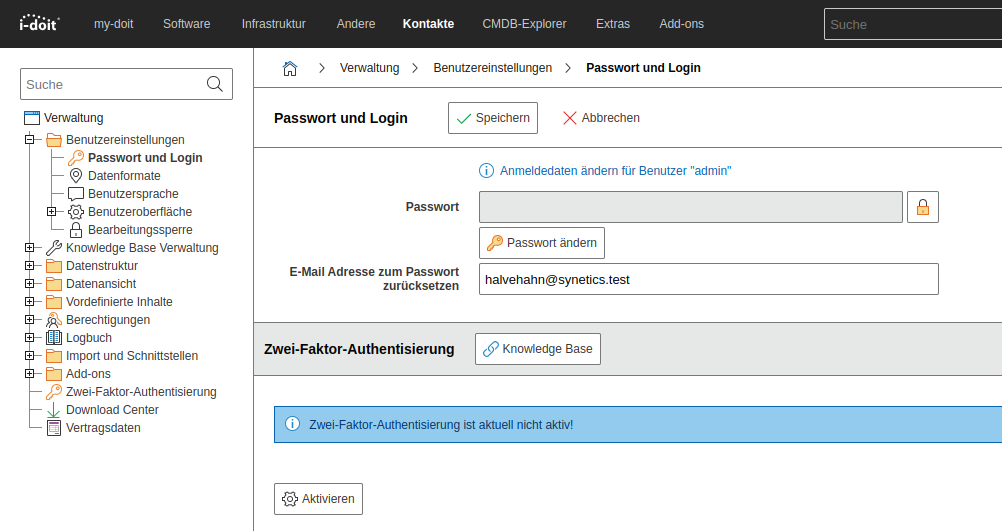
Users can enter this address themselves: Administration → User Settings → Password and Login.
The fields Password reset email address in Administration and in the category Persons → Login are synchronized.
Grant permissions on the category Persons → Login to as few persons as necessary.
Logging#
A log entry is created when this feature is not enabled for an email address. Path and name: .../i-doit/log/smtp_YYYY-MM-YY.log.