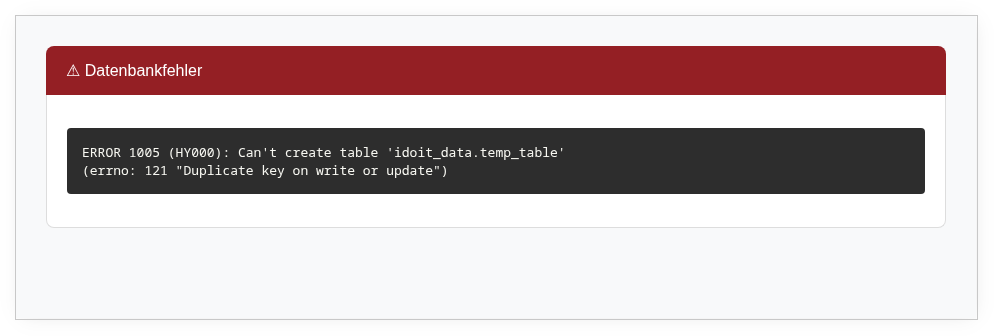
This error typically occurs when a SQL dump is imported on a MariaDB or MySQL server whose configuration does not support the row format used in the dump. This frequently happens after a database upgrade or when migrating to a different server.
When restoring a SQL dump, the following error message appears:
1
ERROR 1005 (HY000) at line 10381: Can't create table idoit_data.table_name (errno: 140 "Wrong create options")
The affected section in the dump typically looks like this:
1 2 3 4 5 6 7 8 9101112
DROPTABLEIFEXISTSisys_drive_list_2_stor_list;/*!40101 SET @saved_cs_client = @@character_set_client */;/*!40101 SET character_set_client = utf8 */;CREATETABLEisys_drive_list_2_stor_list(isys_drive_list_2_stor_list__idint(10)unsignedNOTNULLAUTO_INCREMENT,isys_drive_list_2_stor_list__isys_catg_drive_list__idint(10)unsignedNOTNULLDEFAULT0,isys_drive_list_2_stor_list__isys_catg_stor_list__idint(10)unsignedNOTNULLDEFAULT0,PRIMARYKEY(isys_drive_list_2_stor_list__id),KEYisys_drive_list_2_stor_list_FKIndex1(isys_drive_list_2_stor_list__isys_catg_drive_list__id),KEYisys_drive_list_2_stor_list_FKIndex2(isys_drive_list_2_stor_list__isys_catg_stor_list__id))ENGINE=InnoDBDEFAULTCHARSET=utf8COLLATE=utf8_unicode_ciROW_FORMAT=FIXED;/*!40101 SET character_set_client = @saved_cs_client */;