LDAP via TLS#
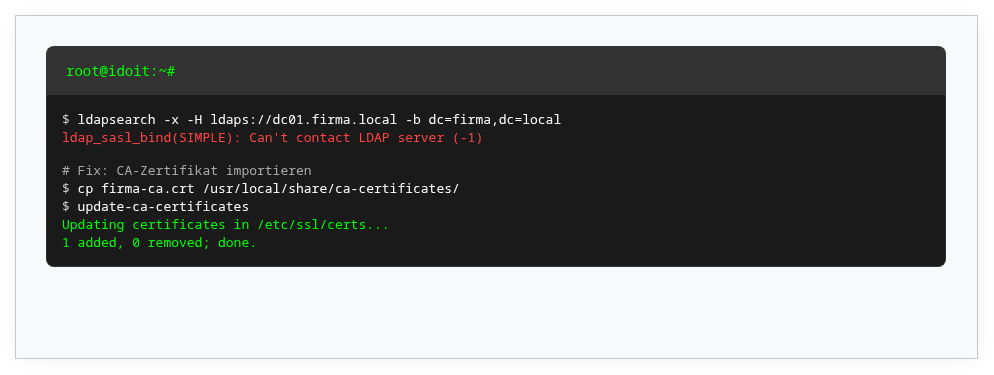
LDAP connections via TLS frequently cause problems. This article lists the most common causes and previous solutions. Unfortunately, there is no universal solution.
Most common causes#
- The certificate was not imported or was not imported correctly.
- The hostname of the LDAP server was not used in the LDAP configuration.
- The hostname of the LDAP server cannot be resolved.
- Certificate verification works with IPv4 but not with IPv6. After disabling IPv6 on the Linux system, the problem was resolved.
Notes on Active Directory Domain Controllers#
- You need a certificate that meets certain requirements (Microsoft documentation).
- On a DC, there should ideally be only one certificate for this purpose. This becomes relevant when a Kerberos certificate already exists.
- An encrypted connection to AD can be established via LDAPS (TLS/SSL from the start of the connection) or STARTTLS (explicit command at the beginning of the connection).
- With LDAP Channel Binding and LDAP Signing, a mix of client and server settings comes into play. Not every Linux system supports all options out of the box.
Further links#
- LDAP Channel Binding and Signing Requirements for Windows
- How to enable LDAP signing in Windows Server
- LDAP Channel Binding and Signing Requirements (Tech Community)
- LdapEnforceChannelBinding Registry Entry
- Troubleshoot LDAP over SSL connection problems
Feedback#
If you have solved the problem, please share the solution with us via email at help@i-doit.com.