Category: Cluster service assignment#
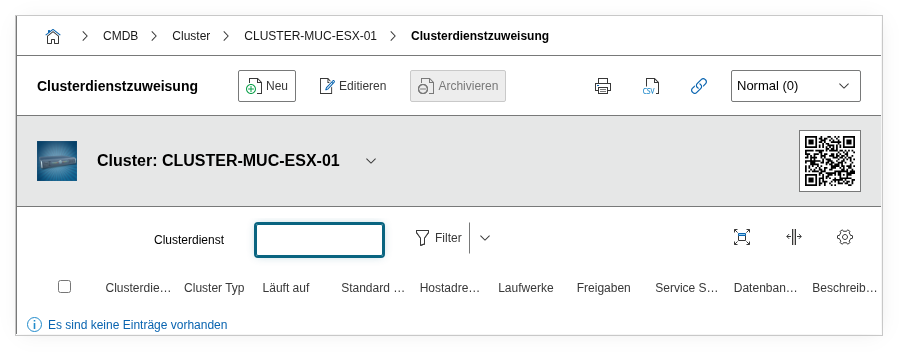
The Cluster service assignment category links management services with a cluster object. It is a multi-value category -- multiple administration services can be assigned per cluster, e.g. when both a vCenter and a separate monitoring tool manage the cluster.
Why document the administration service?
In case of a failure, the operations team needs to know immediately which management tool controls the cluster. Is it VMware vCenter? Microsoft Failover Cluster Manager? Pacemaker on a dedicated quorum host? Without this information, valuable minutes are lost in an emergency. The link here creates a direct jump point to the management object and its documentation.
Usage#
Typical use cases:
- Central management assignment: Assign the software or appliance that orchestrates the cluster. For VMware clusters, this is typically a vCenter Server object; for Linux HA clusters, a Pacemaker or Corosync service; for Hyper-V, the Windows Failover Cluster Manager.
- Dependency analysis: If the administration service fails, no configuration changes can be made to the cluster. Through the link, the Report Manager can evaluate which clusters depend on a specific management server -- critical during updates or maintenance work on the management system.
- Audit and compliance: Auditors frequently ask who or what manages a cluster and whether there is a central control instance. The documented service assignment provides this answer at the push of a button.
- Multi-management scenarios: Some clusters are managed by multiple services -- for example, a hyperconverged cluster managed by both an HCI management software and a separate storage management solution. The multi-value property of this category maps exactly that.
Fields#
Administration service (object)#
An object browser field through which one or more objects are linked as management services. The linked object is typically a server, application, or service that handles cluster management. The link creates a navigable relationship -- from the cluster object, you can reach the management server with a click and vice versa. It supports multiple selection, so multiple services can be assigned in one step.
Object type#
Shows the object type of the linked administration service. This field is automatically derived from the linked object and serves for quick orientation in the list view -- you can see at a glance whether the service is a server, an application, or another object type.
Technical reference#
| Property | Value |
|---|---|
| Category constant | C__CATG__CLUSTER_ADM_SERVICE |
| Type | Global category |
| Multi-value | Yes |
| Assigned to | Cluster |
Fields (API reference)#
| Field | API key | Type |
|---|---|---|
| Administration service (object) | connected_object | Object browser (link) |
| Object type | objtype | Integer |
API examples#
Create entry#
1 2 3 4 5 6 7 8 9 10 11 12 13 | |
Object ID instead of name
The field connected_object expects the object ID of the management service, not its name. You can find the ID, for example, via cmdb.objects.read with a type filter.
Read entries#
1 2 3 4 5 6 7 8 9 10 | |
Update entry#
1 2 3 4 5 6 7 8 9 10 11 12 13 14 | |