Category: Cluster memberships#
The Cluster memberships category shows which clusters an object belongs to as a member. It is a multi-value category -- a server can be a member of multiple clusters simultaneously, e.g. a VMware cluster and a database cluster.
The category represents the member side of the cluster relationship: it is displayed on the server or blade object and points to the cluster objects that this device has joined. The counterpart is the Cluster members category, which is maintained on the cluster object and lists all associated nodes. Both categories mirror the same relationship -- once from the member perspective, once from the cluster perspective.
Reverse link -- automatic maintenance
The Cluster memberships is a reverse link (backward property). This means: when you add a server to the cluster object in the Cluster members category, the cluster automatically appears in the Cluster memberships of that server. You do not need to maintain the assignment in both places -- one entry in one location is sufficient.
Usage#
Typical use cases:
- High availability documentation: See at a glance which HA clusters a server is a member of. In case of a hardware failure, it is immediately apparent which clusters are affected and whether failover capacity is available. A server that is not a member of any cluster represents a single point of failure -- the Cluster memberships makes such gaps visible.
- Maintenance planning: Before a maintenance window for a physical host, the Cluster memberships shows which clusters will be missing this node. For a two-node cluster, this means the remaining node must handle the entire load. For a three-node cluster, the situation is more relaxed. This information is crucial for the risk assessment of a change.
- Capacity planning: The Report Manager can evaluate which servers are members of how many clusters. A server that is in five different clusters has high criticality -- its failure affects all five clusters simultaneously.
- Compliance and audit: In regulated environments, it must be demonstrated which systems are redundantly designed. The Cluster memberships provides this information in a structured and auditable way.
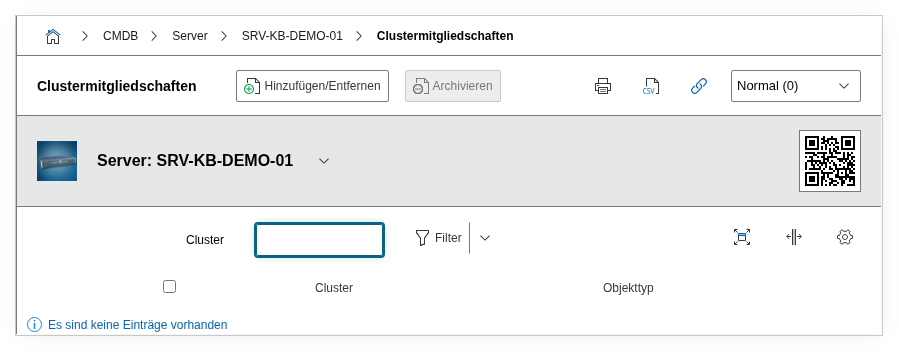
Fields#
Cluster#
A link to the cluster object to which this device belongs. The object browser only offers objects that themselves have cluster categories assigned (e.g. Cluster, Cluster members, Cluster service). Each entry in the multi-value list corresponds to a cluster membership.
Technical reference#
| Property | Value |
|---|---|
| Category constant | C__CATG__CLUSTER_MEMBERSHIPS |
| Type | Global category |
| Multi-value | Yes |
| Assigned to | Server, Blade Server |
Fields (API reference)#
| Field | API key | Type |
|---|---|---|
| Cluster | connected_object | Object browser (link) |
API examples#
Create entry#
1 2 3 4 5 6 7 8 9 10 11 12 13 | |
Read entries#
1 2 3 4 5 6 7 8 9 10 | |
Update entry#
1 2 3 4 5 6 7 8 9 10 11 12 13 14 | |