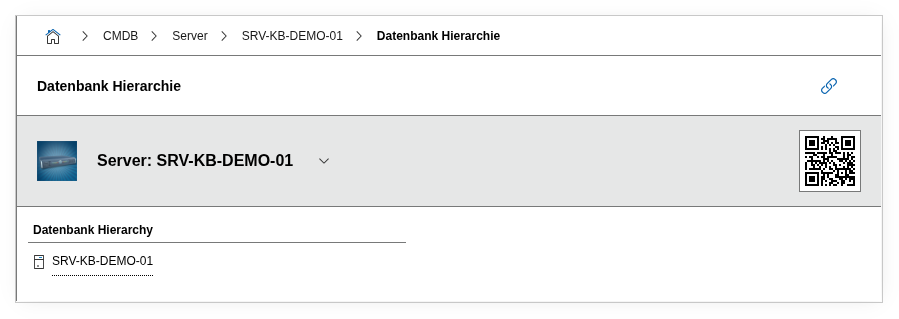
Category: Database hierarchy#
The Database hierarchy category (in the English UI labeled "DBMS information") documents the database instances running on a server. It is a multi-value category -- any number of instances can be recorded per object, e.g. when a database server runs both a production and a test instance.
Part of the database documentation chain
i-doit maps database landscapes in a four-tier chain: Server (hardware) --> DBMS instance (this category) --> Schema --> Tables. The Database hierarchy category is the link between the physical server and the logical databases on it. Only when an instance is created here can the underlying structures be assigned in the DBMS information and Database tables categories.
Usage#
Typical use cases:
- Inventorying DBMS instances: Record the name, type, and version of each database instance on a server. Together with Software assignment, a complete picture emerges of which DBMS in which version runs where.
- Documenting network access: Via the Port and Port Name fields, it is recorded under which network port the instance is reachable -- indispensable for firewall rules and monitoring configurations.
- Tracing installation paths: The Path field documents where the instance is installed in the filesystem. During troubleshooting or migrations, this saves searching on the server.
- Version management and lifecycle: Reports can evaluate which servers still use old DBMS versions. This allows end-of-life risks to be identified early and upgrade plans to be created.
- Building the database chain: Only after an instance is created here can databases be assigned in the DBMS information category and individual tables recorded in the Database tables category.
Fields#
DBMS#
Link to the database management system that operates this instance. A DBMS object (e.g. "MySQL" or "PostgreSQL") is selected via the object browser. This DBMS object must be created beforehand and assigned to the server via Software assignment. Through this link, i-doit knows which DBMS product stands behind the instance.
Instance name#
The name of the database instance, e.g. MSSQLSERVER, orcl, or pg_main. For Microsoft SQL Server, this corresponds to the named instance name; for Oracle, the SID or service name. This value appears in the list view and in reports.
Instance type#
Classifies the instance, e.g. as Production, Test, Development, or Staging. Dialog+ field -- custom values can be added as needed. This distinction is important for reports and for assessing criticality.
Manufacturer#
Shows the manufacturer of the assigned DBMS. This field is automatically populated from the DBMS link and is read-only.
Version#
The installed version of the DBMS on this instance, e.g. 16.0.1000 (SQL Server 2022) or 15.4 (PostgreSQL). Dialog+ field -- the version list comes from the linked DBMS object. Essential for patch management and compliance checks.
Path#
The installation path of the database instance in the filesystem, e.g. /var/lib/mysql or C:\Program Files\Microsoft SQL Server\MSSQL16.MSSQLSERVER. Helpful during migrations, backup configurations, and troubleshooting.
Port#
The network port under which the instance is reachable, e.g. 3306 (MySQL), 5432 (PostgreSQL), or 1433 (SQL Server). This field is important for firewall rules, monitoring, and configuring applications that access the database.
Port name#
An optionally descriptive name for the port, e.g. mysql-prod or pg-replica. Useful when multiple instances run on different ports and a descriptive name improves the overview.
Description#
Free text for additional details: cluster configuration, replication role (primary/replica), special startup parameters, maintenance windows, or contacts.
Technical reference#
| Property | Value |
|---|---|
| Category constant | C__CATG__DATABASE |
| Type | Global category |
| Multi-value | Yes |
| Assigned to | Server |
Fields (API reference)#
| Field | API key | Type |
|---|---|---|
| DBMS | assigned_dbms | Object browser (link) |
| Instance name | instance_name | Text |
| Instance type | instance_type | Dialog+ (extensible selection) |
| Manufacturer | manufacturer | Text (read-only) |
| Version | version | Dialog+ (extensible selection) |
| Path | path | Text |
| Port | port | Text |
| Port name | port_name | Text |
| Description | description | Text field (multi-line) |
API examples#
Create entry#
1 2 3 4 5 6 7 8 9 10 11 12 13 14 15 16 17 18 19 20 | |
Read entries#
1 2 3 4 5 6 7 8 9 10 | |
Update entry#
1 2 3 4 5 6 7 8 9 10 11 12 13 14 15 | |