Category: Group Membership#
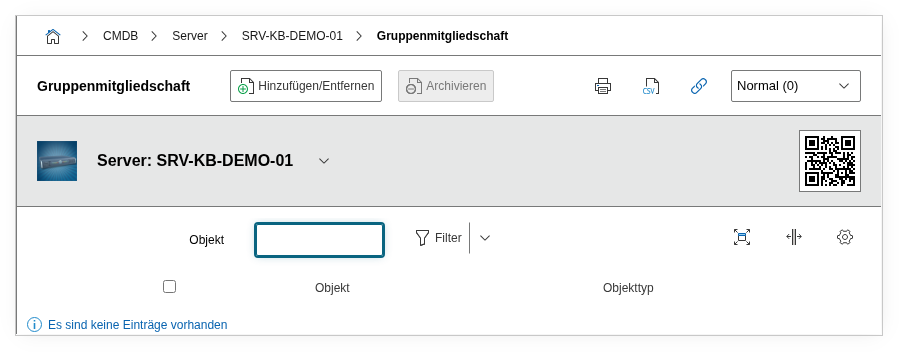
The Group Membership category shows which object groups an object is assigned to. It is a multi-value category -- an object can be a member of any number of groups simultaneously, e.g. the group "Critical Servers" and the group "Site Berlin".
Object groups are a logical grouping that goes beyond the rigid structure of object types. While the object type defines what an object is (server, switch, client), the group membership defines what it belongs to -- and that can differ depending on the perspective. One and the same server can belong to the group "Project Alpha", the group "PCI-DSS Scope", and the group "Migration Q2/2026".
Backward link -- automatic maintenance
The group membership is a backward link. When you add a member to the group object in the specific Group category, the group automatically appears in the group membership of that object. The assignment does not need to be maintained in both places.
Usage#
Typical use cases:
- Logical grouping across object types: Group servers, switches, clients, and applications together that belong together in terms of content -- e.g. "SAP Infrastructure" or "DMZ Components". This enables reports and filtering across object type boundaries.
- Project-related assignment: During migration projects, rollouts, or audits, the affected objects can be grouped together. After the project is completed, the group can be archived without changing the objects themselves.
- Compliance scoping: Define groups for regulatory scopes such as "PCI-DSS Scope", "CRITIS-relevant", or "ISO 27001 Scope". The group membership then immediately shows at each object which compliance requirements it is subject to -- information that is regularly requested during audits.
- Areas of responsibility: Groups like "Team Network" or "Responsibility: Site Munich" enable an organizational assignment that goes beyond the contact category. While the contact category assigns individual persons or roles, group membership represents larger areas of responsibility.
- Reporting and dashboards: In the Report Manager, groups can be used as filters. A dashboard "All objects in group X" provides a cross-object-type overview that would not be possible with pure object type filters.
Fields#
Group#
A link to the group object that this object belongs to. The object browser offers objects of type Object Group. Each entry in the multi-value list corresponds to a group membership. An object can belong to any number of groups simultaneously.
Description#
Free text for context on the group membership: reason for the assignment, time period, responsible person, or reference to a change ticket.
Technical Reference#
| Property | Value |
|---|---|
| Category constant | C__CATG__GROUP_MEMBERSHIPS |
| Type | Global category |
| Multi-value | Yes |
| Assigned to | Server, Blade Server, etc. |
Fields (API Reference)#
| Field | API key | Type |
|---|---|---|
| Group | connected_object | Object browser (link) |
| Description | description | Text field (multi-line) |
API Examples#
Create an entry#
1 2 3 4 5 6 7 8 9 10 11 12 13 14 | |
Read entries#
1 2 3 4 5 6 7 8 9 10 | |
Update an entry#
1 2 3 4 5 6 7 8 9 10 11 12 13 14 15 | |