Category: RAID Array#
The RAID Array category documents the RAID configuration of an object -- i.e., how physical drives are grouped into logical arrays. It is a multi-value category, as a server can have multiple RAID arrays: for example, a RAID 1 for the operating system and a RAID 5 for user data.
Interaction with Drive and Controller
The RAID category links information from two other categories: The physical hard drives or SSDs are documented in the Drive category, and the RAID controller in the Controller category. The RAID array references both and adds RAID-specific information (level, capacity). Only through this interplay does a complete picture of the storage architecture emerge.
Why This Category Matters#
A RAID array is not a mere configuration detail -- it determines the availability, performance, and usable capacity of the storage system. If a disk in a RAID 5 fails, the system stays online -- but only when it is documented which disks belong to the array and which level is configured can the administrator react quickly and correctly. Without this documentation, a time-consuming analysis begins during an emergency, delaying the rebuild and increasing the risk of data loss.
Usage#
Typical use cases:
- Storage documentation: For every server, it is recorded which RAID levels are configured, which physical drives belong to the array, and what usable capacity results. This is the foundation for every storage concept.
- Rebuild planning after disk failure: When a drive fails, the RAID category immediately shows which array it belongs to, which RAID level is configured, and whether redundancy is still available. A RAID 5 with a failed disk has no redundancy left -- immediate action is required.
- Capacity planning: Reports on RAID arrays show where usable capacity is running low. With eight 4 TB disks in RAID 6, only 24 TB net is available with RAID 5 and only 16 TB with RAID 6 -- this information does not need to be recalculated each time when it is stored in the CMDB.
- Migration and refresh: During a storage refresh, you can evaluate via the RAID category which servers still use older RAID levels (e.g. RAID 5 instead of RAID 6) or smaller disk sizes and should therefore be prioritized.
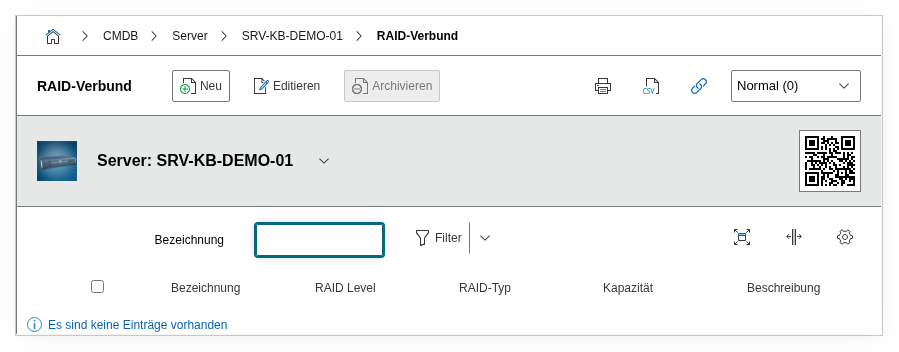
Fields#
Type#
The RAID type -- typically Hardware RAID or Software RAID. This distinction is operationally relevant: With hardware RAID, the physical controller handles the computation; with software RAID, the host's CPU does. The recovery procedures differ fundamentally in case of failure.
Title#
A freely selectable name for the array, e.g. OS-Mirror or Data-Array-01. This value appears in the list view and in reports. Meaningful names significantly ease assignment -- especially when a server has multiple arrays.
RAID level#
The configured RAID level: RAID 0 (striping, no redundancy), RAID 1 (mirroring), RAID 5 (striping with single parity), RAID 6 (double parity), or RAID 10 (combination of mirroring and striping). The choice of level determines the ratio between performance, capacity, and fault tolerance.
RAID is not a backup
RAID protects against the failure of individual drives, but not against data loss through accidental deletion, ransomware, or controller defects. Documenting RAID levels does not replace a backup strategy -- ensure that the Backup category is also maintained.
Controller#
Reference to the RAID controller that manages this array. The value is imported from the entries in the Controller category of the same object. For hardware RAID, this is the physical controller (e.g. Dell PERC H755); for software RAID, the field remains empty or references a virtual controller.
Connected devices#
The physical drives that are members of this RAID array. This link establishes the reference to the Drive category. When a drive fails, this field immediately shows which disk is affected and which other disks belong to the same array.
Total capacity#
The gross capacity of all member drives combined -- i.e., the sum of the individual capacities before applying the RAID level. This value is calculated from the linked devices.
RAID capacity#
The usable net capacity after applying the RAID level. With four 4 TB disks in RAID 5, this is 12 TB; in RAID 6, only 8 TB. This value is the relevant figure for capacity planning.
Description#
Free text for additional details: stripe size, cache policy (write-back vs. write-through), planned expansions, known limitations, or notes on the recovery procedure.
Technical Reference#
| Property | Value |
|---|---|
| Category Constant | C__CATG__RAID |
| Type | Global category |
| Multi-Value | Yes |
| Assigned to | Server, Storage System, Blade Server etc. |
Fields (API Reference)#
| Field | API Key | Type |
|---|---|---|
| Type | raid_type | Dialog (selection) |
| Title | title | Text |
| RAID level | raid_level | Dialog (selection) |
| Controller | controller | Dialog (reference to controller category) |
| Connected devices | storages | Dialog (reference to drives) |
| Total capacity | full_capacity | Text (calculated) |
| RAID capacity | capacity | Text (calculated) |
| Description | description | Text field (multi-line) |
API Examples#
Create Entry#
1 2 3 4 5 6 7 8 9 10 11 12 13 14 15 16 17 18 | |
Read Entries#
1 2 3 4 5 6 7 8 9 10 | |
Update Entry#
1 2 3 4 5 6 7 8 9 10 11 12 13 14 | |