Category: Database Gateway#
The Database Gateway documents gateway and proxy configurations through which a database schema accesses remote databases. It is a multi-value category — any number of gateway connections can be created per schema.
Usage#
Typical use cases:
- Map database access via proxy: When applications do not access a database directly but rather via a gateway (e.g. Oracle Connection Manager, MySQL Proxy, or PgBouncer), you can document this intermediate layer here.
- Link target schema: Via the field Target schema, the remote database schema is referenced as an i-doit object. This creates a navigable connection between the local schema and the target behind the gateway.
- Impact analysis: If a gateway fails, the link immediately shows which schemas are affected — indispensable for change management and incident analysis.
- Security documentation: Document user, host, and port of the gateways to record who accesses which data via which path. Helpful for audits and firewall reviews.
Database category chain
This category belongs to the database category chain in i-doit. Together with Database schema, Database links, Database objects, and Database access, it forms a complete model of the database landscape.
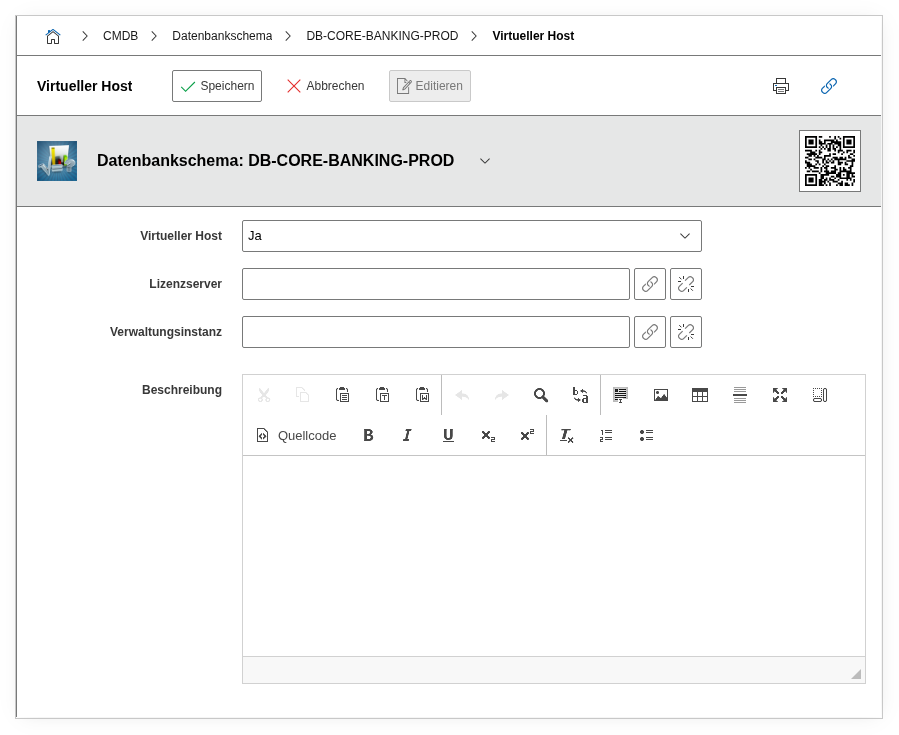
Fields#
Gateway type#
The type of the gateway, e.g. Oracle Connection Manager, PgBouncer, MySQL Proxy, or HAProxy. Describes the deployed technology or software that acts as an intermediary between client and target database.
Host#
The hostname or IP address under which the gateway is reachable, e.g. dbgw01.example.com or 10.0.5.20. Together with the port, this provides the complete connection information.
Port#
The network port on which the gateway listens, e.g. 1521 (Oracle) or 6432 (PgBouncer). Important for firewall documentation and network diagrams.
User#
The username with which clients authenticate to the gateway. In combination with host and port, this provides the complete access information.
Do not store passwords
This field should exclusively contain the username. Passwords belong in a password management system, not in the CMDB.
Target schema#
Link to the remote database schema (i-doit object of the type Database schema) to which the gateway grants access. Selectable via the object browser.
Description#
Free text for additional details: connection options, TLS configuration, failover behavior, associated firewall rules, or operational notes.
Technical Reference#
| Property | Value |
|---|---|
| Category Constant | C__CATS__DATABASE_GATEWAY |
| Type | Specific category |
| Multi-Value | Yes |
| Assigned to | Database schema |
Fields (API Reference)#
| Field | API Key | Type |
|---|---|---|
| Gateway type | type | Text |
| Host | host | Text |
| Port | port | Text |
| User | user | Text |
| Target schema | target_schema | Object browser (link) |
| Description | description | Text field (multi-line) |
API Examples#
Create Entry#
1 2 3 4 5 6 7 8 9 10 11 12 13 14 15 16 17 18 | |
Read Entries#
1 2 3 4 5 6 7 8 9 10 | |
Update Entry#
1 2 3 4 5 6 7 8 9 10 11 12 13 14 15 | |