Category: DHCP#
The DHCP category documents the DHCP address ranges within a Layer 3 network. It is a multi-value category – multiple DHCP ranges can be defined per network object, e.g. when different address ranges are intended for different device classes (clients, printers, VoIP phones).
The DHCP category belongs to the network object and supplements the category Network with dynamic address assignment. Together with the category IP list this provides a complete picture: The Network category defines the address space, the DHCP category marks the dynamic ranges, and the IP list shows the actual allocation.
Documentation, not configuration
i-doit does not configure any DHCP server. The DHCP category merely documents which address ranges are intended for dynamic assignment. The actual DHCP server configuration is still done on the respective server or network device. The value of this documentation lies in the overview: Which ranges are static, which are dynamic? Are there overlaps? Are the ranges still current?
DHCP ranges and static addresses
Make sure that DHCP ranges do not contain addresses that are assigned as static in the category Host address. i-doit does not automatically warn about overlaps – consistency is the responsibility of the administrator. A regular comparison via report ("All static IPs within DHCP ranges") is recommended.
Usage#
Typical use cases:
- Document DHCP ranges: For every subnet, it is recorded which address range is available to the DHCP server. This is the basis for network planning and prevents address conflicts.
- Multiple scopes per network: In a /24 network, for example, the range
.100-.149can be reserved for clients and.150-.199for printers. Each scope is created as a separate entry, optionally with a description of its purpose. - IPv4 and IPv6 together: The category supports both IPv4 DHCP and IPv6 DHCPv6 ranges. The type field distinguishes whether it is an IPv4 or IPv6 scope.
- Capacity planning: Reports on the DHCP ranges show how large the dynamic pools are and whether they are still sufficient as the number of devices grows. In combination with the IP list, the actual utilization can be compared.
- Preparing a network redesign: When restructuring network segments, the DHCP category provides a clear overview of which ranges need to be adjusted, moved or consolidated.
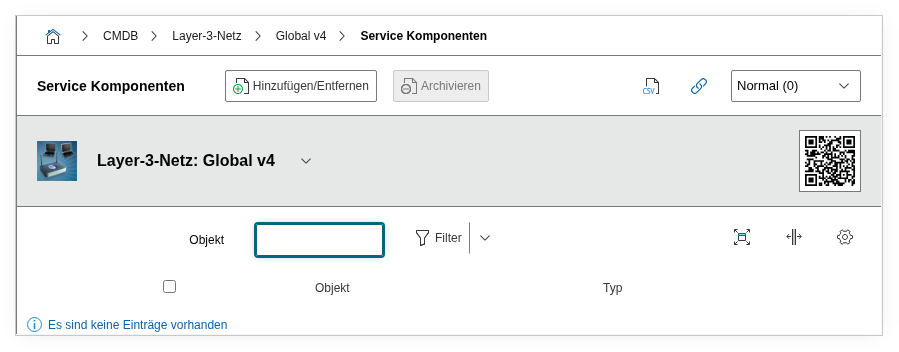
Fields#
Type IPv4#
The DHCP type for IPv4 networks. Dialog field with values such as "DHCP", "DHCP Reserved" or "DHCP Excluded". This allows you to differentiate whether a range is available for free assignment, reserved for specific devices, or explicitly excluded.
Type IPv6#
The DHCP type for IPv6 networks. Dialog field with IPv6-specific values such as "DHCPv6" or "Stateless". Only relevant when the associated network object is an IPv6 network.
DHCP from#
The first address of the DHCP range, e.g. 192.168.10.100 or fd00::100. Together with "DHCP to", this field defines the dynamic address pool.
DHCP to#
The last address of the DHCP range, e.g. 192.168.10.199 or fd00::1ff. The range between "from" and "to" is available to the DHCP server for assignment.
Description#
Free text for additional details: purpose of the range (e.g. "Client pool office 3rd floor"), lease time, associated DHCP server, special configuration features.
Technical Reference#
| Property | Value |
|---|---|
| Category Constant | C__CATS__NET_DHCP |
| Type | Specific category |
| Multi-Value | Yes |
| Assigned to | Layer 3 Network (LAYER3_NET), Supernet (SUPERNET) |
Fields (API Reference)#
| Field | API Key | Type |
|---|---|---|
| Type IPv4 | type | Dialog (selection) |
| Type IPv6 | typev6 | Dialog (selection) |
| DHCP from | range_from | Text |
| DHCP to | range_to | Text |
| Description | description | Text field (multi-line) |
API Examples#
Create Entry#
1 2 3 4 5 6 7 8 9 10 11 12 13 14 15 16 | |
Read Entries#
1 2 3 4 5 6 7 8 9 10 | |
Update Entry#
1 2 3 4 5 6 7 8 9 10 11 12 13 14 15 | |