Category: Network#
The Network category is the central specific category for objects of the type Layer 3 Network and Supernet. It documents the master data of an IP network: network address, subnet mask, CIDR suffix, default gateway and DNS configuration. Each Layer 3 Network object in i-doit carries exactly one entry of this category – it is a single-value category.
The Network category together with the category Host address forms the backbone of the network documentation and IP address management (IPAM) in i-doit. The network object defines the address space, and the host address entries on the individual devices allocate the addresses within that space. The associated categories DHCP and IP list supplement the documentation with dynamic address ranges and an overall overview of all allocated addresses.
Create the network object first
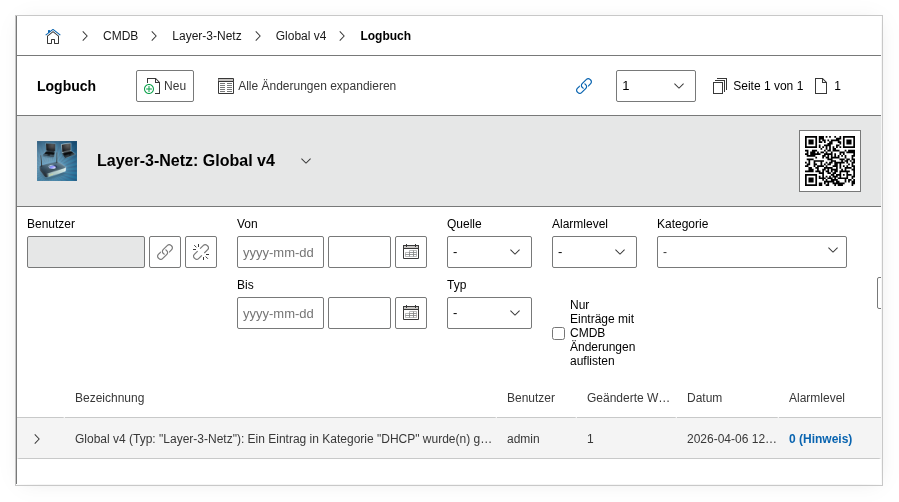
The Layer 3 Network object must exist before the host address entries on the end devices. Only then can the correct network be selected in the category Host address. If no network is assigned, IP addresses end up in the predefined catch-all network "Global v4" or "Global v6" and do not appear in the IPAM overview of the desired subnet.
CIDR suffix and subnet mask
i-doit calculates the subnet mask and CIDR suffix reciprocally. It is sufficient to enter one of the two fields – the other is automatically supplemented. The fields "Address from" and "Address to" (the usable host range) are also automatically calculated from the network address and mask.
Usage#
Typical use cases:
- IP address management (IPAM): The network object defines the available address space. In the category IP list you can see at a glance which addresses are assigned, reserved or free. Reports provide utilization figures per subnet – indispensable for capacity planning.
- Document network segmentation: Each subnet is created as its own Layer 3 Network object – with network address, gateway and VLAN assignment (via the Layer 2 network assignment). This creates a complete overview of network segments that is useful both for the network team and for security audits.
- DNS configuration: The fields DNS server and DNS domain document which DNS servers are responsible for this network and which domain suffixes apply. The Reverse DNS field records the PTR zone, e.g.
10.168.192.in-addr.arpa. - Gateway documentation: The default gateway is maintained as a dialog field and references an IP address within the network. It appears automatically in the IPAM overview and in the category Host address when a new device is assigned to this network.
- Supernetting: Objects of the type Supernet use the same category to define parent network ranges. This allows you to map a hierarchical network structure, e.g. a /16 supernet that contains multiple /24 subnets.
- Layer 2/Layer 3 link: Via the field "Layer 2 network assignment", the logical IP network is linked with a physical VLAN object. This bridges the documentation between IP addressing and VLAN segmentation.
Fields#
Type#
Distinguishes between IPv4 and IPv6. Depending on the selection, the appropriate address fields are displayed. Dialog field – the selection determines the behavior of the entire category.
Network address (Net)#
The network address of the subnet, e.g. 192.168.10.0 or fd00:abcd::. This is the base address from which, together with the subnet mask, the entire address range is calculated.
Subnet mask (Netmask)#
The subnet mask in dotted decimal notation, e.g. 255.255.255.0. Automatically calculated from the CIDR suffix and vice versa. For IPv6 networks this field is omitted – there only the CIDR suffix is used.
CIDR suffix#
The prefix length in CIDR notation, e.g. 24 for a /24 network (256 addresses). Calculated reciprocally with the subnet mask. Common values: 24 (Class C), 16 (Class B), 8 (Class A) as well as /48 or /64 for IPv6.
Default gateway#
The default gateway of this network. Dialog field that offers the IP addresses available in the network for selection. The gateway appears in the IPAM overview and is automatically shown as a suggestion in new host address entries.
Address from / Address to#
The usable host range of the network. Automatically calculated from network address and mask, e.g. 192.168.10.1 to 192.168.10.254 for a /24 network. These values define the range in which i-doit suggests free addresses.
DNS server#
Link to one or more objects that serve as DNS servers for this network. Object browser field – existing server objects from i-doit are selected.
DNS domain#
The DNS domain(s) that apply in this network, e.g. intern.example.com. Multiple selection – several search domains can be stored.
Reverse DNS#
The reverse DNS zone (PTR zone) for this network, e.g. 10.168.192.in-addr.arpa. Free text – not automatically calculated but manually maintained.
Layer 2 network assignment#
Links the Layer 3 network with one or more Layer 2 network objects (VLANs). Object browser field. This assignment documents which VLAN underlies the IP subnet – important information for network administrators and firewall rules.
Network address IPv6 (Net v6)#
For IPv6 networks, the complete network address in IPv6 notation. Only displayed when the type is set to IPv6.
Address range#
Calculated field that displays the entire address range as a string.
Network with suffix (Net with suffix)#
Calculated field: The network address including CIDR suffix, e.g. 192.168.10.0/24. Used in lists and reports as a compact display.
Assigned addresses#
Calculated field that shows the allocation of the network – how many addresses are assigned or free. This field provides quick access to the capacity evaluation.
Description#
Free text for additional details: purpose of the network (server network, management network, DMZ), location reference, firewall rules, contact person.
Technical Reference#
| Property | Value |
|---|---|
| Category Constant | C__CATS__NET |
| Type | Specific category |
| Multi-Value | No |
| Assigned to | Layer 3 Network (LAYER3_NET), Supernet (SUPERNET) |
Fields (API Reference)#
| Field | API Key | Type |
|---|---|---|
| Type | type | Dialog (selection) |
| Network address | address | Text |
| Subnet mask | netmask | Text |
| Default gateway | gateway | Dialog (selection) |
| Address from | range_from | Text |
| Address to | range_to | Text |
| DNS server | dns_server | Object browser (link) |
| DNS domain | dns_domain | Multiple selection |
| CIDR suffix | cidr_suffix | Integer |
| Reverse DNS | reverse_dns | Text |
| Layer 2 network assignment | layer2_assignments | Object browser (link) |
| Network address IPv6 | address_v6 | Text |
| Address range | address_range | Text |
| Network with suffix | address_with_suffix | Text |
| Assigned addresses | free_addresses | Text |
| Description | description | Text field (multi-line) |
API Examples#
Create Entry#
1 2 3 4 5 6 7 8 9 10 11 12 13 14 15 16 17 18 19 20 | |
Read Entries#
1 2 3 4 5 6 7 8 9 10 | |
Update Entry#
1 2 3 4 5 6 7 8 9 10 11 12 13 14 15 | |