Category: Persons (Organization)#
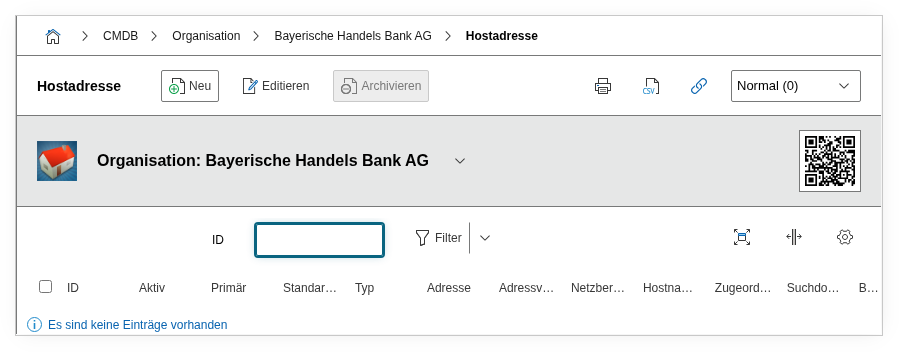
The Persons (Organization) category shows all persons assigned to a given organization. It is displayed on the organization object and is a backward category -- the assignment is made on the respective person object in its master data, where the organization is stored as the employer or parent unit.
Backward category
This category is the counterpart of the organization assignment in the person master data. It answers the question: "Which persons belong to this organization?" The assignment itself is maintained on the person object -- here it is merely displayed in an aggregated view. Changes to the assignment must therefore be made on the respective person.
Usage#
Typical use cases:
- Employee overview per company: Open an organization object (e.g. "Sample Corp Ltd.") and see at a glance which persons are assigned to this company. This is particularly useful when documenting customers, service providers, or partner companies where multiple contact persons are recorded.
- Service provider management: For external service providers, the category shows which persons are stored as contacts -- e.g. the account manager, the on-site technician, and the emergency contact. In combination with the Assigned Objects (Organization) category, this creates a complete picture: Which persons belong to the service provider, and for which assets is the service provider responsible?
- On-/offboarding monitoring: Using reports, you can verify whether persons are still assigned to an organization after leaving. Orphaned assignments indicate incomplete offboarding processes.
- Reporting and statistics: How many persons are recorded per organization? Which organizations have no assigned persons (possibly outdated records)? The Report Manager answers these questions based on this category.
Fields#
Persons (Organization)#
The core field of the category: a link to the person object assigned to this organization. Each entry in the list view represents a person who has this organization stored as the parent unit in their master data. You can navigate directly to the person object via the object browser.
Contact#
The internal ID of the contact assignment. This field is primarily relevant for API usage and is typically not displayed directly in the user interface.
Mapping organizational structure hierarchically
In i-doit, organizations can be assigned a parent organization via the Master Data (Organization) category. Together with the Persons category, this creates a multi-level organizational chart: Corporation > Subsidiary > Department > Employee. The Location tree can also represent this hierarchy.
Technical Reference#
| Property | Value |
|---|---|
| Category Constant | C__CATS__ORGANIZATION_PERSONS |
| Type | Specific category |
| Multi-Value | Yes |
| Assigned to | Organization |
Fields (API Reference)#
| Field | API Key | Type |
|---|---|---|
| Persons (Organization) | object | Object browser (link) |
| Contact | contact | Integer |
API Examples#
Read Entries#
1 2 3 4 5 6 7 8 9 10 | |
Backward category -- reading as the primary use case
The assignment of a person to an organization is typically done through the master data of the person object. The API read operation on C__CATS__ORGANIZATION_PERSONS provides an aggregated view of all assigned persons.
Create Entry#
1 2 3 4 5 6 7 8 9 10 11 12 13 | |
Update Entry#
1 2 3 4 5 6 7 8 9 10 11 12 13 14 | |