Category: Share Access#
The Share Access category documents which network shares an object accesses. It is a multi-value category — any number of share access entries can be created, e.g. when a client accesses multiple file server shares. The category represents the reverse relationship to the category Shares: While Shares on the server documents which shares it provides, Share Access on the client shows which shares it consumes.
Shares vs. Share Access
The two categories complement each other:
- Shares (
C__CATG__SHARES): Maintained on the server and documents which network shares it provides (e.g.\\SRV01\Data$). - Share Access (
C__CATG__SHARE_ACCESS): Maintained on the client and documents which shares it accesses and where they are mounted.
Together they provide a complete picture of the file sharing relationships in the infrastructure.
Usage#
Typical use cases:
- Document client configuration: Record for each client which network drives are mapped and where they are mounted (mountpoint). This is especially valuable during troubleshooting when a user cannot access "their drive" — a glance at i-doit immediately shows which server and which share is affected.
- Impact analysis during server maintenance: Using the Report Manager, you can evaluate which clients access the shares of a specific server. Before planned maintenance, affected users can be specifically informed.
- Migration and relocation: When migrating file servers, a report on all share accesses shows which clients need to be reconfigured. No client is forgotten, no mountpoint overlooked.
- License and compliance review: In some cases, access to certain shares is license-relevant (e.g. software repositories). The documentation in i-doit creates transparency.
Automation with JDisc
JDisc can automatically detect mounted network drives on Windows clients and import them as share access entries in i-doit. This significantly reduces the manual maintenance effort — especially in large environments with hundreds of clients.
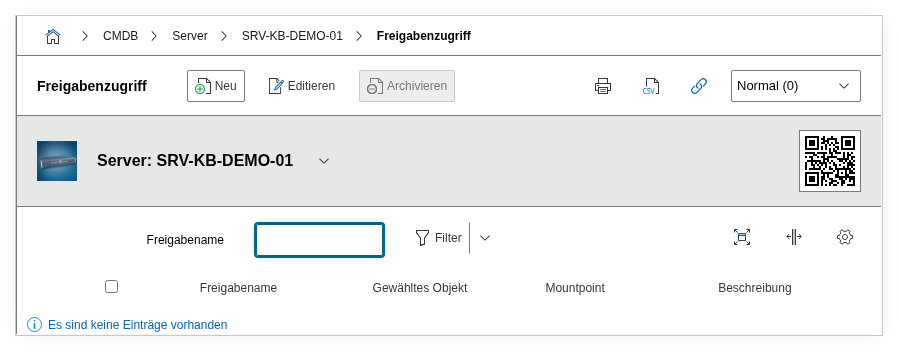
Fields#
Selected object#
Link to the server object on which the share resides. Object browser field — select here the file server or NAS whose share is being accessed.
Mountpoint#
The local mount point under which the share is available on the client, e.g. Z: (Windows drive letter) or /mnt/data (Linux). This field is crucial for troubleshooting — users often only know the drive letter, not the UNC path.
Share name#
The name of the share on the server, e.g. Data$ or Projects. Dialog field that offers the shares created on the linked server object in the category Shares for selection.
Description#
Free text for additional details: access permissions (read/write), group policies that connect the drive, or notes on usage.
Technical Reference#
| Property | Value |
|---|---|
| Category Constant | C__CATG__SHARE_ACCESS |
| Type | Global category |
| Multi-Value | Yes |
| Assigned to | Blade Server, Client, Server, Virtual Server |
Fields (API Reference)#
| Field | API Key | Type |
|---|---|---|
| Selected object | assigned_objects | Object browser (link) |
| Mountpoint | mountpoint | Text |
| Share name | shares | Dialog (selection) |
| Description | description | Text field (multi-line) |
API Examples#
Create Entry#
1 2 3 4 5 6 7 8 9 10 11 12 13 14 15 16 | |
Read Entries#
1 2 3 4 5 6 7 8 9 10 | |
Update Entry#
1 2 3 4 5 6 7 8 9 10 11 12 13 14 15 | |