Category: Virtual Switches#
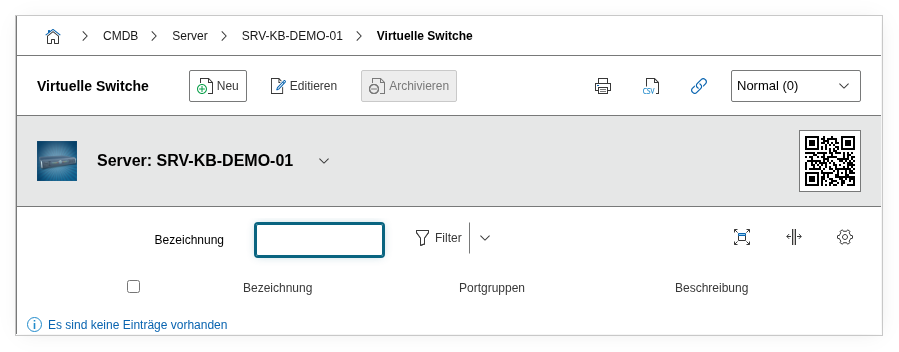
The Virtual Switches category documents the virtual network switches of a hypervisor -- vSwitches in VMware, virtual bridges in KVM, or virtual switches in Hyper-V. It is a multi-value category -- any number of entries can be created per object, since a hypervisor typically has multiple vSwitches configured for different network segments.
Virtual switches are the network foundation of virtualization: They connect the virtual network adapters (vNICs) of guest systems to the physical network adapters of the host. Through port groups, VMs are assigned to specific VLANs or network segments. The category is maintained on the host object (the hypervisor) and bridges the virtual and physical network layers.
Interaction with port categories
The physical uplinks of a vSwitch are documented in the Network Port category on the same host object. The virtual ports of the guest systems are assigned to the corresponding vSwitch via the Switch port group field in the Virtual Devices category on the VM object. For complete network documentation, all three categories should be maintained.
Usage#
Typical use cases:
- Network topology of the virtualization layer: Record all vSwitches of a hypervisor along with their port groups and physical uplinks. In a VMware environment, an ESXi host typically has at least two vSwitches: one for the management network and one for VM traffic. Correct documentation of this structure is the basis for network troubleshooting and security analysis.
- VLAN assignment: Port groups on vSwitches define in which VLAN the connected VMs communicate. By documenting the port groups in this category, you can evaluate via reports which VMs are in which VLAN -- without needing to access the hypervisor. This is particularly relevant during security audits when network separation must be demonstrated.
- Uplink redundancy verification: The assignment of physical ports to a vSwitch shows whether uplink redundancy is in place. A vSwitch with only one physical uplink is a single point of failure -- if that adapter fails, all VMs on that vSwitch lose their network connection. A report such as "vSwitches with fewer than 2 uplinks" identifies these risks.
- Documenting VMkernel ports: The Service console ports and VMKernel ports fields capture the special ports for management traffic, vMotion, iSCSI storage, and NFS traffic. These ports are critical for hypervisor operation and must be given special consideration during network changes.
- Migration and standardization: Before a network restructuring (e.g. introduction of distributed vSwitches or migration to a new hypervisor), the category provides the current state of all vSwitch configurations. By comparing multiple hosts, you can identify deviations from the standard configuration.
Fields#
Title#
The name of the virtual switch, e.g. vSwitch0, vSwitch1, br0, or Default Switch. This value appears in the category list view and in reports. In VMware environments, it corresponds to the vSwitch name in the vSphere Client.
Ports#
The physical network ports (uplinks) assigned to the vSwitch. Here you select the physical adapters of the host through which the vSwitch is connected to the physical network -- e.g. vmnic0, vmnic1, or eth0. Multiple ports mean uplink redundancy: If one adapter fails, the other takes over the traffic.
Port groups#
The configured port groups on this vSwitch. Each port group defines a network segment with its own settings (VLAN ID, security policies, traffic shaping). VMs are assigned to a port group through their virtual network adapters -- e.g. VM Network, VLAN 100 - Production, or DMZ.
Service console ports#
The service console ports on this vSwitch -- relevant for older ESXi versions with a separate service console interface. Documents through which port the management network of the hypervisor is reachable.
VMKernel ports#
The VMKernel ports on this vSwitch. VMKernel ports are used for management traffic, vMotion, iSCSI storage, NFS traffic, and fault tolerance logging. Each VMKernel port has its own IP address and can be enabled for specific services -- e.g. a VMKernel port on VLAN 200 for vMotion traffic.
Description#
Free text for additional details: VLAN configuration of the port groups, teaming policy (e.g. "Active/Standby" or "Load Balancing"), security settings (Promiscuous Mode, MAC address changes), or notes on the planned migration to distributed vSwitches.
Technical Reference#
| Property | Value |
|---|---|
| Category Constant | C__CATG__VIRTUAL_SWITCH |
| Type | Global category |
| Multi-Value | Yes |
| Assigned to | Server, Blade Server, Cluster |
Fields (API Reference)#
| Field | API Key | Type |
|---|---|---|
| Title | title | Text |
| Ports | ports | Dialog list |
| Port groups | portgroup | Dialog (selection) |
| Service console ports | serviceconsoleports | Dialog (selection) |
| VMKernel ports | vmkernelports | Dialog (selection) |
| Description | description | Text field (multi-line) |
API Examples#
Create Entry#
1 2 3 4 5 6 7 8 9 10 11 12 13 14 | |
Read Entries#
1 2 3 4 5 6 7 8 9 10 | |
Update Entry#
1 2 3 4 5 6 7 8 9 10 11 12 13 14 15 | |