Object relationships#
Objects in i-doit typically do not stand alone, but in relation to each other. Servers are located in racks, admins manage servers, an operating system with software runs on a server. This article explains the fundamental concepts of object relationships.
Object relationship types#
Objects can be related in many different ways. To provide clarity, each relationship is given a type. i-doit comes with many predefined relationship types in the standard installation. You can find all types under Administration → Predefined content → Object relationship types.
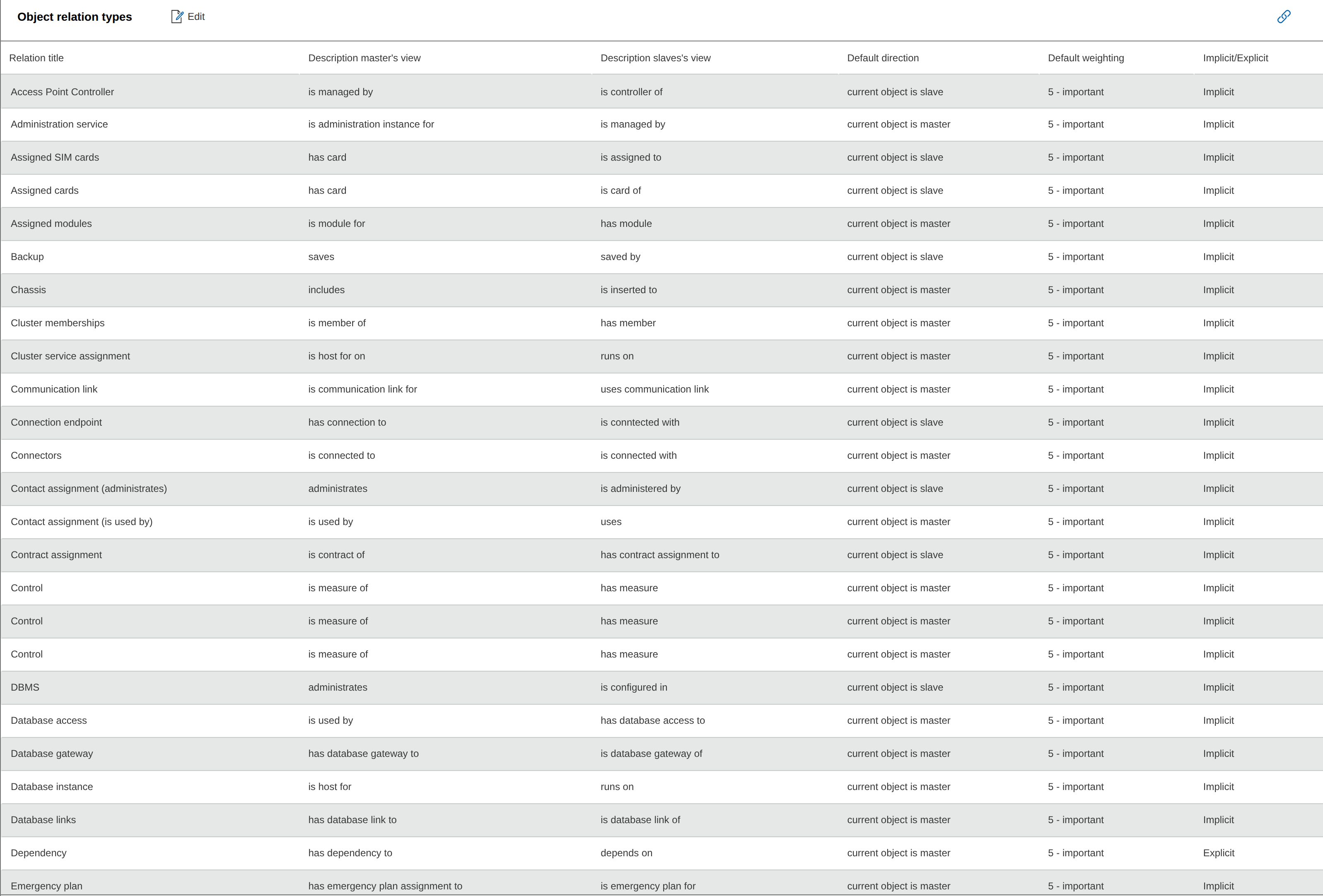
Via the Add new value button below the list, you create a new relationship type. If you want to use this relationship in a custom category, define it as "Implicit".

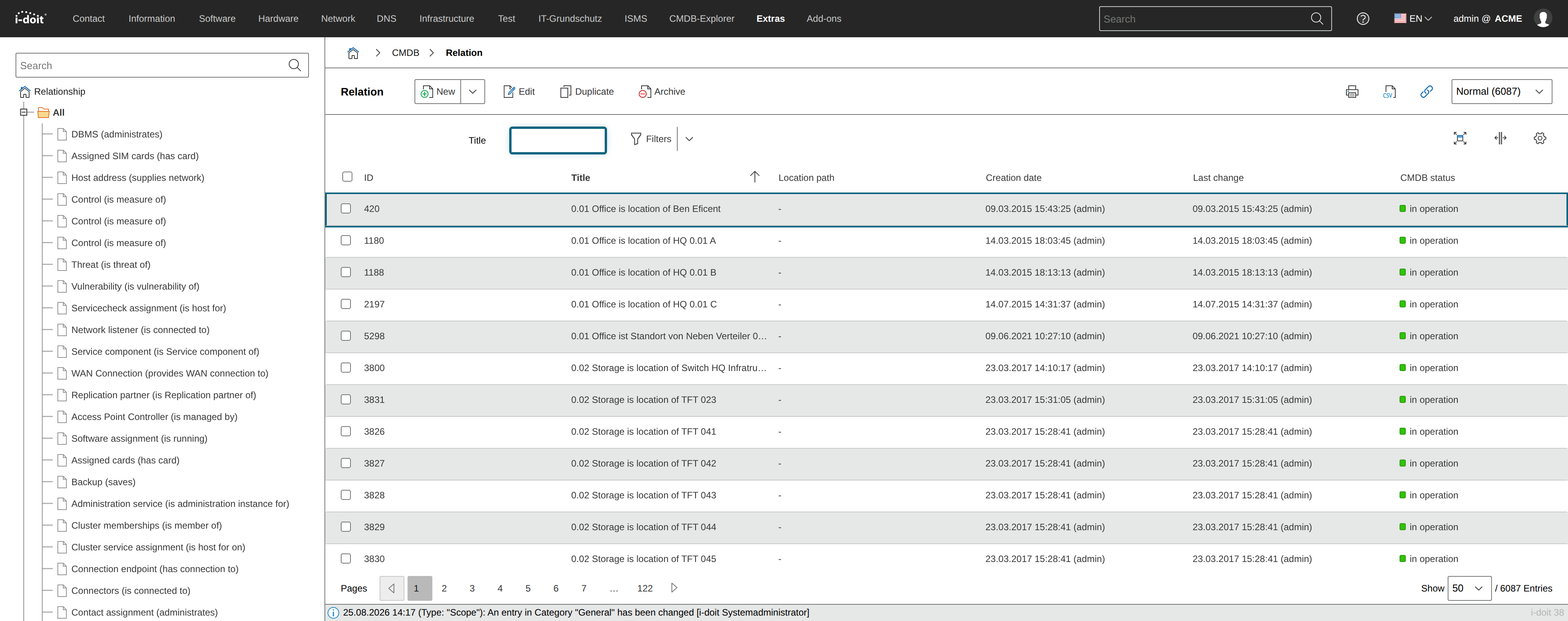
All already documented object relationships can be found under Extras → CMDB → Relationships, listed by type. If you click All in the left navigation tree, i-doit loads all object relationships regardless of type. With a larger IT documentation, loading may take a moment.
Relationship objects#
When a relationship between two objects is created, a third object of type Relationships is automatically created in the background. It receives the object title of the master object, followed by the description and the object title of the slave object.
Example:
| Master object | Relationship description | Slave object |
|---|---|---|
| PDU-HQ-Intern-01-A | supplies power to | ESX1 |
The relationship object is necessary to store properties of the relationship as attributes. These include:
- Relationship type: see above
- Weighting: see below
- Service (optional): The object relationship can be directly assigned to a service.
As already evident, an object relationship consists of a master and a slave object. It is therefore a directed relationship. The slave object is dependent on the master object.
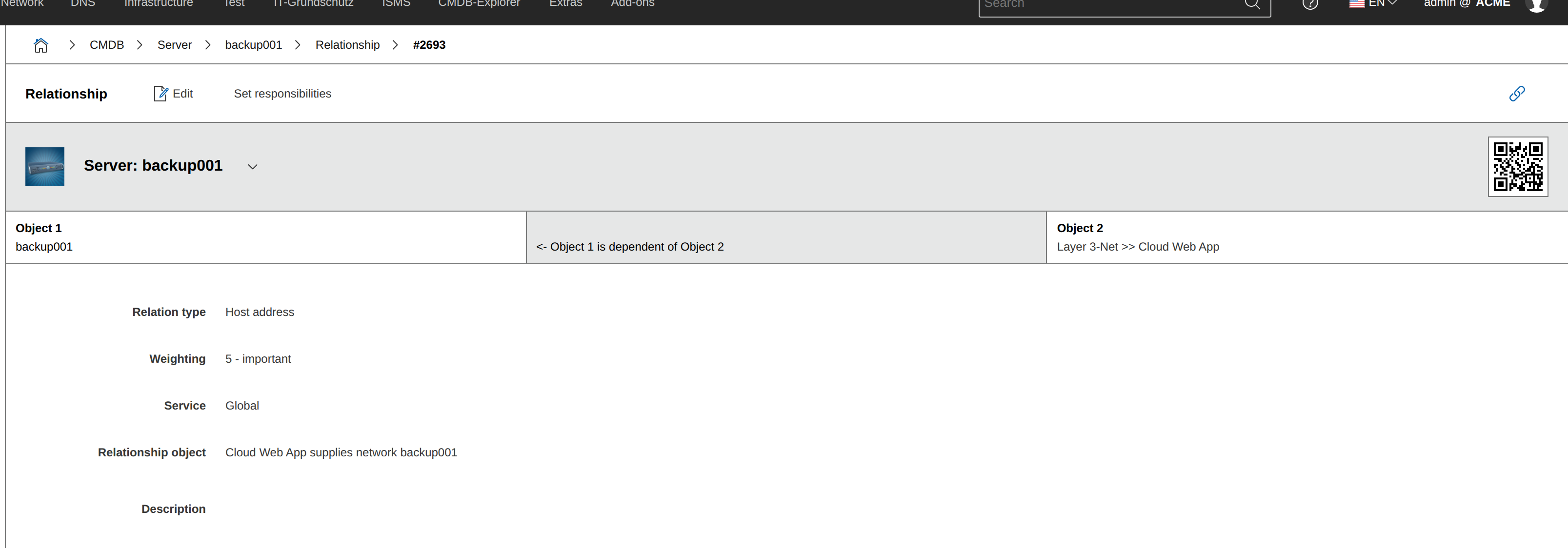
The direction of the relationship -- i.e. which object is master, which is slave -- affects the CMDB Explorer. In the tree view, object relationships are recursively built either upward or downward. In the standard profile, master objects are positioned below the slave objects.
Relationship objects are not subject to licensing.
Relationships category#
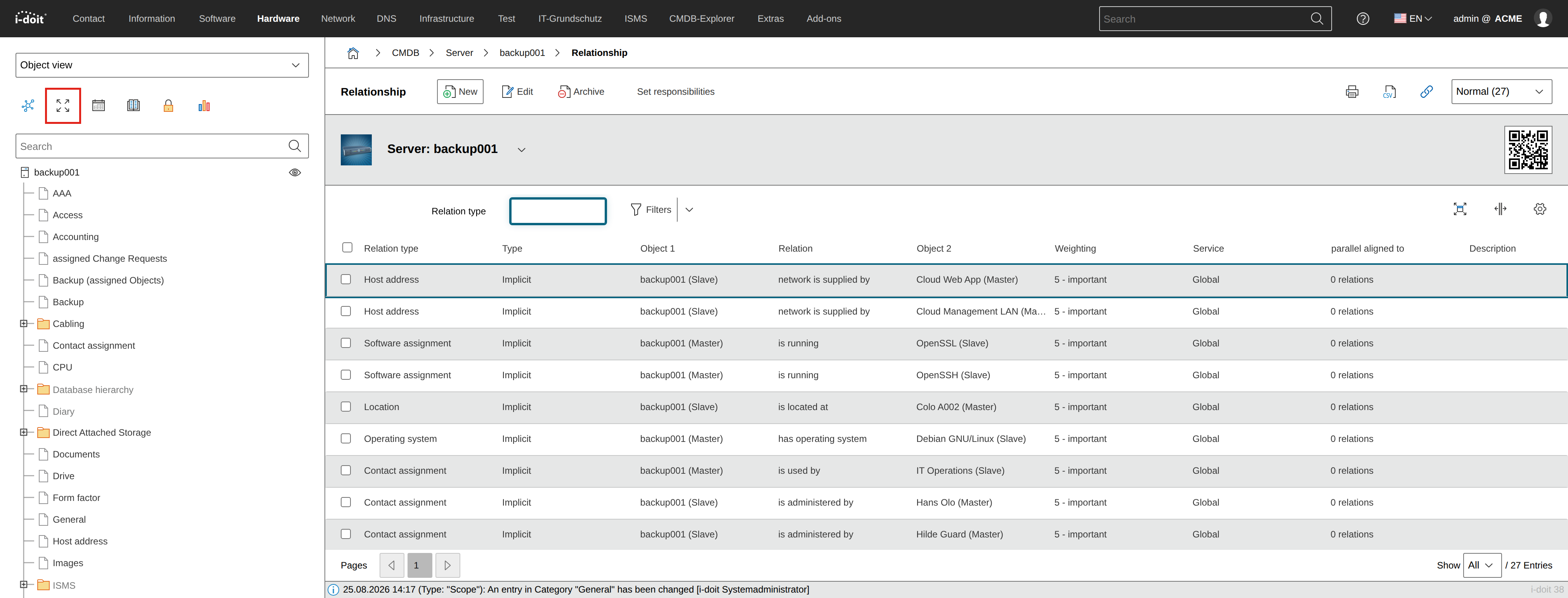
Per object, relationships to other objects are collected in the category Relationships. This category is permanently assigned to every object type and can be accessed via the arrows icon.
Implicit vs. explicit relationships#
Relationships differ not only by their type (see above), but also by whether they were created implicitly or explicitly.
Implicit relationships are created automatically from categories. For example, if you edit the Location category and select a parent object in the Location attribute, i-doit automatically creates an implicit relationship of type Location in the background. This relationship is also displayed in the Relationships category and under Extras → CMDB → Relationships → Location.
Explicit relationships are created independently of categories and their attributes directly in the Relationships category. The current object is preselected as Object 1. Under Object 2, you select the object to which a relationship should exist and set the direction. The default relationship type is Dependency. However, you can also directly define a new explicit relationship type -- via the note icon, as with Dialog+ fields.
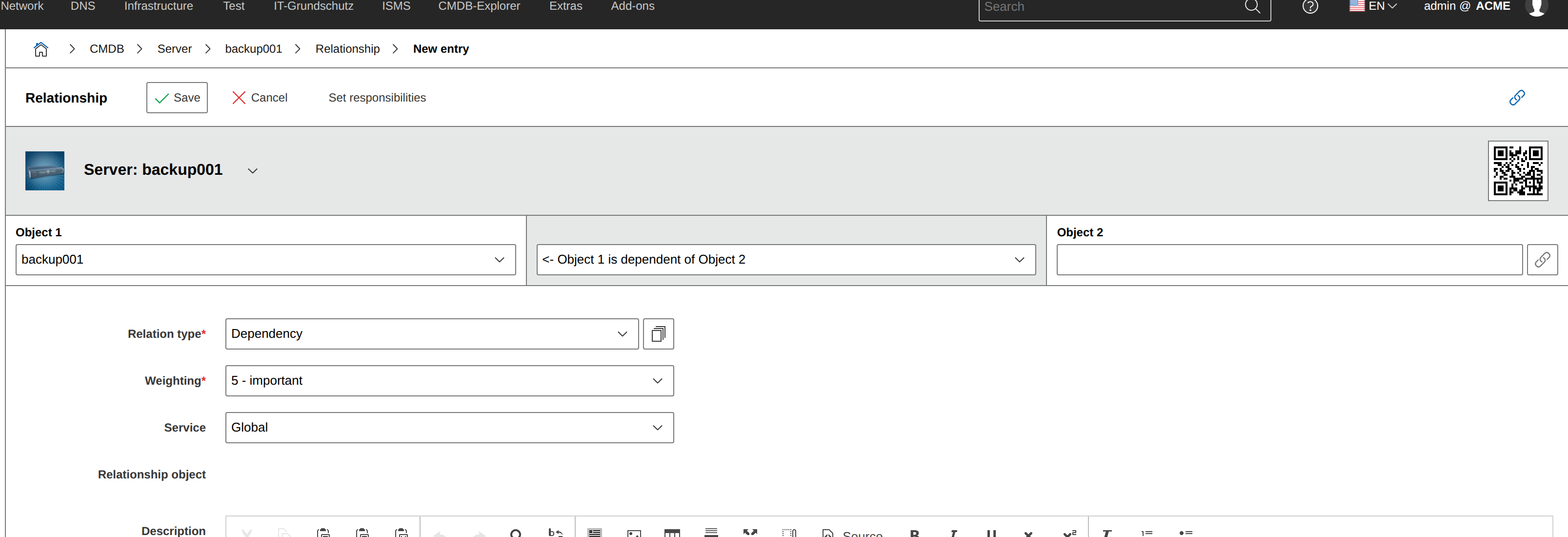
When creating a new explicit relationship type, the type and descriptions from the respective object views can be defined.
Implicit or explicit?
So which is better? Using implicit or explicit relationships? The answer is: implicit. Categories and attributes are central elements for structuring IT documentation. Users document in categories and search for information in categories. Therefore, it is better to document unspecific dependency relationships explicitly in a category than mixing implicit and explicit relationships. Both options can be evaluated, but only implicit ones are easy to trace.
Weighting#
As mentioned above, each relationship receives a weighting. This is specified as an attribute in the relationship object. Values between 1 and 10 are possible. They express how dependent the slave is on the master object. 1 means very important, 10 means unimportant, 5 is the middle ground with important and represents the default.
Example: If a non-redundant power supply receives power from a UPS, the weighting could be 1 (very important), because without a functioning UPS, the power supply does not work. If, on the other hand, a node in a web cluster fails, other nodes take over its job. The dependency on parent services is therefore not as hard and could be between 5 (important) and 10 (not important).
The analysis module uses this weighting in combination with services and network monitoring to make statements about which services are affected by outages.
Parallel relationships#
In addition to directed relationships with master and slave objects, i-doit also has parallel relationships. These also relate two objects to each other, but without expressing a dependency.
Example: If a web cluster with several nodes is documented in i-doit, the nodes operate independently of each other. Only the functioning of the cluster depends on all nodes. The Cluster members category (or the backward category Cluster memberships) creates parallel object relationships between the cluster members in the background.
All parallel relationships can be found under Extras → Predefined content → Object relationships → Parallel relationships. You cannot create them manually -- i-doit creates them implicitly and automatically in the background.
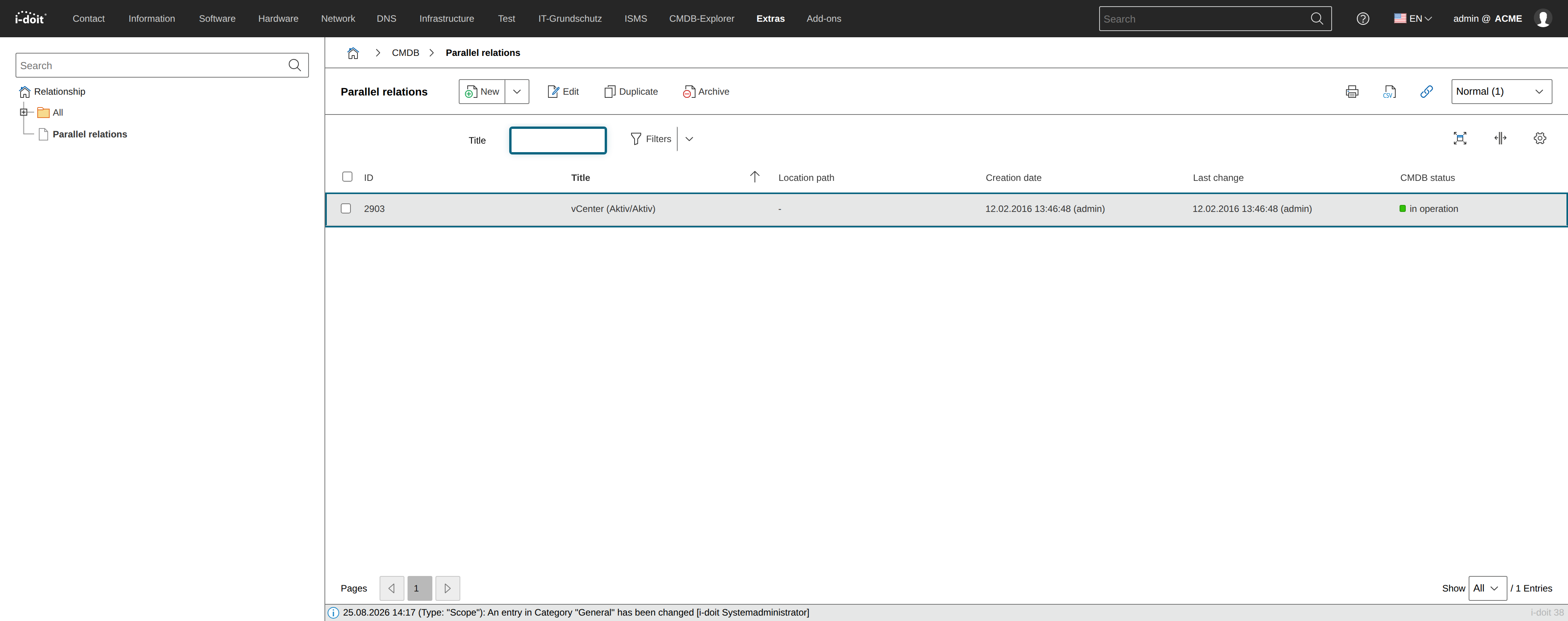
Object relationship in custom category#
In custom categories, object relationships can be documented. A distinction must be made between two field types:
- Object browser: No relationship object is created. The relationship between two objects documented here is not listed in the Relationships category and the CMDB Explorer does not evaluate this relationship.
- Object relationship: Only an implicit relationship type can be specified as Additional. Explicit relationships are not displayed here.
Object browser or relationship?
As with implicit and explicit relationships, the question arises here as well: Which field type is better? Here too, the answer is clear: The Object relationship has additional value and is therefore to be preferred over the Object browser field type.
FAQs#
Direction of the relationship#
In v35, the direction of the relationship is determined by the object type configuration. There it is configured whether an object is the relationship master or not. This setting will override the default direction setting.