CSV Import Example - Licenses
Please create a complete backup before making any changes to an interface/import. If the result is not satisfactory, the backup can then be restored
This article was last verified for i-doit version 34
This example builds on the CSV import of applications. You import licenses with all relevant key and runtime information.
Required Information#
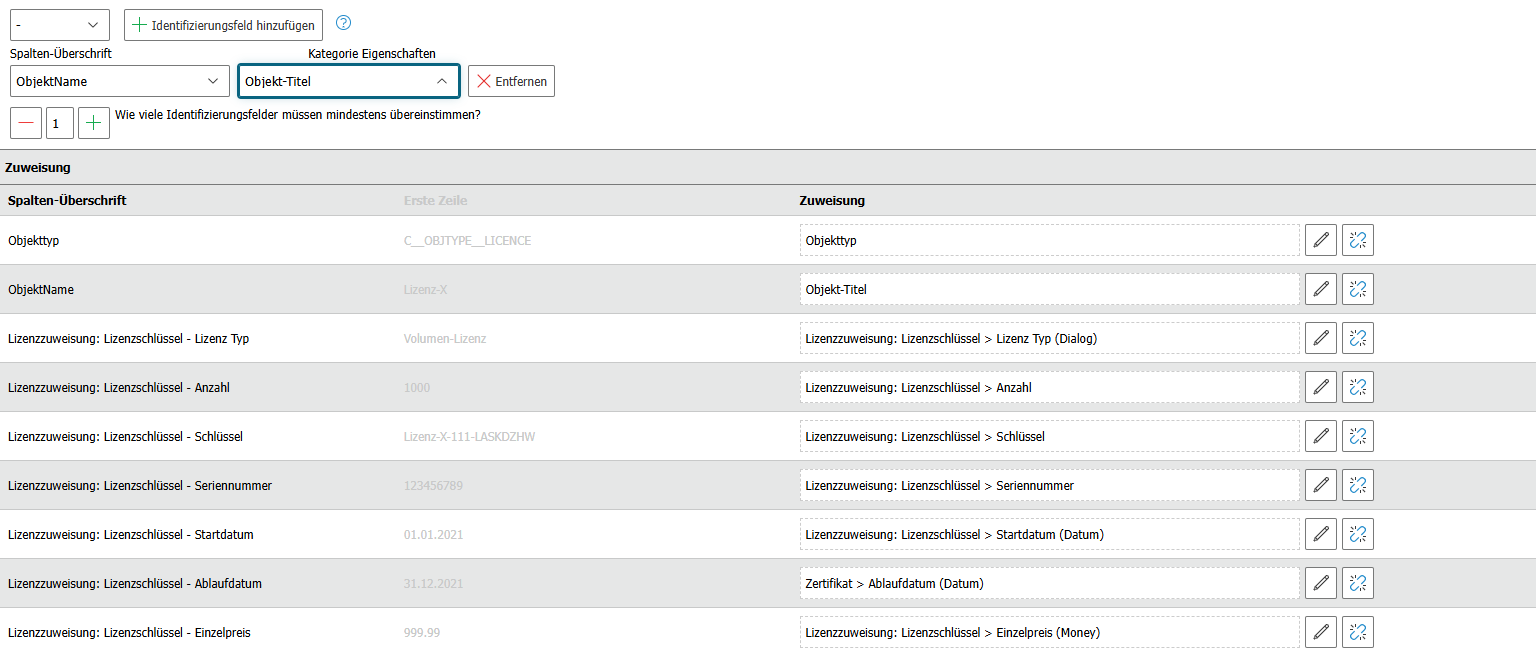
- Object type -- Which object type will be created?
- Object name -- Name of the license
- License assignment: License key - License type -- Single or volume license?
- License assignment: License key - Quantity -- How many licenses?
- License assignment: License key - Key -- What is the license key?
- License assignment: License key - Serial number -- What is the serial number?
- License assignment: License key - Start date -- From when is the license valid?
- License assignment: License key - Expiration date -- When does it expire?
- License assignment: License key - Unit price -- What does one license cost?
Observe Data Formats#
Pay attention to the correct data formats during import.
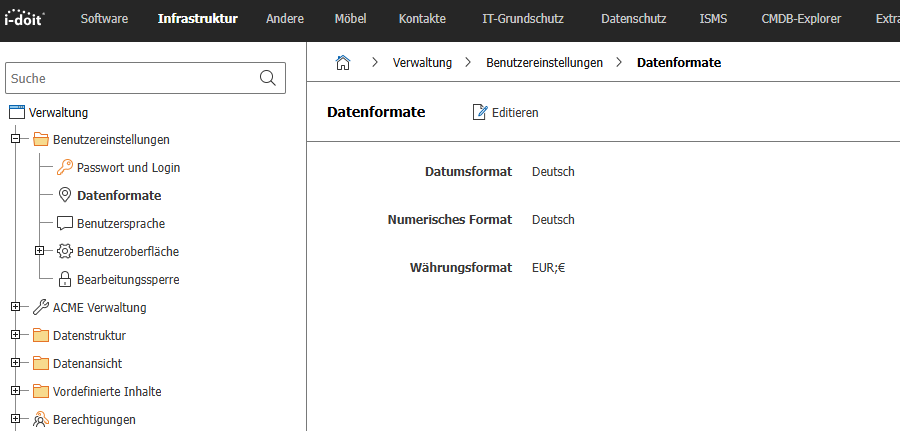
i-doit expects the following formats:
- Dialog designations: German language, e.g.,
Einzel-Lizenz - Date format:
DD.MM.YYYY(e.g.,01.01.2021) - Numeric format:
X.XXX,XX(e.g.,9.999,99). Since multi-values are specified comma-separated, use the period for decimal places (e.g.,1000.99)
Example CSV file for this import:
Import Lizenzen.csv
1 2 3 4 | |
This import has no dependencies.
Step-by-Step Instructions#
- Navigate to the CSV import under Extras > Import > CSV Import
- Upload the CSV file and click Prepare for Import
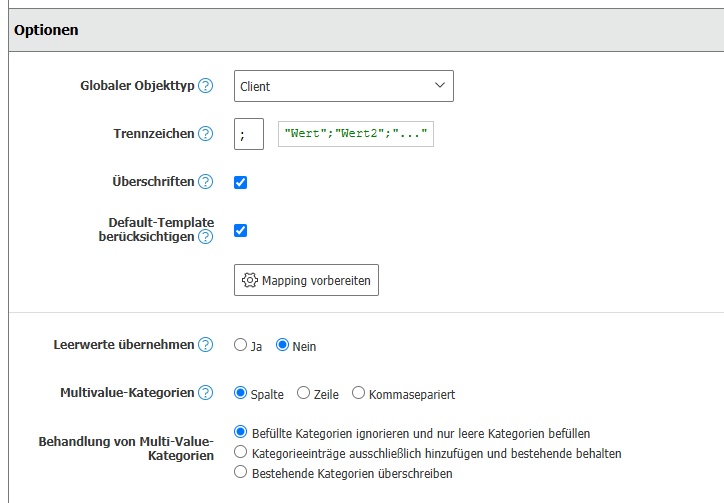
- Set the multi-value categories to Comma-separated
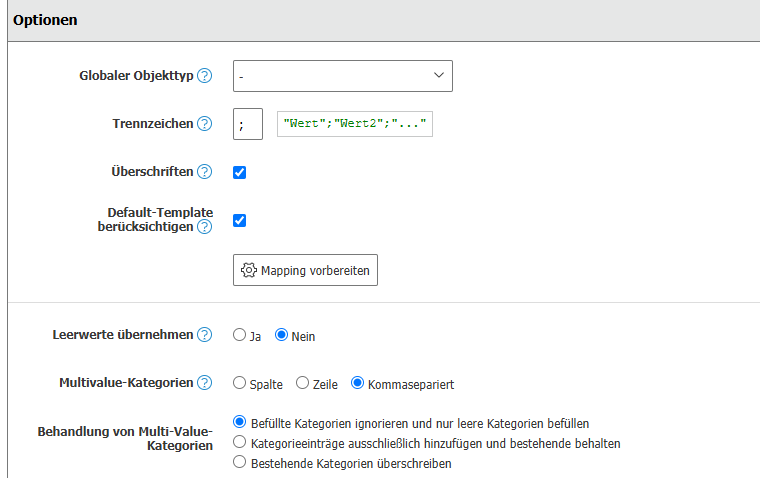
- Configure the assignments as shown in the screenshot and start the import
Result#
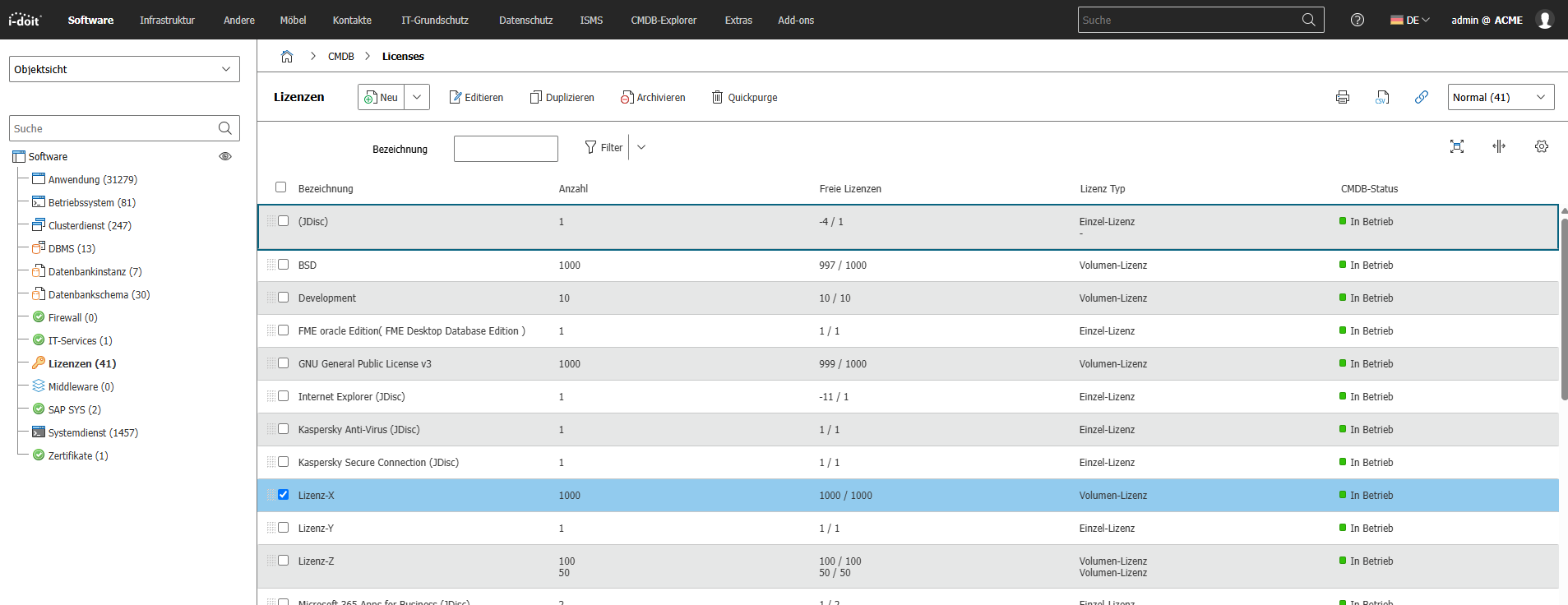
The imported licenses appear in the list view:
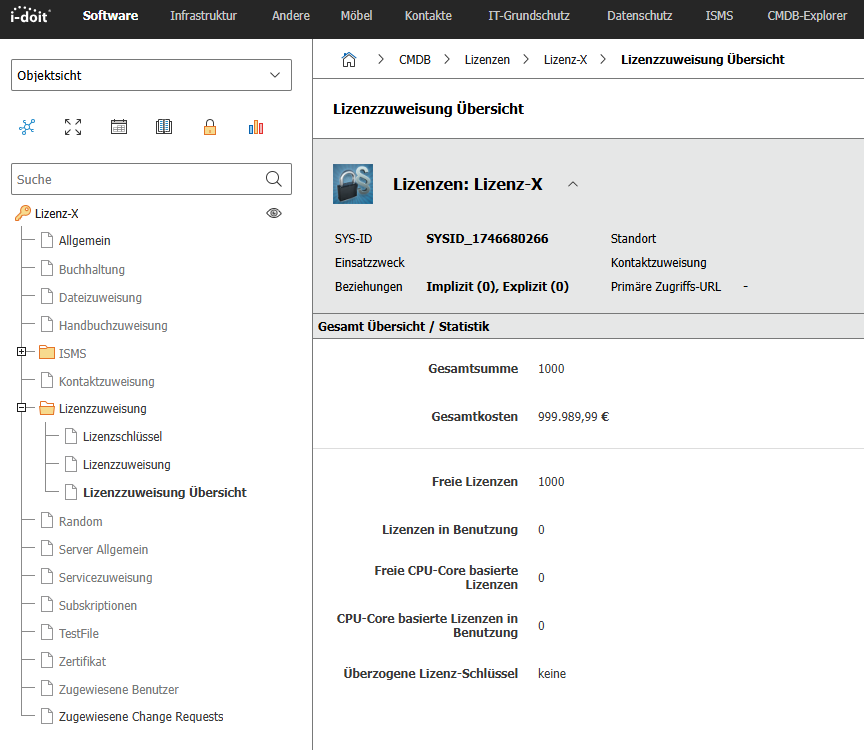
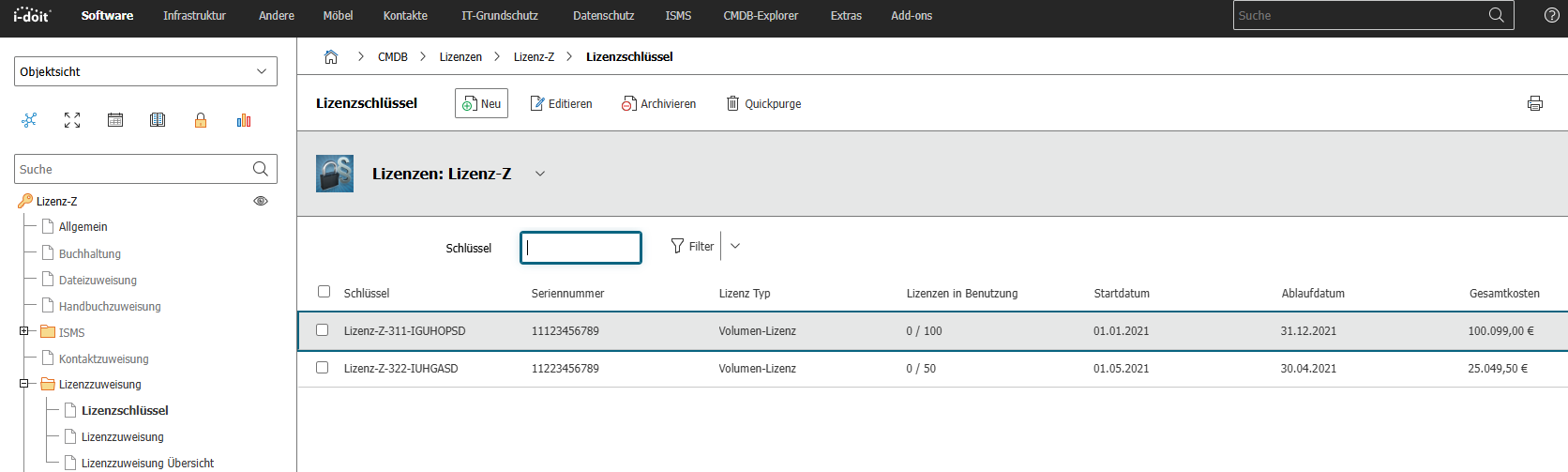
The categories License Assignment and License Assignment: License Key are populated:
Importing Objects with Volume Licenses#
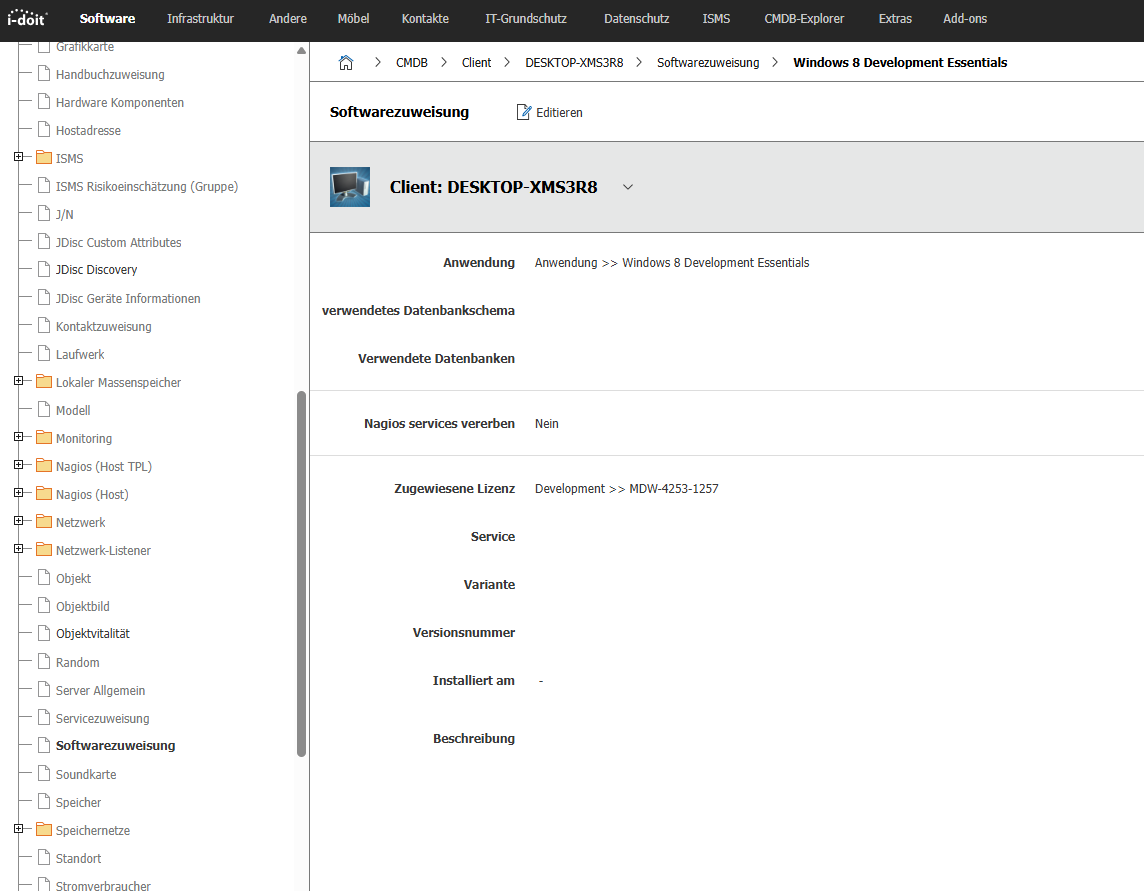
If you want to import an object with a volume license and its associated key, enter the license via the category Software Assignment. The CSV file must use the following syntax:
Volumen-Lizenz.csv
1 2 3 | |
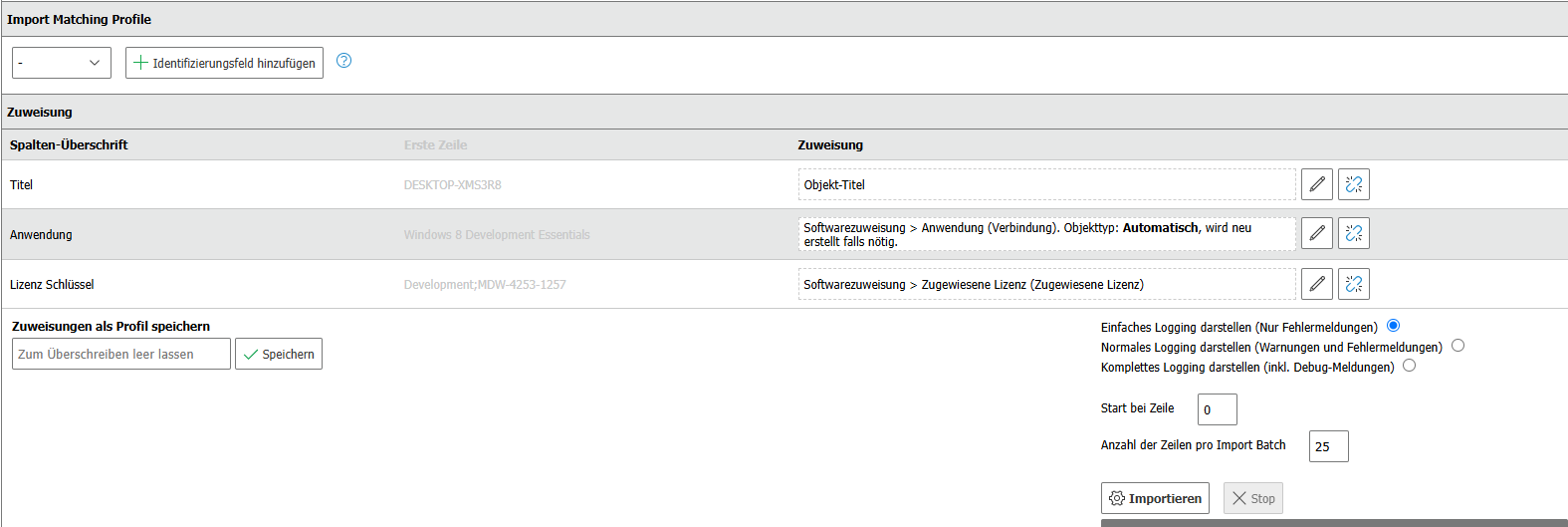
Configure the mapping in i-doit as follows:
After the import, you will find a new entry with license and key in the Software Assignment category of the object: