Attribute Validation and Mandatory Fields#
Info
A practical example can be found on our Blog
If you want to ensure the uniqueness of attributes, expect only defined values when maintaining certain fields, or want to make fields mandatory, i-doit provides the corresponding functions.
Overview#
The validation meets the following requirements:
- Definition of prescribed values for individual fields
- Definition of uniqueness of the field value per object (list category)/object type/tenant (global)
- Definition of the field as a mandatory field when creating a new object/editing information
Configuration#
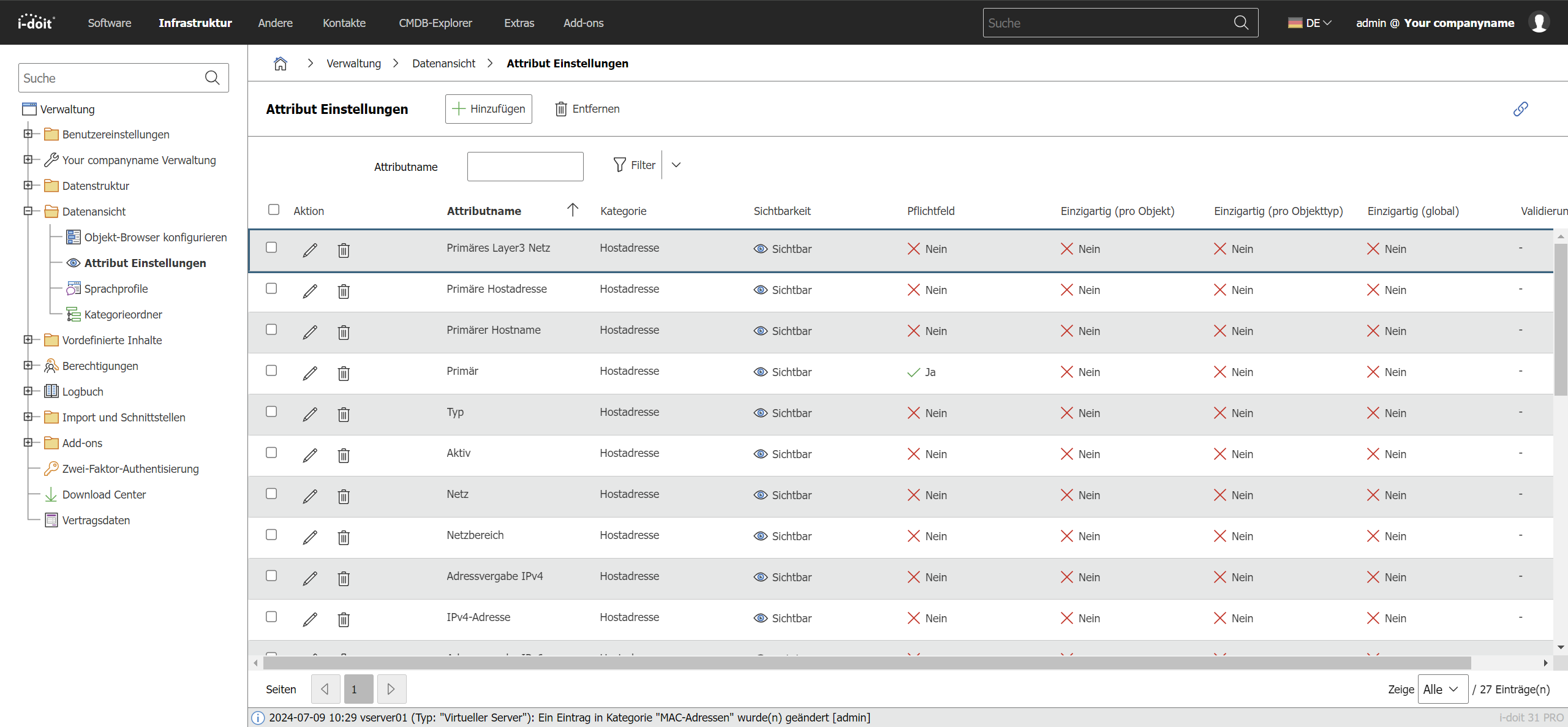
You can find the option to define these settings under Administration → Data View → Attribute Settings. In the initial state, some pre-configured attributes are displayed. If one is missing, it can be added via Add.
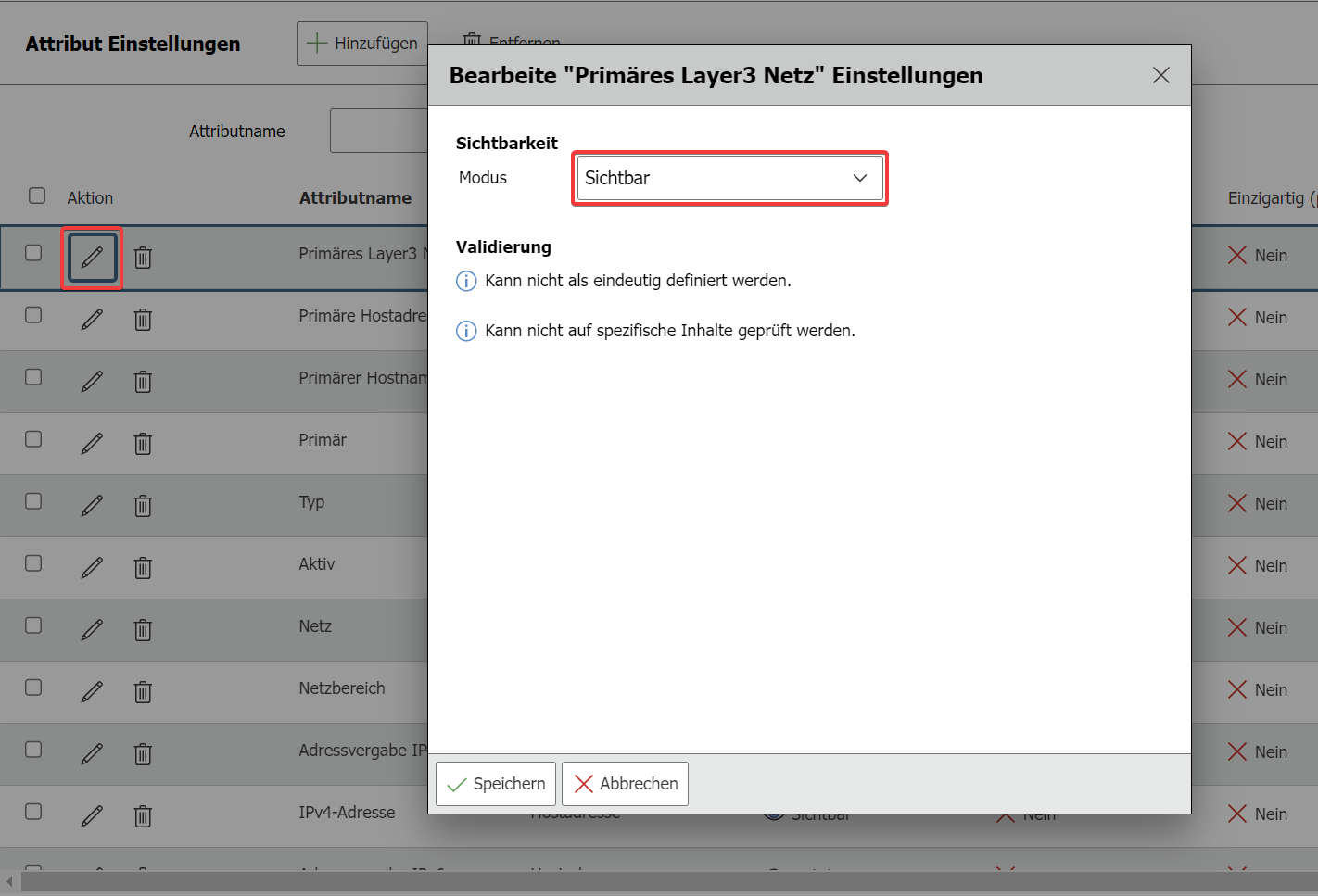
First, you get the option to set the visibility of the attribute with three choices. A detailed view of this option can be found in the article Attribute Visibility
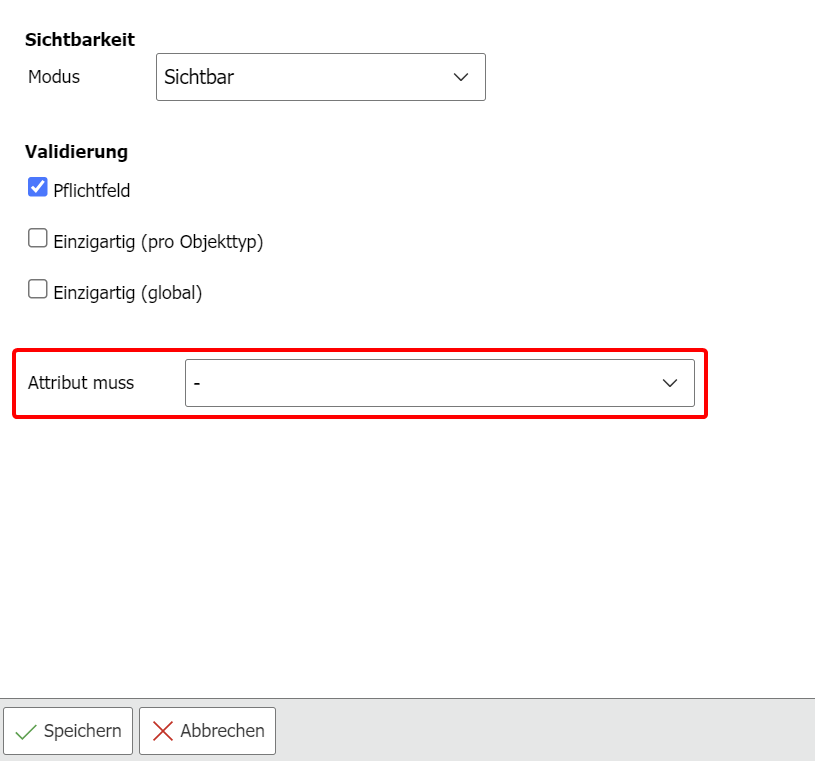
Now the attributes of the category are ready for validation configuration. By checking the Mandatory field checkbox, you can require users to enter data in this field. It is not possible to save the category if the field is empty. The marking in the category is done via a red asterisk (*) next to the attribute name.
Furthermore, you can specify whether the attribute must be unique in your IT documentation, i.e., may only exist once at most. This is done via the following buttons:
- Unique (per object): This option is only available in list categories (multi-value categories). If you activate it, it is not possible within this object to use the same value twice in two entries of this category. However, it is possible to use the entered value again in other objects.
- Unique (per object type): If you activate this option per object type, the same value may not exist in another object of this type.
- Unique (Global): The entered value is unique across the entire tenant and cannot be used again in this attribute in any other object.
If a value for a field is already in use, the user is informed by a notice that the duplicate use of this value is not possible when they try to save the entry.
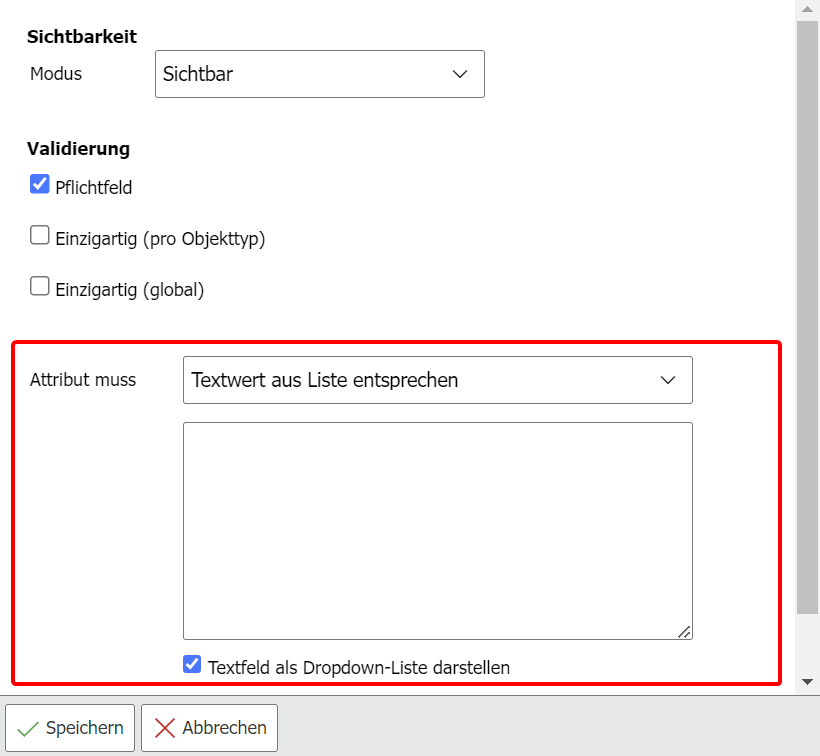
The Attribute must selection is available where there is no existing category-internal validation. A date field, for example, is generally only able to accept and save a date. Dialog-Plus fields only allow the defined values for selection. Such fields therefore cannot be restricted to a specific field value.
If no category-internal validation exists, you can either define specific content types that the value must match or specify custom text values from which users can choose.
Special cases
There are categories that already have internal validation that can neither be disabled nor customized. For example, in the "Host Address" category, IP addresses are checked to see if they conform to either the IPv4 or IPv6 standard.
If you provide users with custom values, you can optionally create a drop-down list from which users can select values. This way, the field value can only be selected from a list whose content can only be changed in the administration in the validation configuration.
Once you have configured all fields of the category according to your specifications, save the settings via the Save button. Repeat these steps for all categories in which you want to validate values and/or declare them as mandatory fields.
For each category for which you create a validation, a section is created in the configuration. These sections contain all the settings you have made. If you no longer need a configuration for a category, you can completely remove it via the Remove/Trash icon.

Caution when removing
When you remove the configuration of a category, the attribute settings are irrevocably lost.
Renewing the Validation/Attribute Cache#
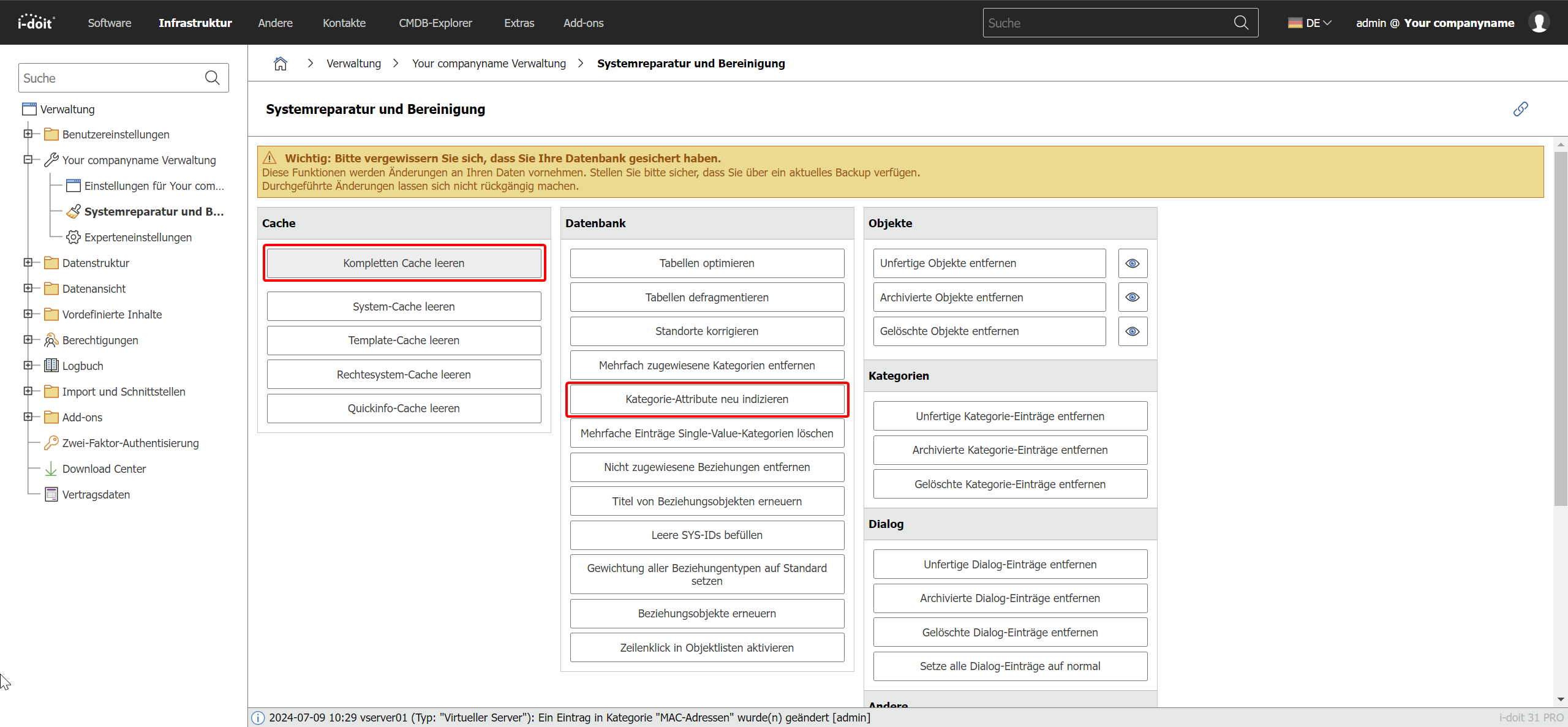
As a rule, the validation/attribute cache is automatically cleared when a new configuration is created. In rare cases, however, the system may not perform this task. If you notice that an attribute configuration in a category does not take effect or a removed validation still appears to be active, clear the entire cache under Administration > [Tenant Name] Administration > System Repair and Cleanup so that the system recognizes the changed settings.
Testing Regular Expressions#
To check regular expressions in advance, please use your preferred testing tool. To test the syntax, use for example regex101.