CMDB (permissions management)#
Within the IT documentation in i-doit, numerous rights can be assigned to determine very granularly who may view and edit what. For this purpose, it is helpful to know the structure of the IT documentation.
Permissions#
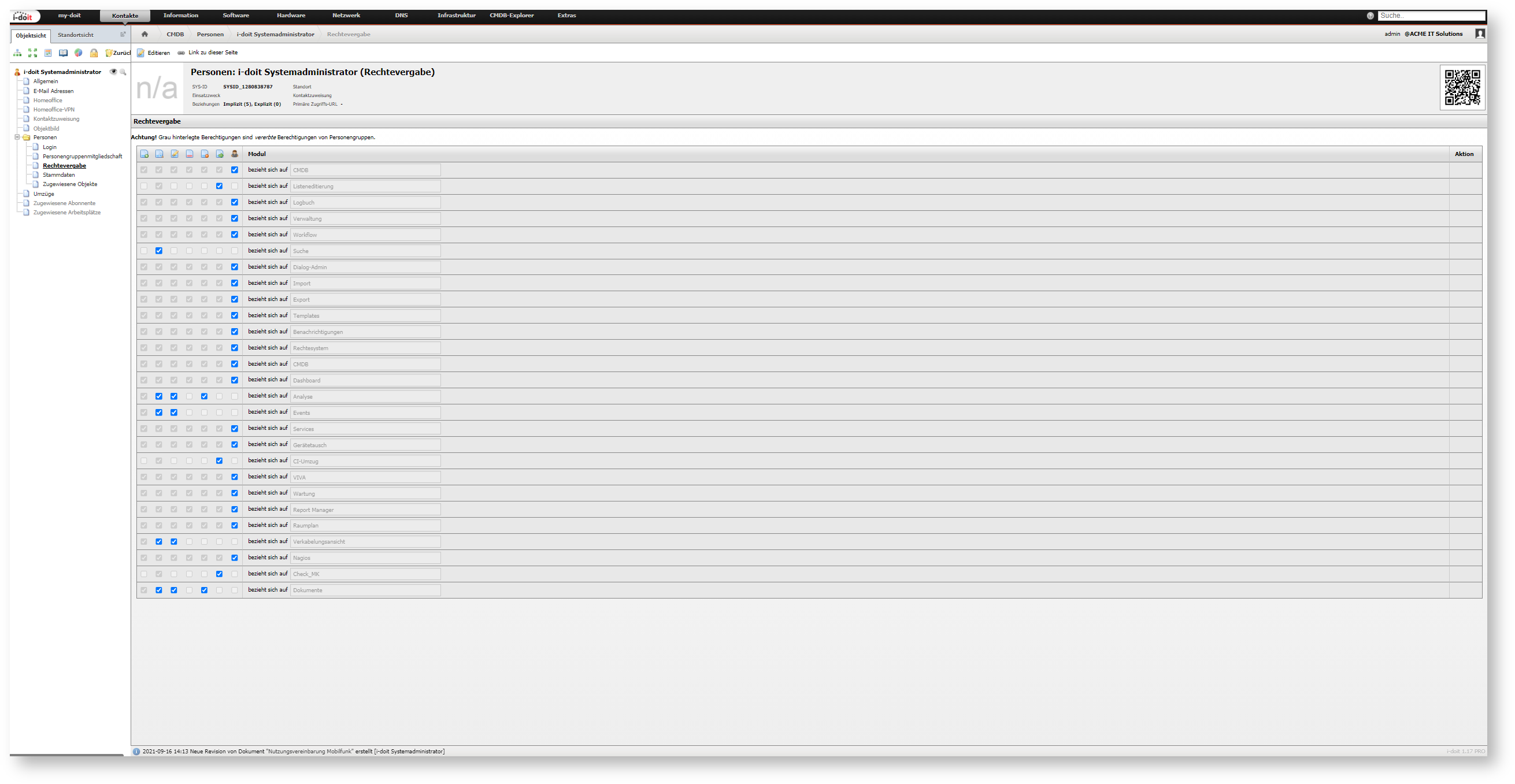
The configuration can be found under Administration → Permissions system → Permission assignment → CMDB.
 Create Create |  View1 View1 |  Edit Edit |  Archive Archive |  Delete Delete |  Execute Execute |  Administrator Administrator | Condition2 | Parameter |
|---|---|---|---|---|---|---|---|---|
| - | Display object in object list; Show Quick Info on mouseover | Swap object in the extension device swap; Add person to person group4 | Archive and restore object | Mark object as deleted and restore | - | Irrevocably delete object (purge) | Object ID | Select one, multiple, or all objects |
| Create new object of a type in object list | Display object in object list; Show Quick Info on mouseover | Create new object of a type | Archive and restore object of a type | Mark as deleted object of a type and restore | - | Irrevocably delete object of a type (purge) | Object(s) of type | Select one, multiple, or all object types |
| - | Display object type configuration | Edit existing object type or create new one | - | Irrevocably delete object type (purge) | - | No function | Object type configuration | Select one, multiple, or all object types |
| - | Display object below the location in object list; Show Quick Info on mouseover | Create new object below the location | - | - | - | - | Objects below a location | Select location |
| - | Display object below the logical location in object list; Show Quick Info on mouseover | Create new object below the logical location | Archive and restore object below the logical location | Mark as deleted object below the logical location and restore | - | Irrevocably delete object below the logical location (purge) | Objects below a logical location | Select logical location |
| - | View attributes of a category | Edit existing category entry or create new one | Archive and restore category entry | Mark as deleted category entry and restore | Execute ping and NSLOOKUP in category Network | Irrevocably delete category entry (purge) | Category | Select one, multiple, or all categories |
| Create new entry in a list category (multi-value) of a specific object type | Display attributes of a category of a specific object type | Edit existing category entry of a specific object type or create new one | Archive and restore category entry of a specific object type | Mark as deleted category entry of a specific object type and restore | Execute ping and NSLOOKUP in category Network | Irrevocably delete category entry of a specific object type (purge) | Category in object type | Select one, multiple, or all categories of a specific object type |
| Create new entry in a list category (multi-value) of a specific object | Display attributes of a category of a specific object | Edit existing category entry of a specific object or create new one | Archive and restore category entry of a specific object | Mark as deleted category entry of a specific object and restore | Execute ping and NSLOOKUP in category Network | Irrevocably delete category entry of a specific object (purge); Add person to person group4 | Category in object | Select one, multiple, or all categories of a specific object |
| Create new entry in a list category (multi-value) of an object below a specific location | Display attributes of a category below a location | Edit existing category entry below a location or create new one | Archive and restore category entry below a location | Mark as deleted category entry below a location and restore | Execute ping and NSLOOKUP in category Network | Irrevocably delete category entry below a location (purge) | Category in objects below a location | Select one, multiple, or all categories below a location |
| Create new entry in a list category (multi-value) of a self-created object | Display attributes of a category of a self-created object | Edit existing category entry of a self-created object or create new one | Archive and restore category entry of a self-created object | Mark as deleted category entry of a self-created object and restore | Execute ping and NSLOOKUP in category Network | Irrevocably delete category entry of a self-created object (purge); Add person to person group4 | Category/categories in self-created objects | Select one, multiple, or all categories of self-created objects |
| - | - | - | - | - | Save changes via List editing | - | List editing3 | - |
| - | No function | - | - | - | Customize own object lists | - | Define object lists | - |
| - | No function | - | - | - | Customize object lists of other users | - | Override object lists of other users | - |
| - | No function | - | - | - | Adjust object lists for new users | - | Define object lists as default | - |
| - | Open CMDB Explorer for any object | - | - | - | - | - | CMDB Explorer3 | - |
| - | View profiles | Create new profile or edit existing ones | - | Irrevocably delete existing profile (purge) | - | - | CMDB Explorer Profiles | - |
| - | Display locations in a tree structure | - | - | - | - | - | Location view | - |
Notes:
- The View right is always marked per condition and therefore grayed out.
- Some rights can overlap. For example, if you have the read right for all objects, you do not additionally need the read right for objects of all object types.
- This function bypasses permissions defined elsewhere. To consider all permissions, see the advanced settings below.
- When a person is added to a person group, that person inherits the rights of the group. To prevent users from granting themselves additional rights this way, the administrator right for the corresponding categories is required. Additionally, the edit right on the condition object ID for the respective objects of type Persons and Person group is required.
Automatic Permissions on Self-Created Objects#
If a user has the right to create a new object and uses it, the user automatically inherits the right to view and edit the object. However, this inheritance is not displayed in the permissions management and cannot be revoked.
Advanced Settings#
Extended settings exist for the CMDB module. By default, these are not active and must be entered under Administration → [tenant-name] Administration → Expert settings. The respective Key is described below. The setting is activated when Value is set to 1. The setting is deactivated with Value 0. All mentioned settings only affect the currently active tenant and should therefore be set to Tenant-wide.
- auth.use-in-cmdb-explorer: In the CMDB Explorer, all rights defined elsewhere are considered. Objects for which the user has no read right are neither displayed nor further iterated. Otherwise all objects are displayed without verification.
- auth.use-in-cmdb-explorer-service-browser: In the CMDB Explorer, all services for which the user has the read right are available via the Service selection button. Otherwise all service objects are available for selection without verification.
- auth.use-in-object-browser: The verification of the read right is also enabled in the object browser (as well as its derivatives). Objects for which the user has no read right are not available for selection. Already selected objects (for example by other users) are displayed as [Hidden]. If this setting is not active, all objects are displayed in the object browser.
- auth.use-in-location-tree: If the user has the right to view the location view as described above, all objects assigned to a location are displayed regardless of read rights. When this setting is enabled, read rights are additionally checked for each object in this tree view. If the read right is missing for objects, these and all objects located below them are not displayed.
Performance
Considering the advanced settings can impact the performance of i-doit.
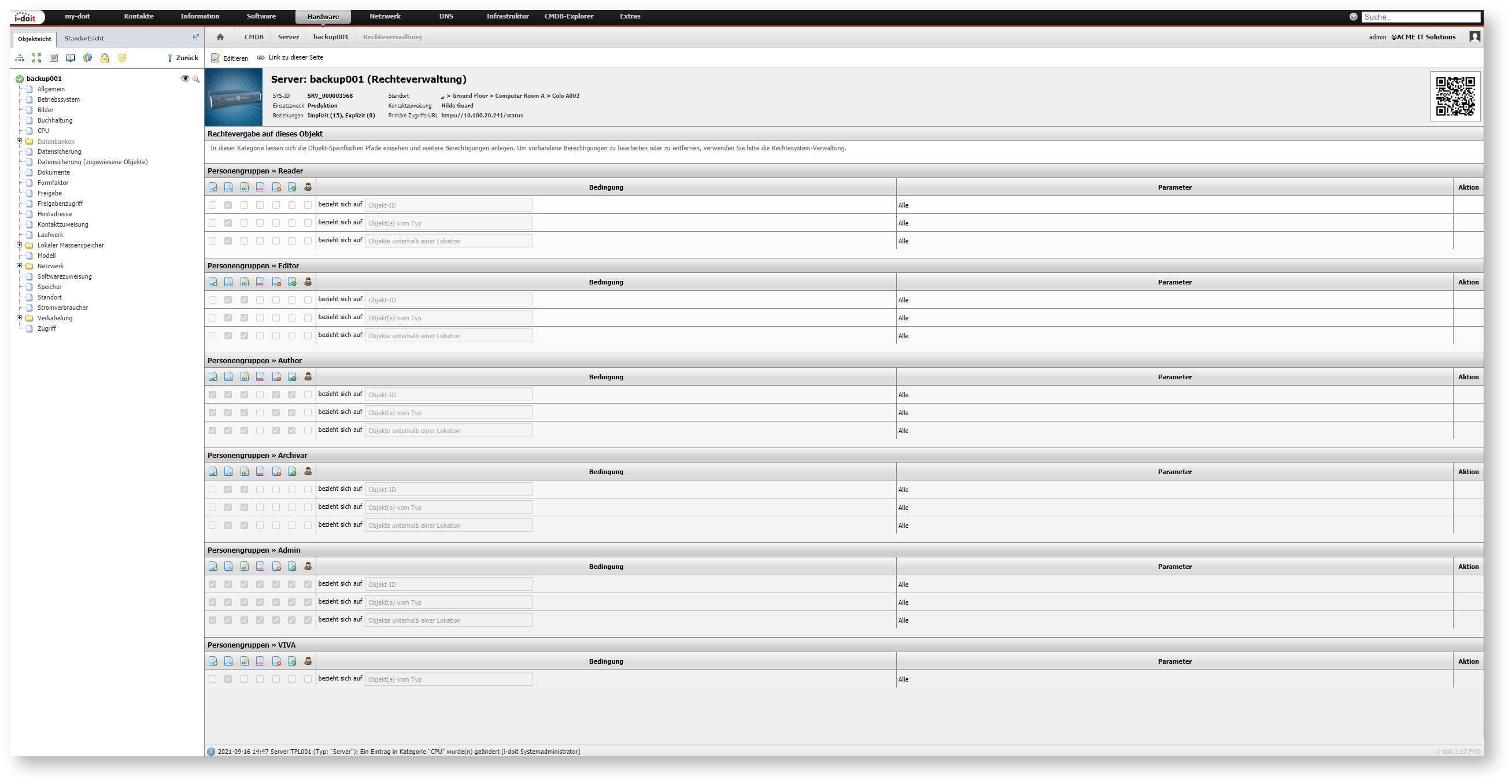
Permission Management Category#
The permissions management category is displayed with a lock icon for every object and cannot be deselected. All rights associated with the respective object are broken down by person and person group. Additionally, rights can be extended. Existing rights cannot be adjusted through this; the configuration described above is intended for that purpose.