Permission Assignment via Roles#
Since version 1.18.2, you can assign permissions to users or groups on objects via the contact assignment. The permissions can be linked to specific roles.
Create a Group and Assign Users#
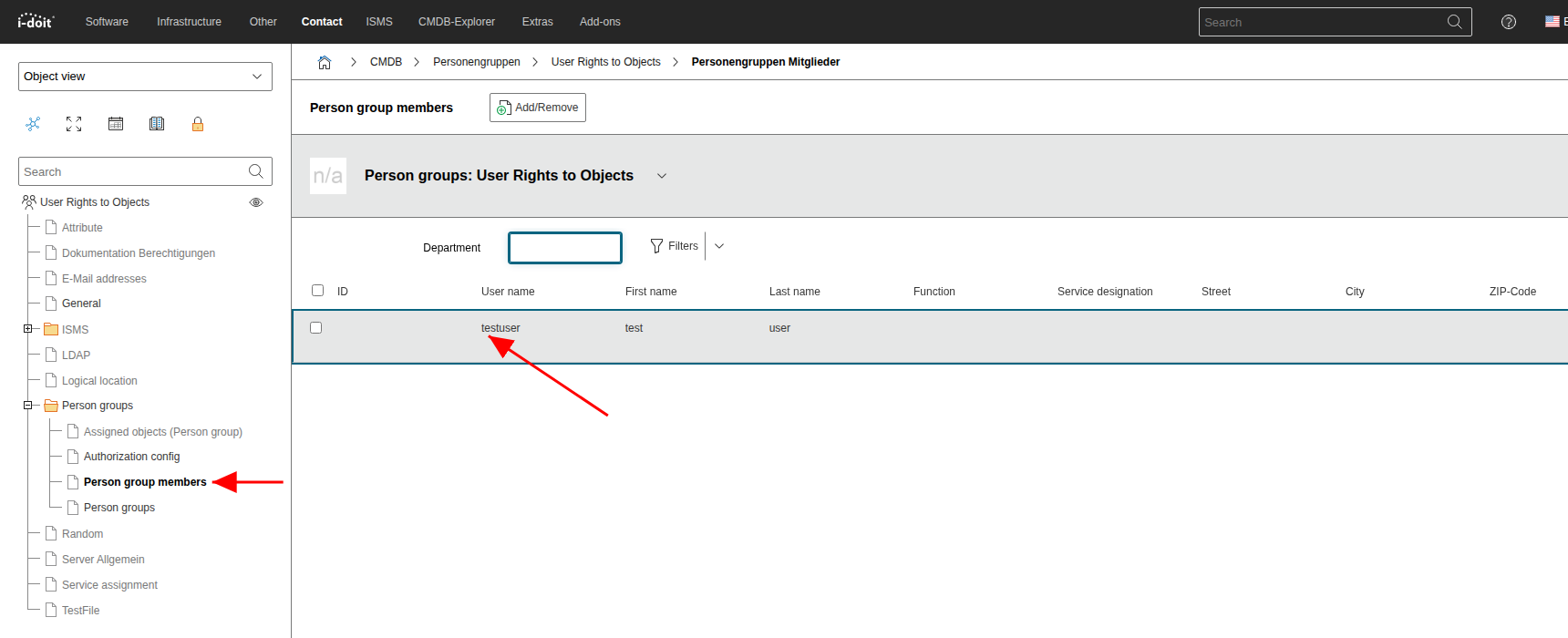
First, create a person group (in the example "User Rights to Objects") and add the desired user as a member:
Permission Assignment#
Switch to the permission assignment under Administration > User permissions > CMDB. Select the newly created group and click  :
:
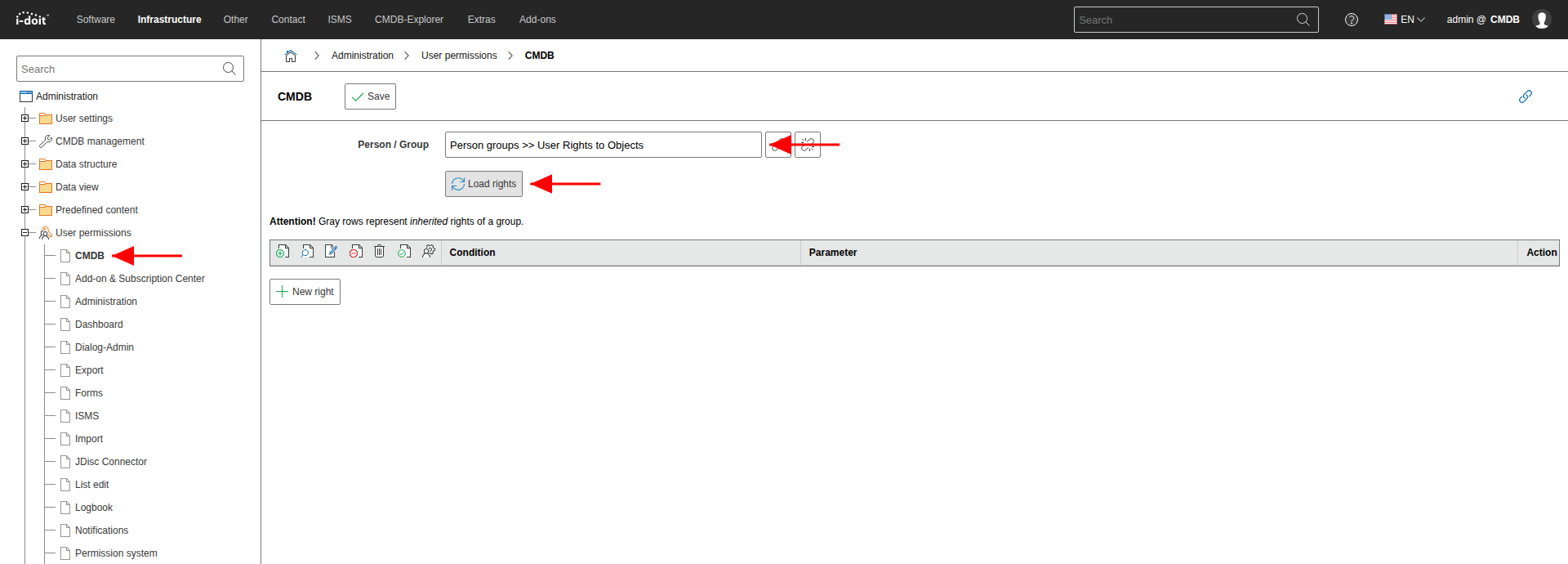
Since this is a newly created group, no permissions exist yet. Set the following permissions:
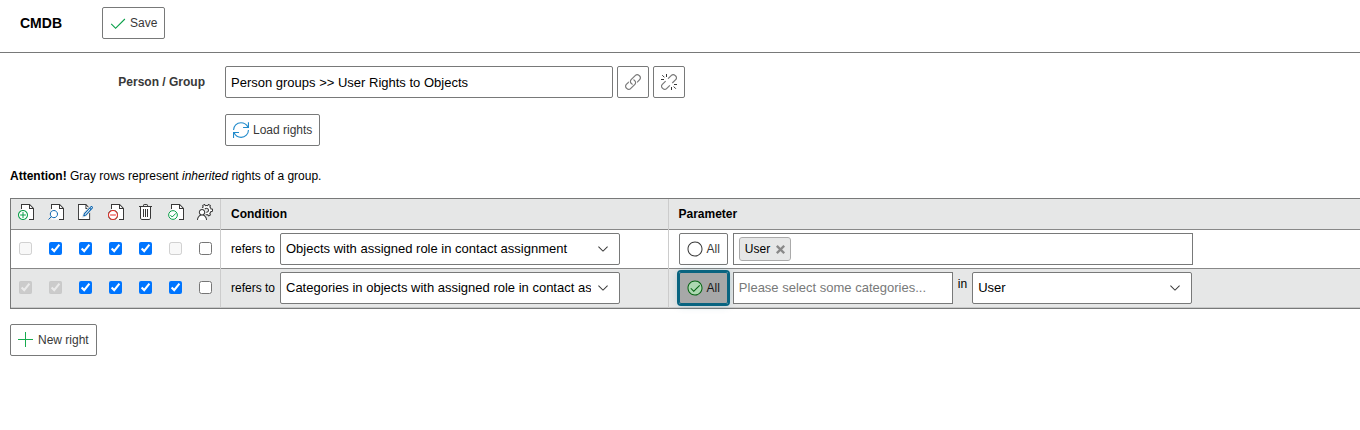
Objects with assigned role in contact assignment#
Here you set the desired permissions (View, Edit, Archive, Delete, Execute, Administrator) and select either all available roles or specific individual roles under the parameters.
Categories in objects with assigned role in contact assignment#
Here you set the desired permissions (Create, View, Edit, Archive, Delete, Execute, Administrator) and define via the parameters which roles and which categories are used for permission assignment.
Example Configuration#
In this example, all members of the group "User Rights to Objects" receive permissions on objects where they are linked in the contact assignment with the role User: