IP Lists#
Which IP addresses are assigned to which host and which are still available? The IP lists in i-doit give you a quick overview.
A more comprehensive introduction to the topic can be found in the use case IP Address Management (IPAM).
IP List Category#
A comprehensive overview of each network is provided by the category IP List, which is assigned to the object type Layer 3 Net in the standard installation of i-doit. A tabular list contains all objects assigned to this network, along with IP address, hostname, and type of address assignment.
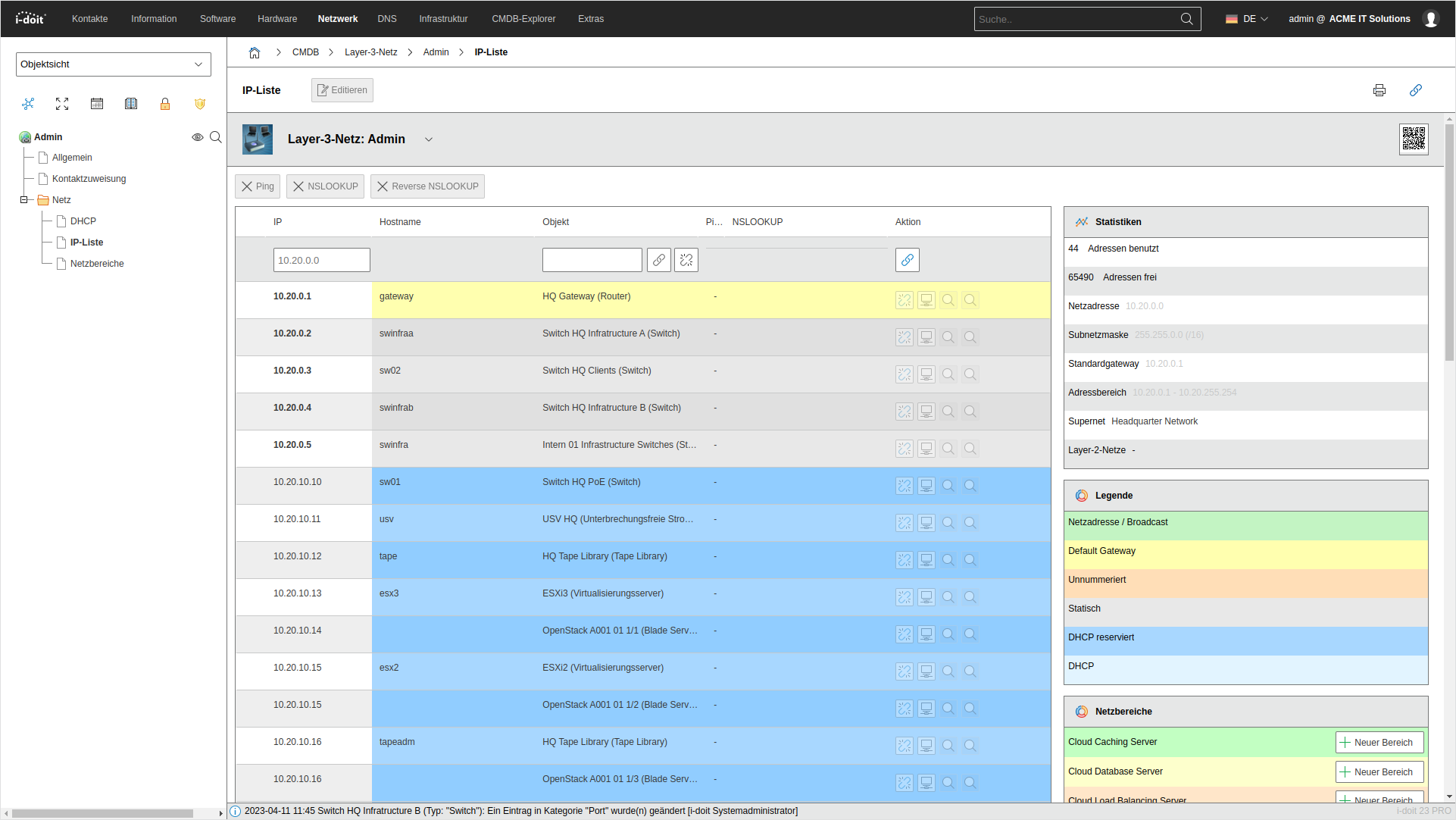
The type of address assignment is displayed in color, explained by a legend to the right of the list:
-
Green:
Network/broadcast address -
Yellow:
Default gateway (This is the object for which it was specified in the Host Address category to act as the default gateway.) -
Orange:
Unnumbered address range -
Gray:
Statically assigned IP addresses -
Blue:
IP addresses pre-reserved by the DHCP server (see DHCP category) -
Light blue:
IP addresses dynamically assigned by DHCP (see DHCP category)
To avoid (unintentional) address conflicts, i-doit highlights multiply assigned IP addresses next to the table.
For smaller networks (< 1,000 IP addresses), unassigned IP addresses are also displayed. If the network has too large an address range, for example a /16 with over 65,000 IP addresses, only the assigned IP addresses are displayed and the unassigned ones are hidden. Additionally, a notice appears.
A further table on the right side summarizes important information about the network:
- IP addresses in use
- Network address
- Subnet mask
- Default gateway
- Address range
- Parent supernets (object type Supernet)
- Assigned VLANs (object type Layer 2 Net)
Assigning Objects#
The list can be extended with additional objects without using the Host Address category. Use the Assign Object button for this.
Checking IP Addresses#
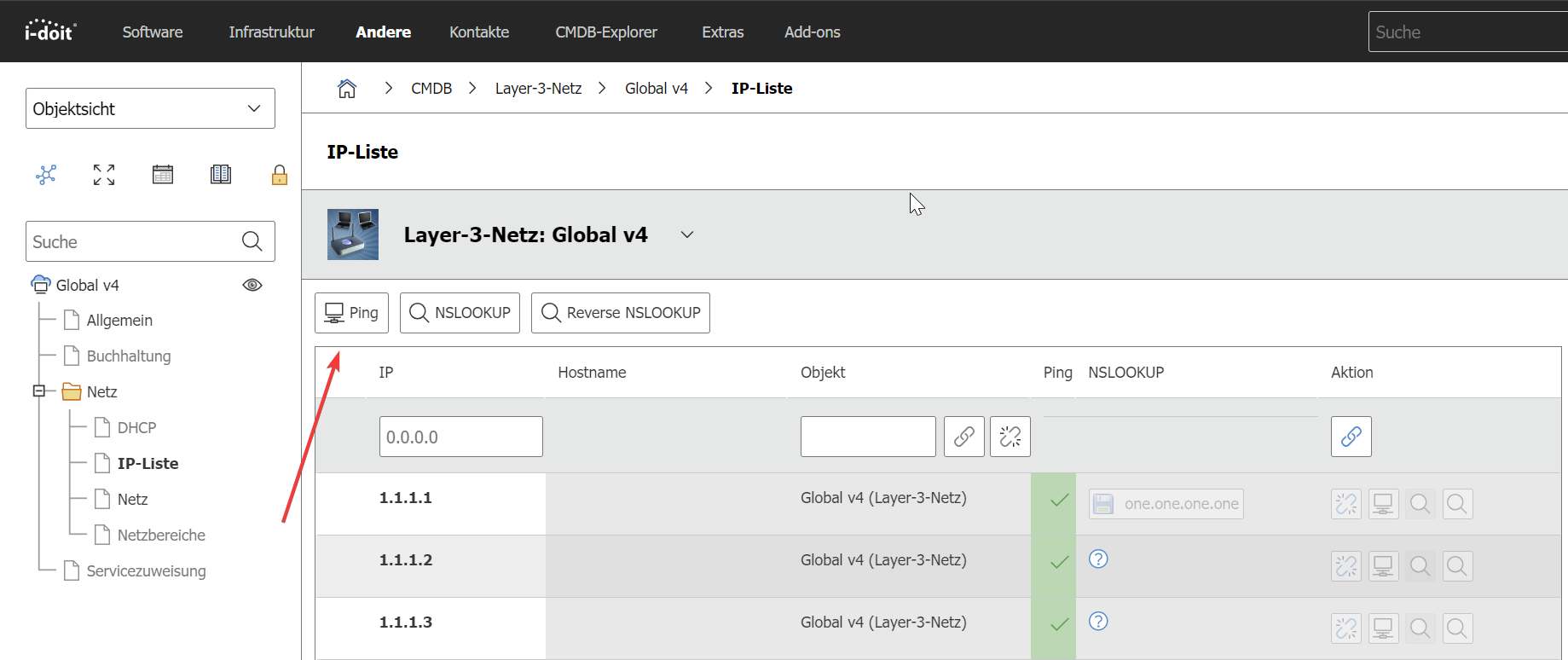
The IP List category offers a target-actual comparison: You can check whether the documented IP addresses and hostnames are actually assigned. To do this, i-doit sends ICMP packets ("pings") and starts NSLOOKUP queries. The i-doit server needs access to the respective network for this.
You can have individual entries or all entries checked one after another. Under Administration > [Tenant Name] Administration > Settings for [Tenant Name] > Options for IP List, you define which command-line tools are used. The Apache user must be allowed to execute these.
- Ping: Send ICMP packet to IP address
- NSLOOKUP: Determine IP address for hostname
- Reverse NSLOOKUP: Determine hostname for IP address
Nmap installation#
Windows#
Download the latest stable version of Nmap from https://nmap.org/download.html and run the installation.
If you cannot download the file directly for any reason, you can use the command line.
Open the command prompt and use bitsadmin to download the Nmap zip archive
1 | |
Currently, the latest zip file is not the latest stable version.
Once Nmap is installed, add the Nmap directory to the system PATH environment variable
1 | |
Make sure the path matches the directory where you extracted Nmap
Unix#
Debian or Ubuntu#
1 2 | |
Red Hat Enterprise Linux (RHEL)#
1 | |
or
1 | |
IP List Ping#
Once Nmap is installed, the ping function is available.