DNS Documentation
With the "DNS Documentation" add-on, you document DNS entries directly in i-doit. The add-on was created with the Add-on Packager and automatically includes all necessary object types and categories.
installation and license#
Install the add-on as usual via the Admin Center. It does not require a license but requires the pro variant of i-doit.
Contents of the add-on#
The "DNS Documentation" add-on includes the following object types, categories, and Dialog+ entries:
| Object type | Category | Dialog+ field | Dialog+ entries |
|---|---|---|---|
| DNS Server | DNS Zones | - | - |
| DNS Zone | Authoritative Nameservers | Role | Primary |
| Secondary | |||
| DNS Records | Class | IN (Internet) | |
| CH (Chaosnet) | |||
| HS (Hesoid) | |||
| Type | A | ||
| AAAA | |||
| NS | |||
| CNAME | |||
| MX | |||
| PTR | |||
| TXT | |||
| SRV | |||
| SOA | |||
| SOA Record | Class | IN (Internet) | |
| CH (Chaosnet) | |||
| HS (Hesoid) |
DNS Server#
The "DNS Server" object type is based on a normal server object, supplemented with the "DNS Zones" category. This category displays an overview of all assigned DNS zones.
'DNS Zones' is a backward category -- you can only read the information here, not edit it.

DNS Zone#
In the "DNS Zone" object type, you document all zone information. Three categories are available:
- Authoritative Nameservers -- Enter the associated nameservers and distinguish between "Primary" and "Secondary".
- DNS Records -- Document the individual lines of a zone file. The included "Types" help you create entries correctly.
- SOA Record -- Document the SOA record separately and in detail.
Authoritative Nameservers#
The "Authoritative Nameservers" category is a multi-value category -- you can create any number of entries.
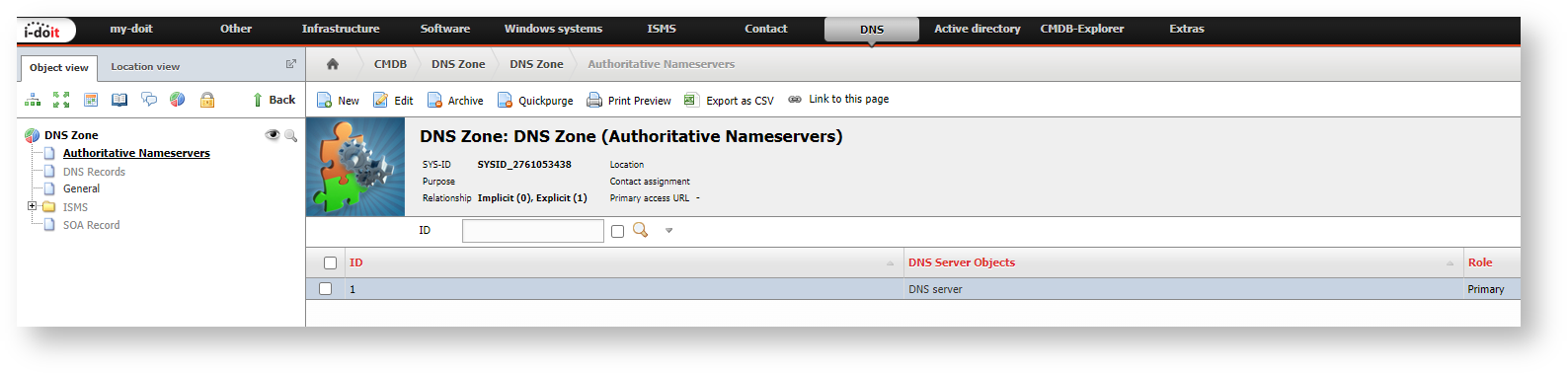
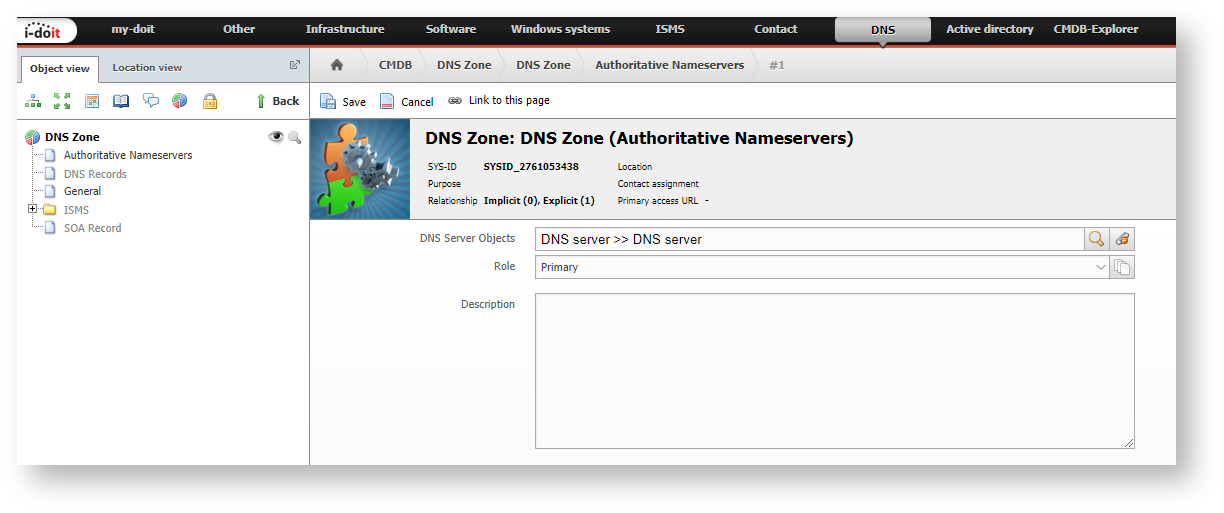
Each entry contains two pieces of information:
- DNS Server Object -- Select the server via the object browser.
- Role -- Assign the "Primary" or "Secondary" role to the server.
DNS Records#
"DNS Records" is also a multi-value category. This way you document a DNS file line by line and maintain an overview.

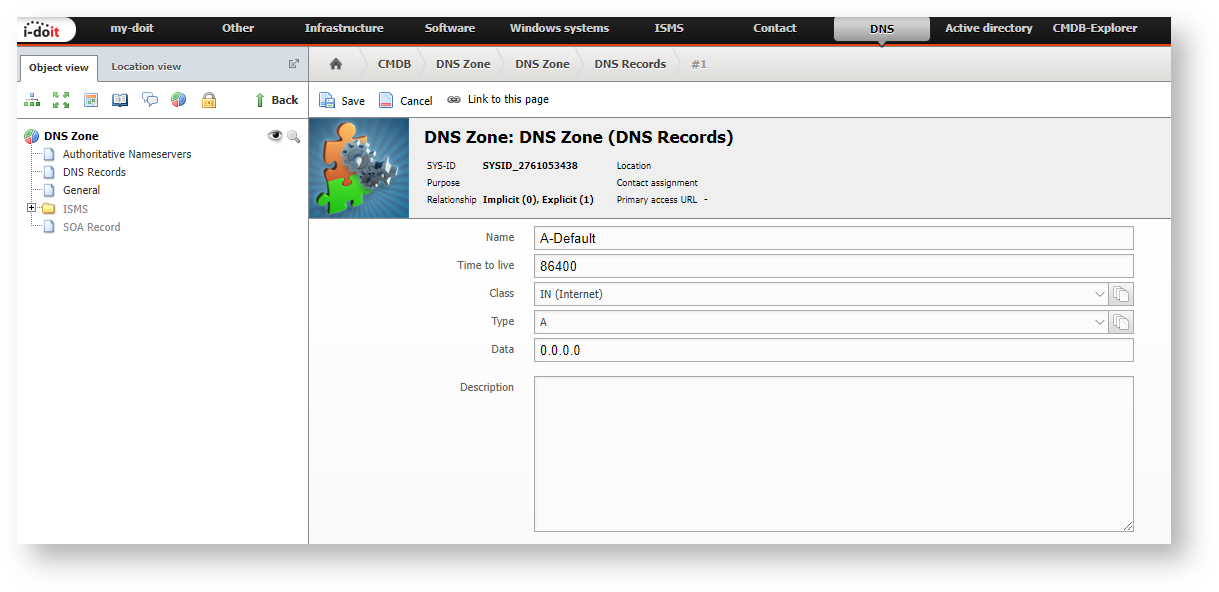
Each entry consists of the text fields Name, Time to live, and Data as well as the Dialog+ fields Class and Type. Predefined entries are included for "Class" and "Type".
SOA Records#
In the "SOA Records" category, you document the "Start of Authority" in detail. Since the SOA record is unique per zone, this is a single-value category.
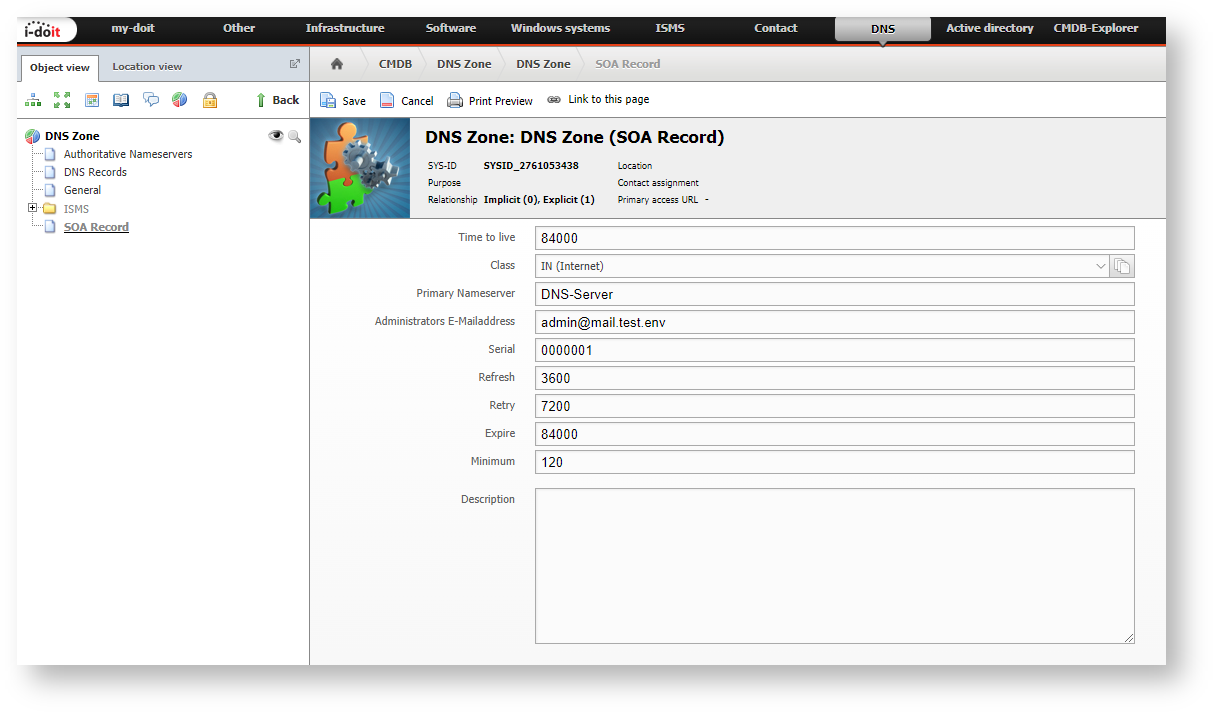
Except for the Dialog+ field "Class", all fields are available as text fields.