Document Creation#
Creating Documents in the Add-on#
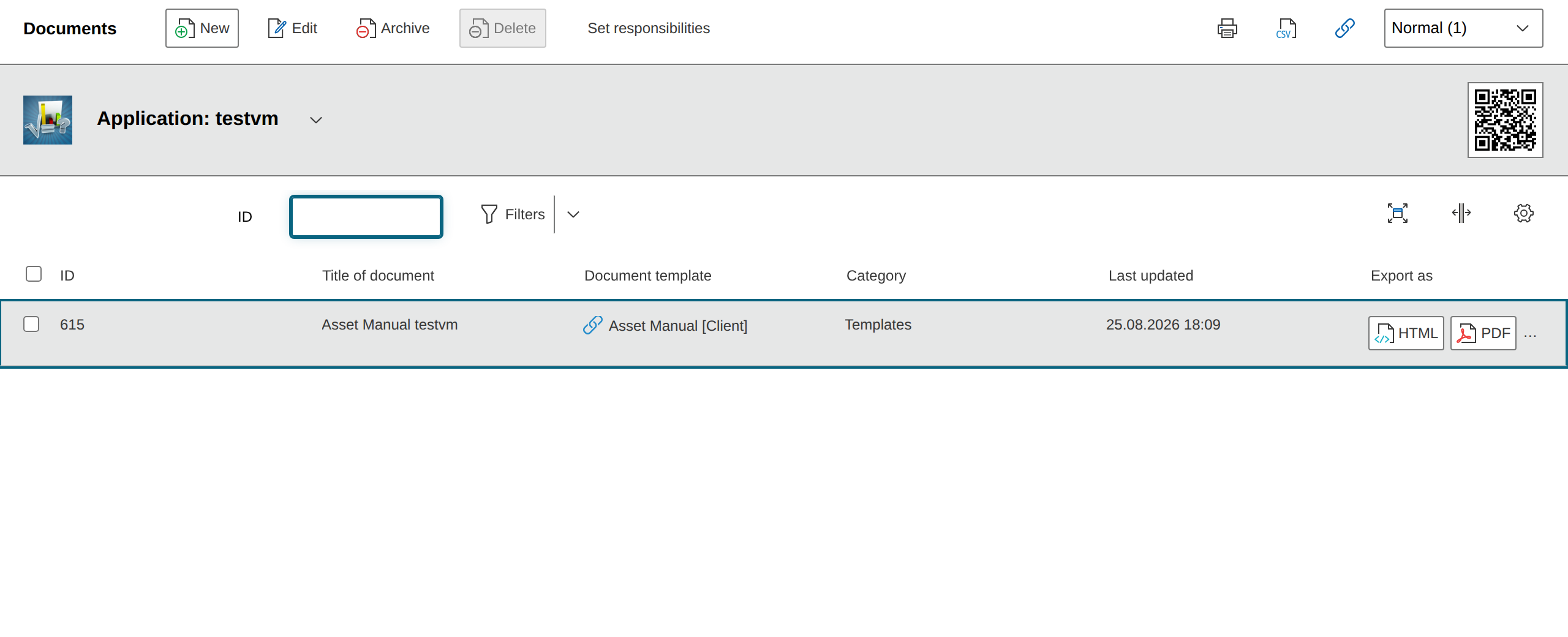
Once you have created a template, you create a document for an object in the "Documents" menu item under the corresponding document category.
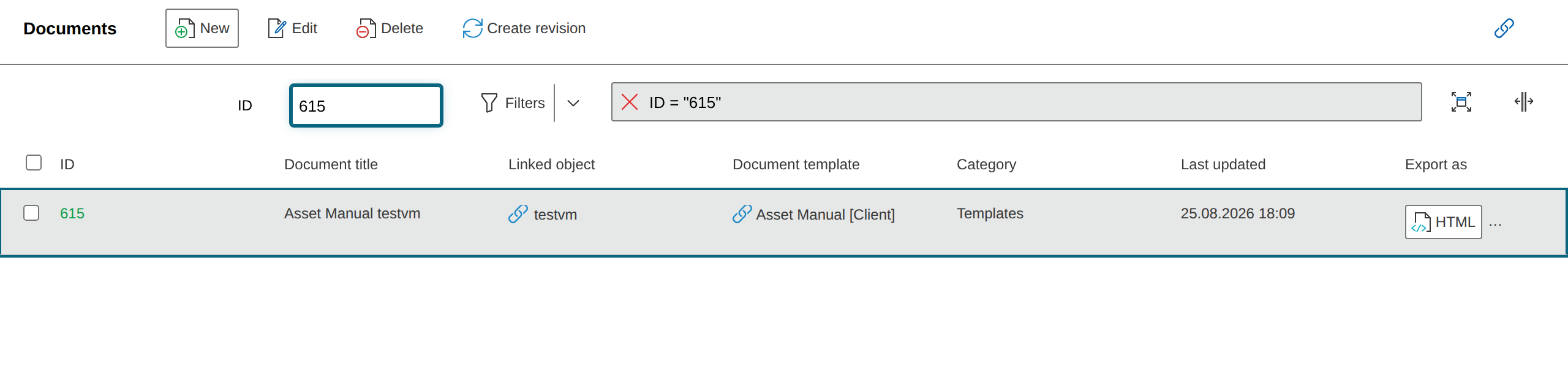
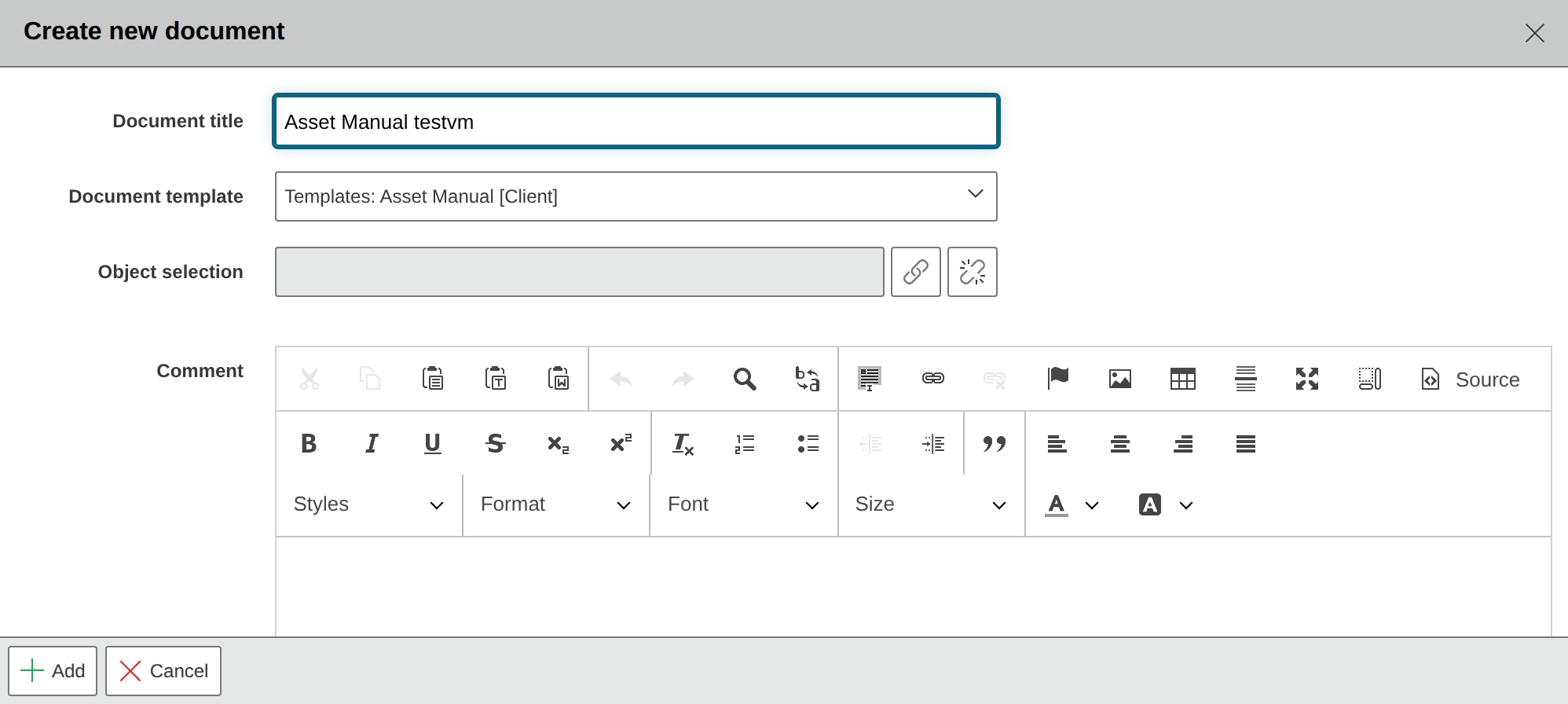
Via the "New" button, an additional view opens. Here you enter a title for the document and select the desired template as well as the object or objects for which the document should be created.
Documents Category
For a document to be created for an object, the "Documents" category must be linked to the object type. If the object type does not have this category, no documents can be created for the objects it contains, as they will not appear in the selection.
Additionally, you can add a note about the object.
Note
A yellow info box provides a hint when at least one unfinished document template exists, i.e., one that does not yet have any chapters. If the desired template does not appear, the chapter configuration should be checked again.
Via the "Add" button, you start the document creation. After completion, the documents appear in the list, and you can download them in the desired format.
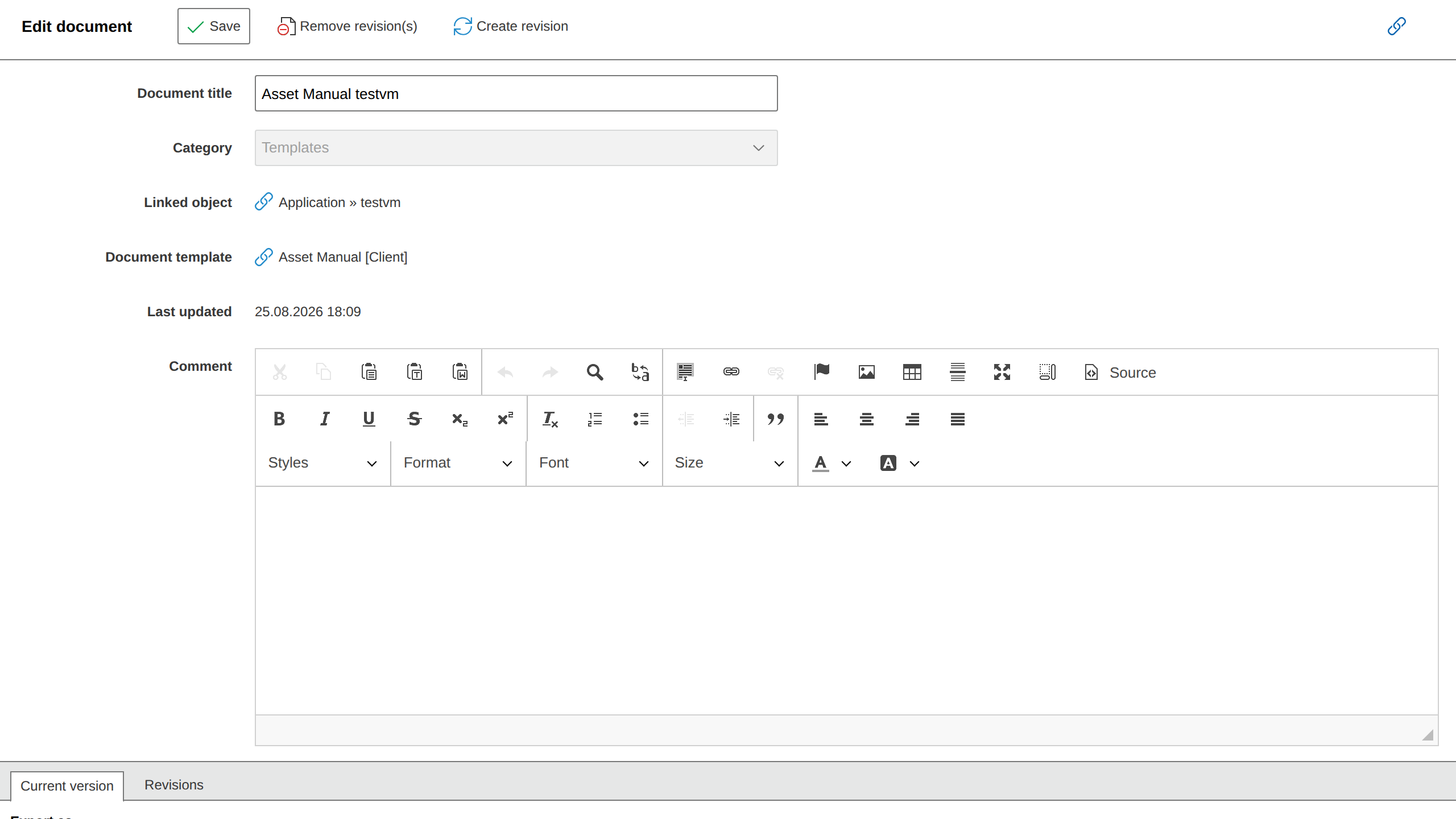
Click a document in the list or activate its checkbox and click "Edit" to view further details. In this view, you also create new revisions -- relevant when information in the documentation has changed or when changes to the template should be applied to the document.
In the lower area, you download the current version and all revisions. The download from the document overview always refers to the most recent revision.
Creating revisions from the list
A new revision can alternatively be created directly in the document list. To do this, select the desired document via its checkbox and then use the "Create Revision" button in the header. 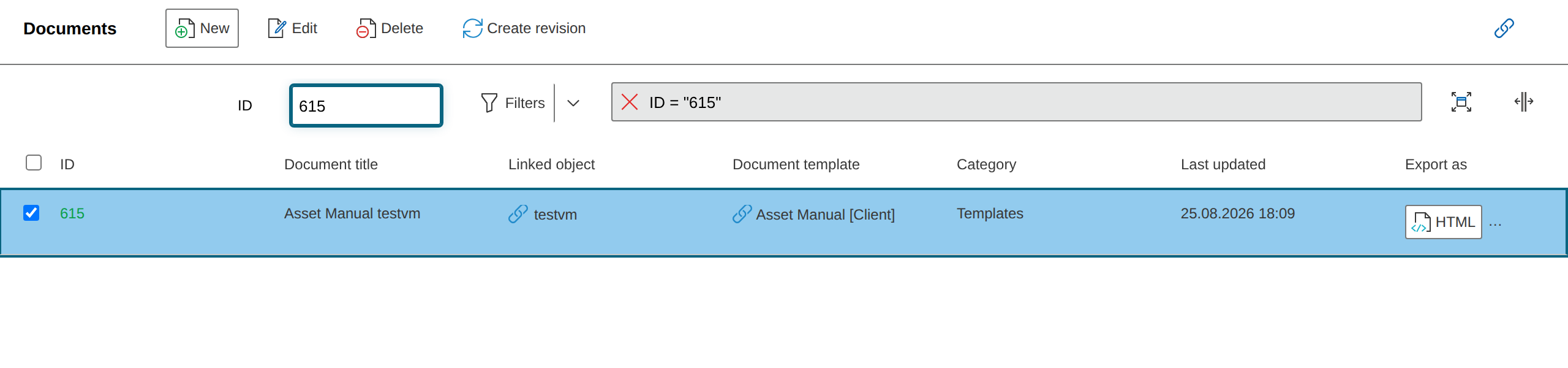
Creating Documents in the "Documents" Category#
If you have created a document for an object in i-doit, you can find it in the "Documents" category of the object. Here you can also download the document in the corresponding formats. In the detail view, you see the revisions and create new ones.
Via "New," you create additional documents for the object. The object is already preselected -- you assign a title and link a template.
Document Creation via the i-doit Console#
You can also create new revisions and export documents via the i-doit Console and automate them.
The command documents is available for these operations.