i-diary#
i-diary is a Windows application that functions as an add-on for i-doit. As a system administrator, you use it to get an overview of changes on a server -- directly on the Windows server, without having to log into i-doit.
Requirements#
i-Diary Version 1.1#
- Required i-doit >= 1.17
- Required i-doit-API add-on >= 1.12.1
- Windows 7 or higher
- .Net framework version >= 4.8
i-Diary Version 1.0.2#
- Required i-doit >= 1.17
- Required i-doit API add-on >= 1.12.1
- Windows 7 or 10
- .Net framework version >= 4.8
i-Diary Version <= 1.0.1#
- Required i-doit >= 1.14
- Required i-doit-API add-on >= 1.10.4
- Windows 7 or 10
- .Net framework version >= 4.6.2
installation#
- Download the add-on from the customer portal.
- Install it via the Admin Center.
Updates#
Update the add-on via the Admin Center. Then replace the i-diary.exe with the new version. You can find it in the downloaded ZIP file under:
1 | |
Configuration#
You can create and modify the configuration file directly via the application.
- If the configuration file does not yet exist or is empty, the GUI configuration opens automatically on startup.
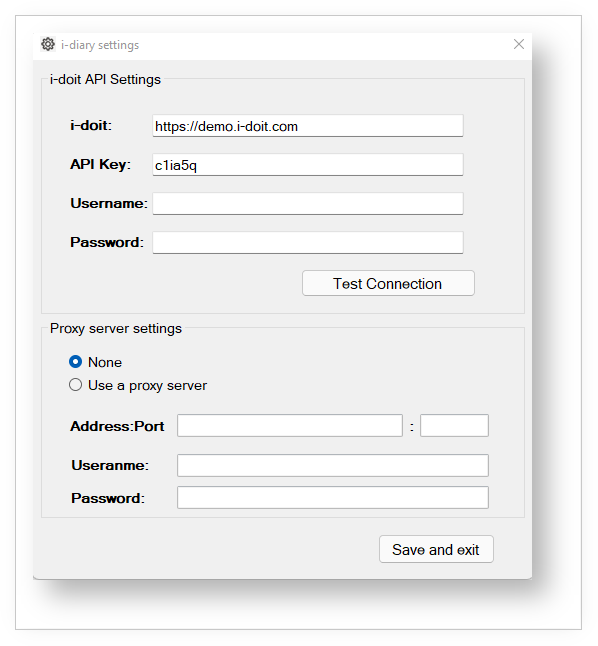
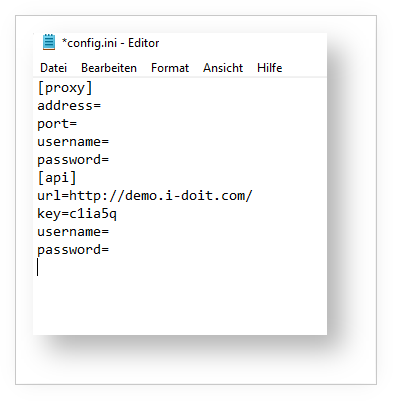
- Changes in the GUI configuration are immediately checked and saved if they are valid.
- If you do not specify
http://, it is added automatically. - The suffix
src/jsonrpc.phpin the URL field is automatically ignored. - Use the Test the connection button to test the connection manually.
Basic usage#
Creating a new entry#
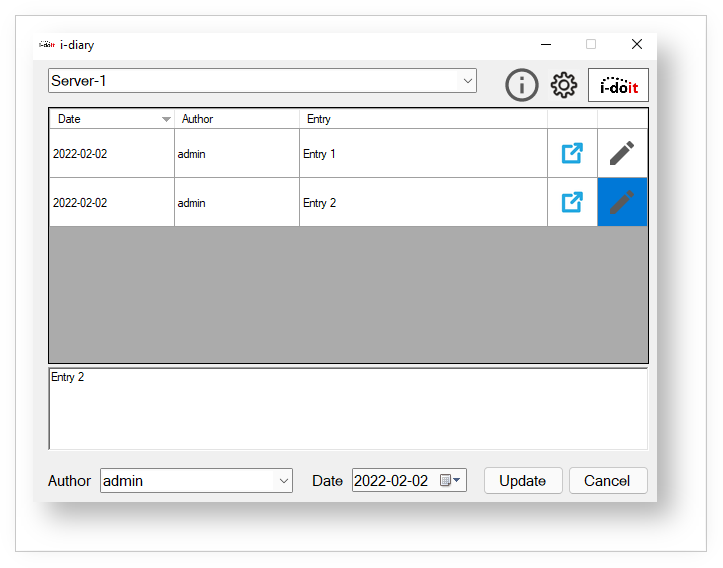
To create a new entry:
- Fill in Author, Date, and Entry.
- Save the entry -- the list is automatically updated.
- For subsequent entries, author and date remain preselected.
To update an existing entry, click the pencil icon next to the entry, edit it, and click Update.
Host selection#
You have three options for selecting a host:
Automatic detection#
If no host is saved, the application automatically determines the hostname and searches for it as an object title in i-doit:
- If exactly one object is found, its ID is saved.
- If multiple objects with the same name are found, you select from the list.
- You can cancel the selection to set the host manually.
Manual host selection#
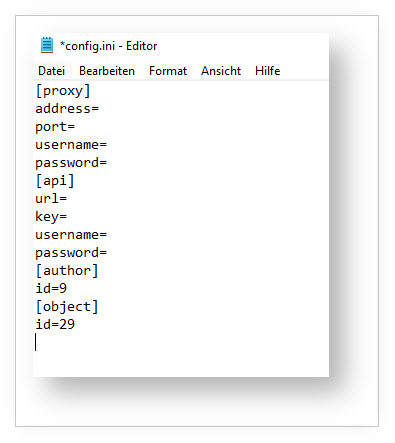
- Set the object ID in the configuration file. After a restart, the setting takes effect.
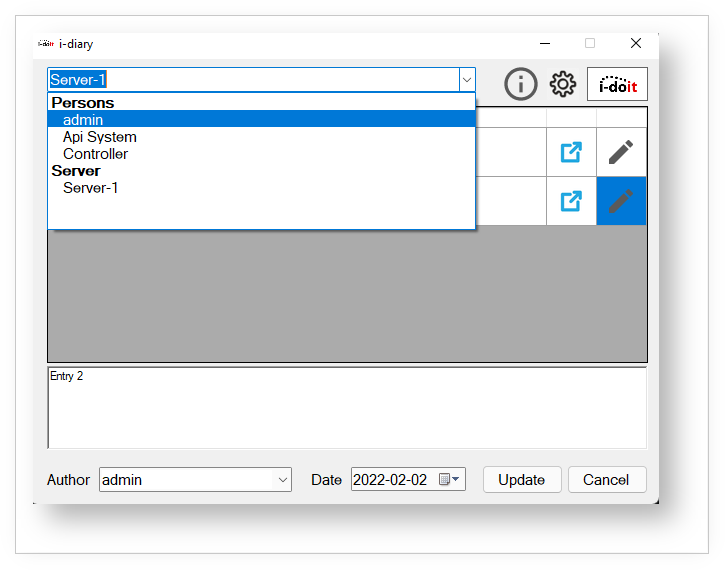
- Select an object title from a list organized by object types. Only objects whose object types are assigned to the "Diary" category are displayed.
- Enter the object ID or object title in the search field. The application confirms whether the object was found.
- If multiple objects with the same name are found, you select from the list.
Saved host#
On startup, the application reads the configuration file. If an object ID is saved, the associated title is displayed.
Author selection#
You have three options for selecting an author:
Automatic detection#
If no author is saved, the application tries to detect it automatically: If a username is specified in the settings, it checks whether it matches a person object in i-doit and saves the ID.
Manual author selection#
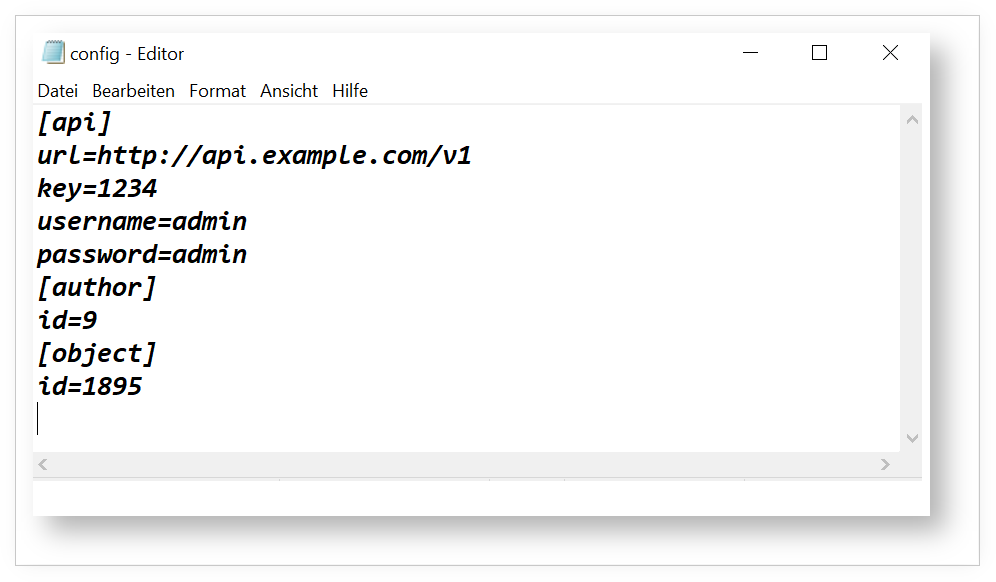
- Write the object ID of the author to the configuration file (effective after restart).
- Select a person from a searchable list, divided into Contacts (from the "Contact assignment" category) and Persons (objects of the type "Persons").
Saved author#
On startup, the saved author is preselected for new entries. The application checks the object ID and displays the associated title.
Object details#
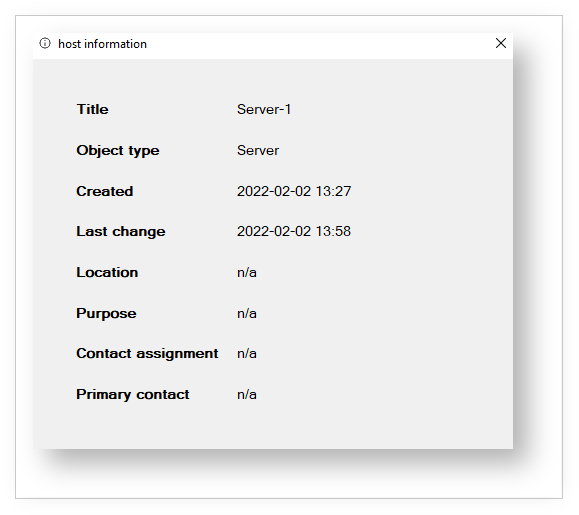
Click the info icon next to a selected object to display its details in a separate window.
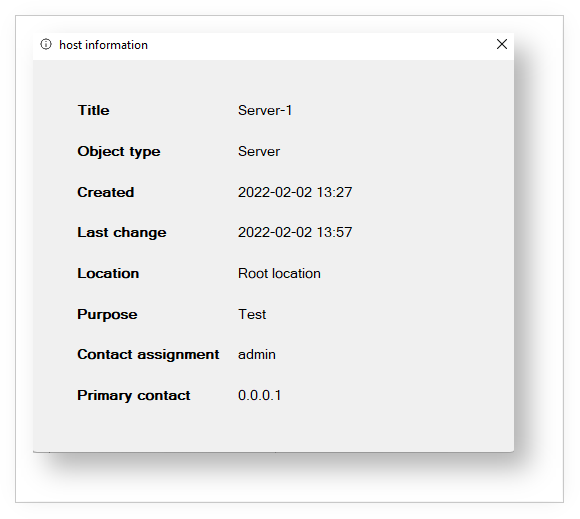
Missing information is displayed as "n/a".
FAQ#
Known error messages and their meanings:
| Error message | Possible cause |
|---|---|
| The HTTP response status code does not indicate a successful service response | URL incorrect |
| i-doit system error: Unable to retrieve mandator | API key incorrect |
| The service response is invalid | Username or password incorrect. API add-on version is too old |
| Error sending the request | Host address incorrect |
| The HTTP response has invalid Content-Type header value | API add-on is not installed |
Changelog#
| Version | Release | Changelog |
|---|---|---|
| 1.3 | 08.05.2024 | Used "idoit_i_diary" as new identifier Objects are not loaded after second start Starting i-diary needs a lot of time i-diary does not recognize diary category Author is not loaded |
| 1.2 | 23.01.2023 | Primary IP address is shown empty Clicking on the info icon crashes i-diary Contact assignment does not show the Primary contact |
| 1.1 | 04.01.2022 | Show all details about the host Update entries in i-diary Automatic recognition of object types Provide all Changelogs in CHANGELOG file |
| 1.0.2 | 09.11.2021 | Make connection using HTTPS Configuration of a proxy server |
| 1.0.1 | 06.11.2020 | Change the position of the buttons in the settings window Change the title of the settings window Log in without authentication Writing a log file to check the connection The comboboxes should display more lines |
| 1.0.0 | 21.09.2020 | This is the first release of i-diary |