Risk Assessment in the ISMS Add-on#
With the ISMS add-on, risk assessments can be recorded and maintained directly on objects in i-doit. The following summarizes the steps for creation, evaluation, treatment, and CSV import.
Performing a Risk Assessment#
After installation, the category folder "ISMS" appears on every object. In the associated view, you define the ISMS relevance and scope of the object.
The Risk Assessment category opens a multi-value category where you can view and edit existing assessments.
Note
Starting with version 1.4 of the ISMS add-on, you can add additional risk assessment attributes to the list view.
Creating a New Risk Assessment#
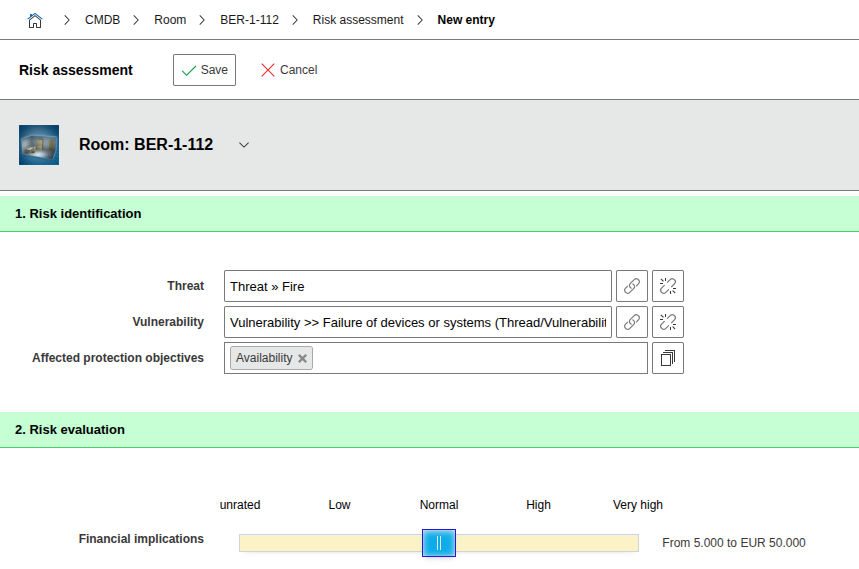
- Select Threat and Vulnerability – together they form the risk.
- Enter Protection Goals (default: Confidentiality, Integrity, Availability).
- You can add additional values (e.g. Authenticity) under
Administration -> Predefined Content -> Dialog Admin -> ISMS -> Protection Goals.
- You can add additional values (e.g. Authenticity) under
- In the Risk Evaluation section, rate the damage scenarios using the slider.
- Set the Probability of Occurrence also using the slider.
- Assign existing measures (if available) and document a comment on the evaluation.
- Set the Date of Risk Evaluation and Follow-up Date (usable for evaluations).
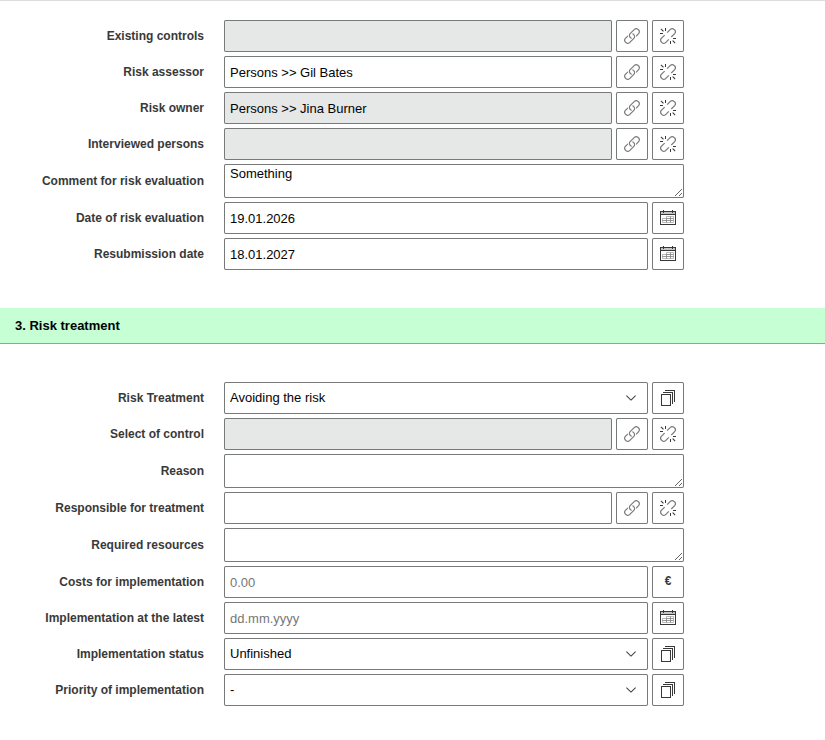
Risk Treatment#
- In the Risk Treatment attribute, select a value according to ISO 31000.
- Under Measures for Risk Treatment, link appropriate SOA measures.
- Additionally document:
- Justification for the selection
- Responsible for implementation (placeholder for the logged-in user available from i-doit 1.14.2)
- Resources and costs, latest implementation date
- Status and urgency (Dialog Plus fields; values can be maintained via
Administration -> Predefined Content -> Dialog Admin)
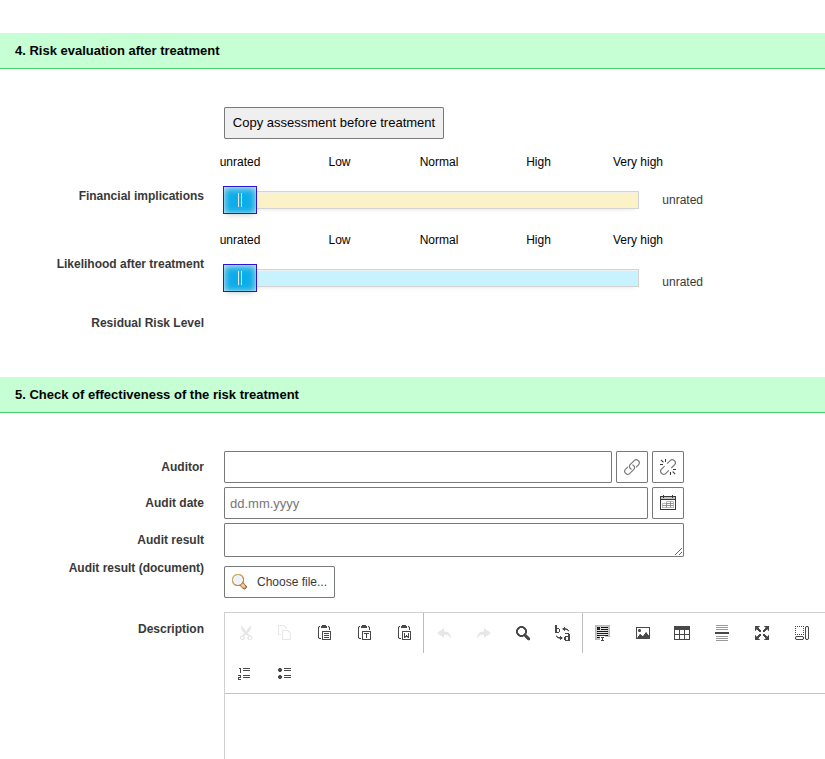
Tip
With "Copy evaluation before treatment", all slider values can be transferred and adjusted as needed.
Risk Assessments for Object Groups#
Risk assessments are also possible for object groups (in the object type group "Other"). For the assessments to be visible on the individual objects of the group, configure the custom category "Risk Assessment Group" under: Administration -> Predefined Content -> Custom Categories -> ISMS Risk Assessment (Group).
Importing Risk Assessments (CSV)#
If your risk assessment already exists in Excel, for example, you can import it via CSV. Special import methods are available for selected attributes of the multi-value category "Risk Assessment":
Impact / Impact after Risk Treatment#
- Format: Semicolon-separated list of levels (numbers) per damage scenario.
- The order follows the "Identifier" attribute in the "Damage Scenario" category.
Example: - Assessment criteria levels: 1-4 - Three scenarios: 1 = Financial Impact, 2 = Personal Safety, 3 = Violation of Contracts/Laws - Desired values: Financial 4, Personal 1, Laws 2 - CSV value: 4;1;2
Existing Measures / Measures for Risk Treatment#
- Format: Semicolon-separated list of SOA measures; object title or object ID are allowed.
- If a title contains a semicolon, escape it with a backslash (
\;).
Examples:
1 2 3 4 | |
All other attributes of the multi-value category 'Risk Assessment' can be imported using the standard i-doit syntax.