Maintenance
With the add-on Maintenance, maintenance appointments can be planned, coordinated, and managed. Planned maintenance activities are linked to any objects. To avoid missing deadlines, notifications are automatically sent via email.
You can find a practical example in our Blog
Download and installation#
This add-on can be installed additionally. Details on download, installation, and updates can be found in the article "i-doit Add-ons".
Configuration#
No separate configuration is required.
Assigning rights#
Under Administration → Permissions → Wartung can permissions for persons and person groups be adjusted.
| Condition | Description |
|---|---|
| Upcoming maintenance | Allows handling of upcoming maintenance |
| All maintenance | Allows handling of all maintenance |
| Completed maintenance | Allows handling of archived maintenance |
| Email templates | Allows handling of email templates |
| Report (Export) | Allows exporting maintenance activities |
| Send emails | Allows creating a report |
Planning maintenance#
Maintenance activities can be created and edited under Add-ons → Maintenance → All maintenance.
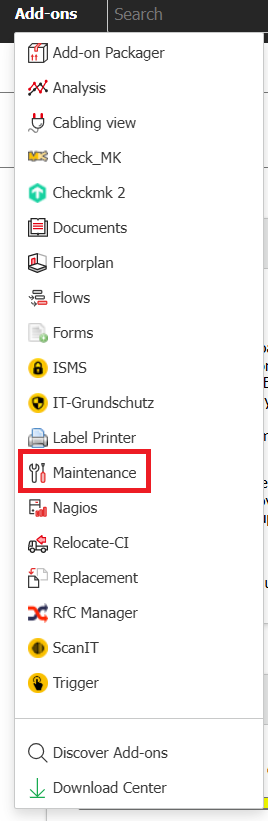
The action bar provides the following functions:
| Button | Action |
|---|---|
| Neu | Create new maintenance |
| Editieren | Edit selected maintenance |
| Delete | Irrevocably delete selected maintenance |
| Complete | Mark selected maintenance as successfully completed |
| E-Mails abschicken | Inform affected persons about the maintenance via email |
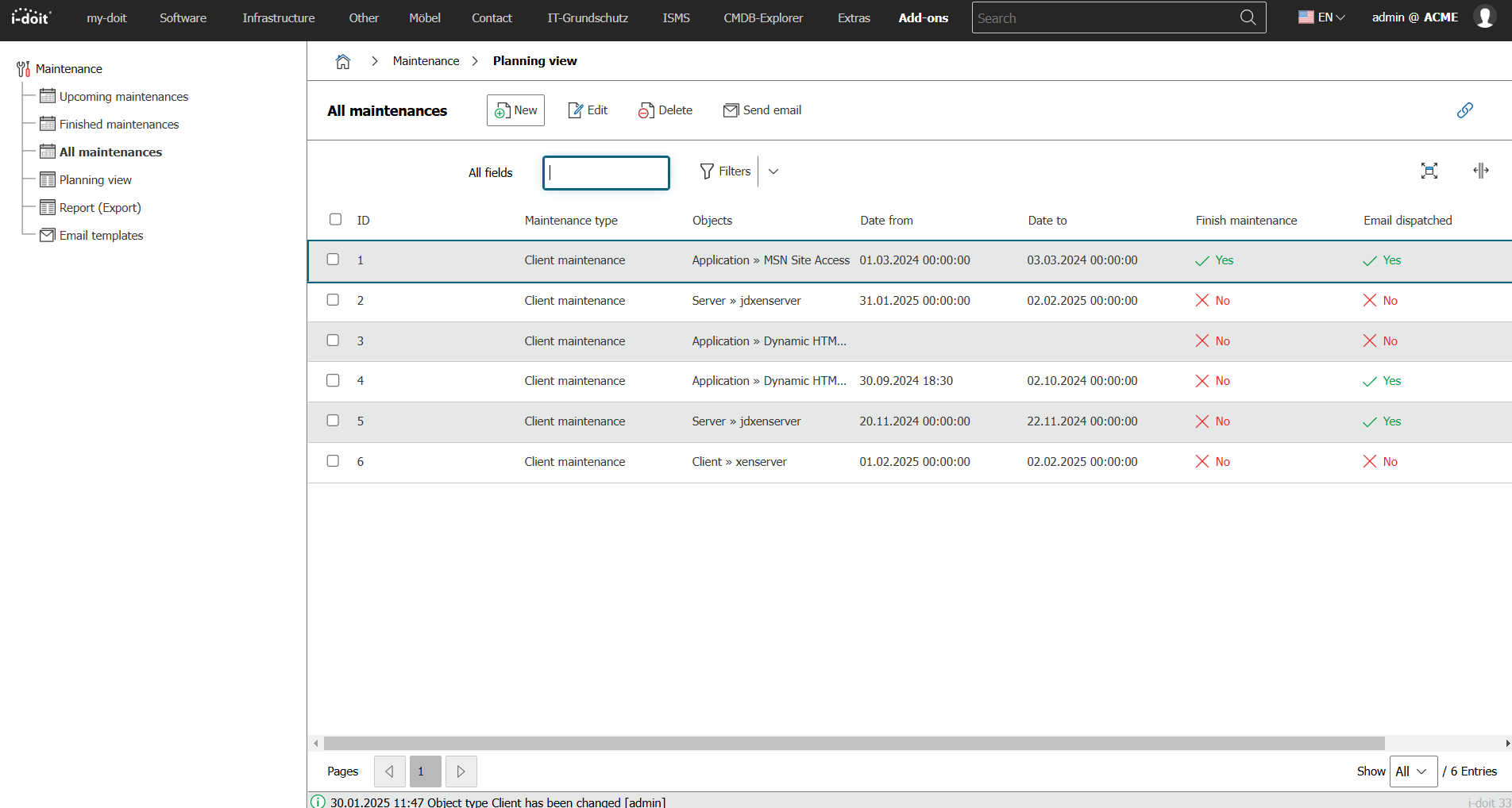
When creating a new maintenance activity, the following options are available:
| Option | Description |
|---|---|
| Maintenance completed | Has this maintenance already been marked as completed? |
| Email sent | Has an email already been sent to the affected persons? |
| objects | List of objects affected by the maintenance |
| Maintenance type | Maintenance activities can be categorized via this. |
| Maintenance schedule | Time period of the planned maintenance. |
| Recurring maintenance | Configuration of recurring maintenance. Daily, weekly, monthly, or yearly. |
| Description | Further details |
| Recipients | Persons to whom the maintenance is assigned; they receive an email if a corresponding email address is assigned to them (category Persons → Master data). For person groups as recipients, their members are notified. |
| Assigned roles | Alternatively or in parallel to the recipients, the assigned contacts can be notified based on their roles (category Contact assignment). |
| Email template | Which text should be sent via email (see below)? |
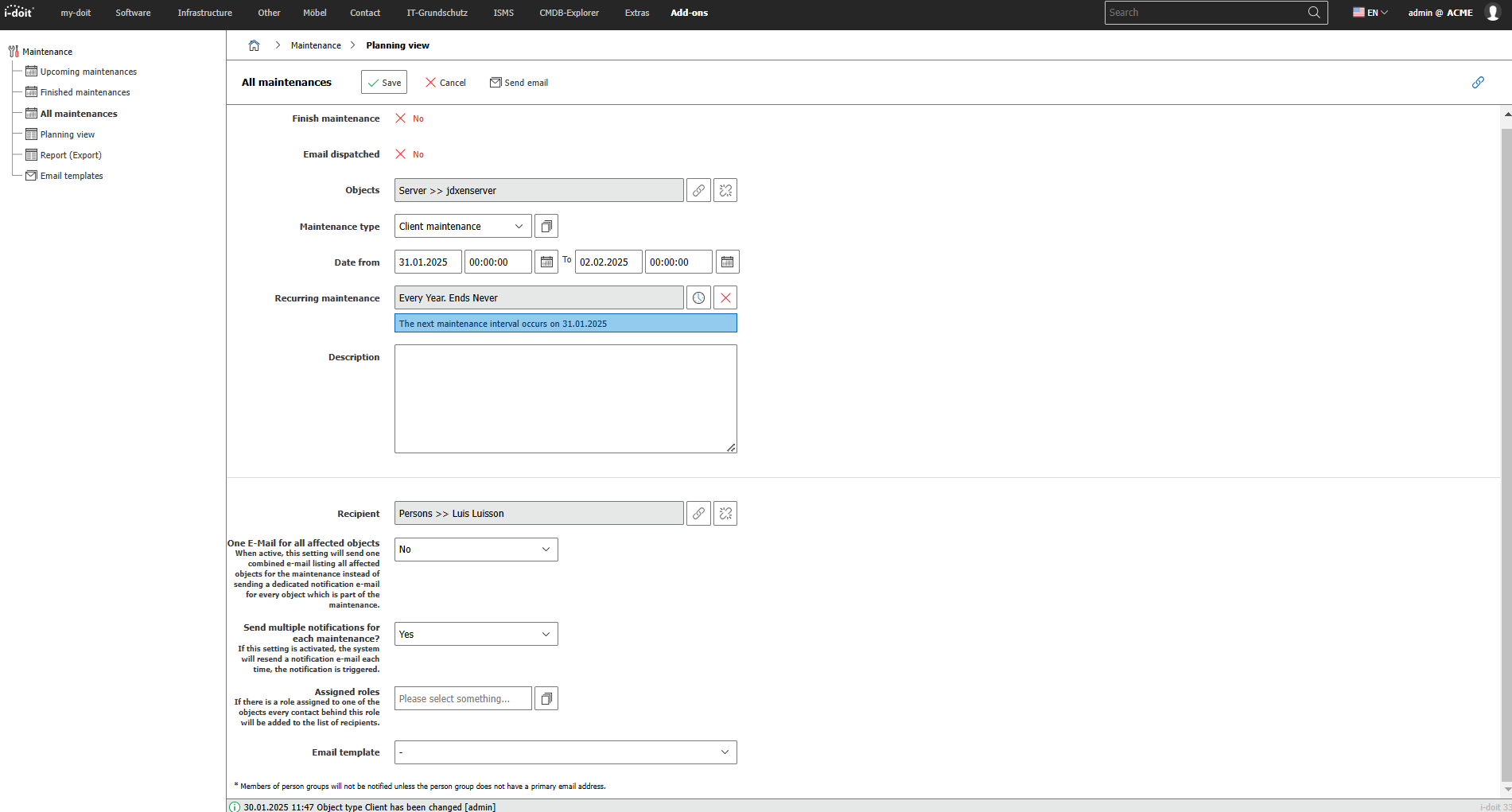
Upcoming maintenance#
Here you can send emails for maintenance activities, complete maintenance, or create and edit them.
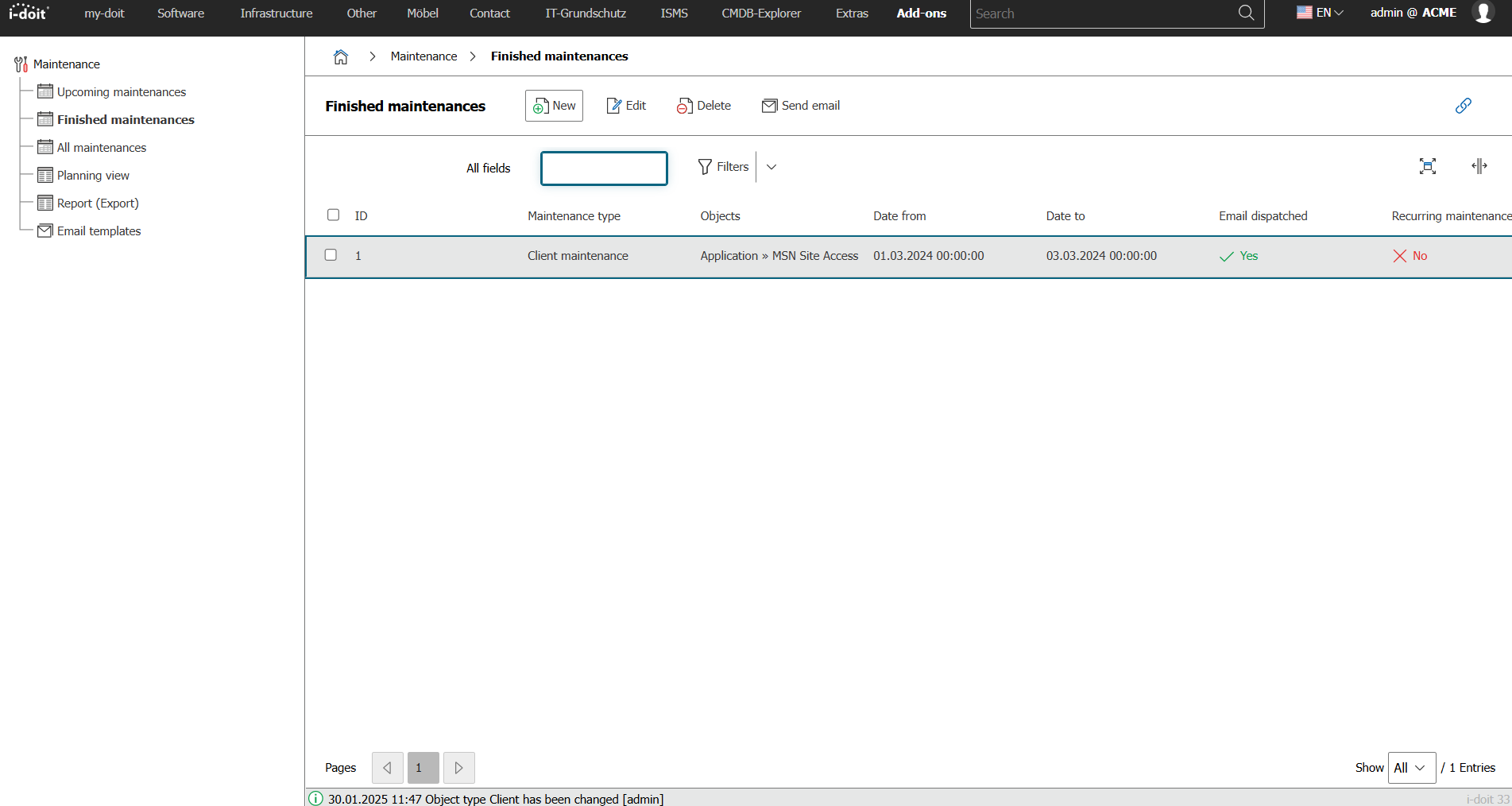
Completed maintenance#
When a maintenance activity is marked as completed, it no longer appears under Upcoming maintenance (see above). Instead, you can find it under Add-ons → Maintenance → Completed maintenance.
Planning view#
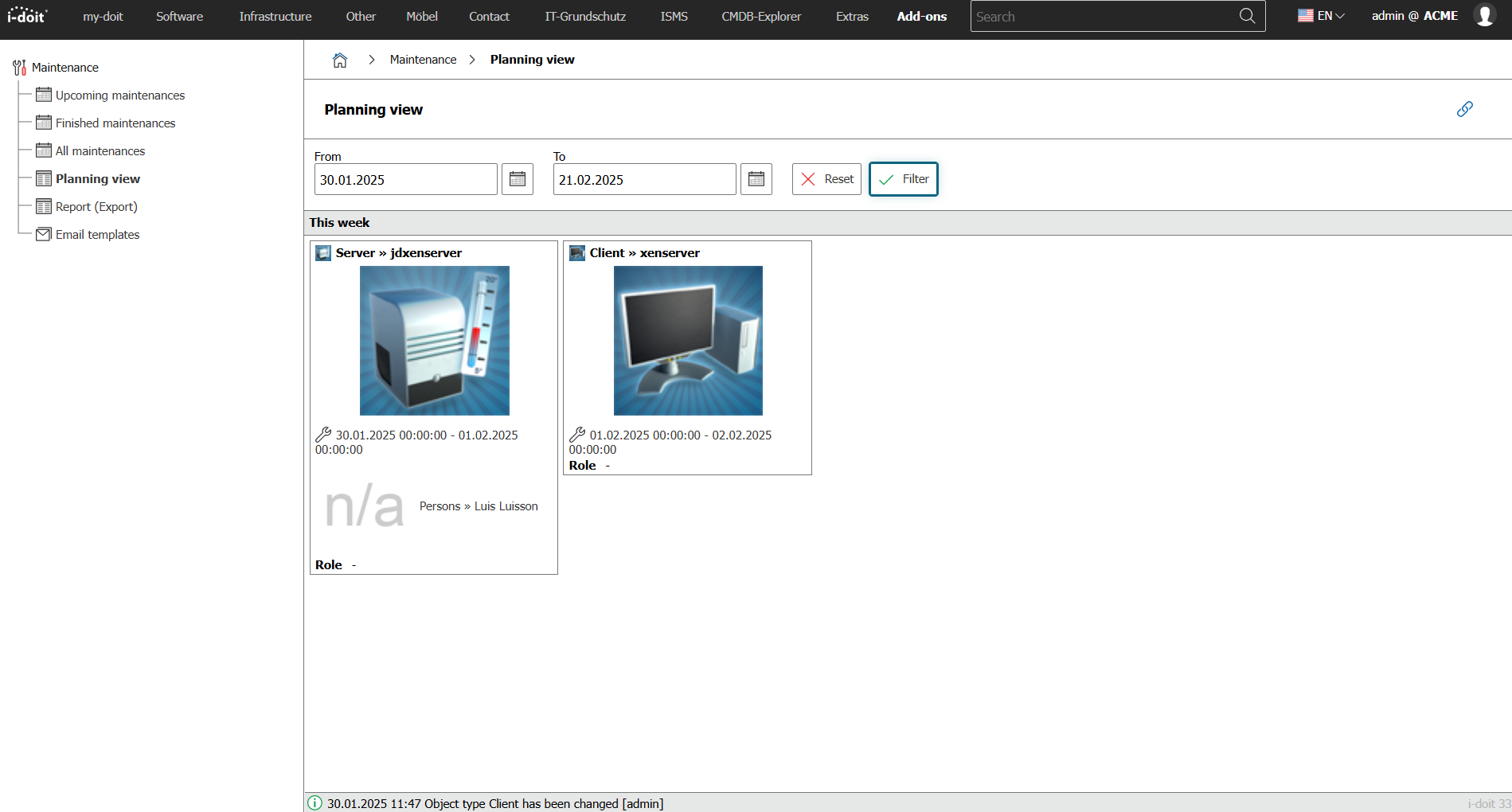
A detailed overview of all objects for which maintenance has been planned or already performed can be found under Add-ons → Maintenance → Planning view. For filtering, you define the time period via the From and To options.
Creating a report#
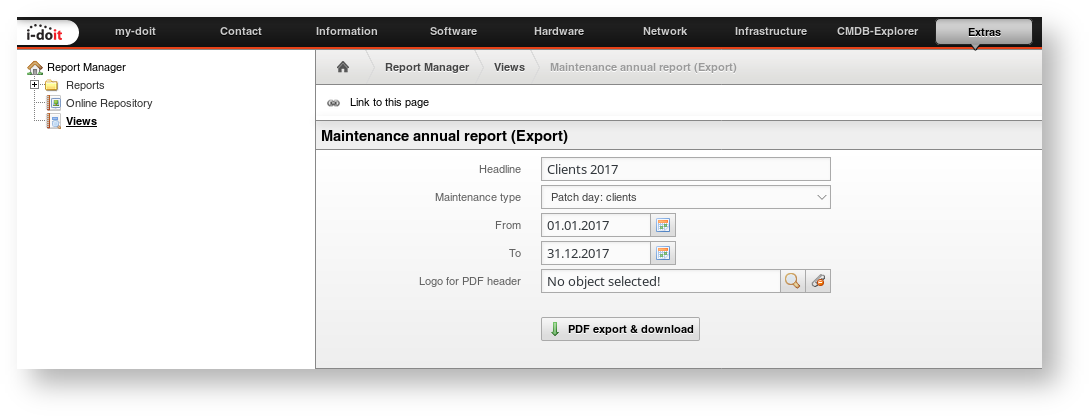
From the previously planned and performed maintenance activities, you can create a report that can be downloaded as a PDF file. You can find the function under Add-ons → Wartung → Report (Export) or alternatively under Extras → Report Manager → Views → Wartung Report (Export). The following options are available:
| Option | Description |
|---|---|
| Heading | Report heading |
| Maintenance type | Restriction to a specific type |
| Von | Start date |
| Bis | End date |
| Logo for PDF | Additional image integrated into every page; the image must first be available as a file object in i-doit. |
The PDF file is generated via the PDF Export & Download button and offered for download.
Maintenance overview in the object#
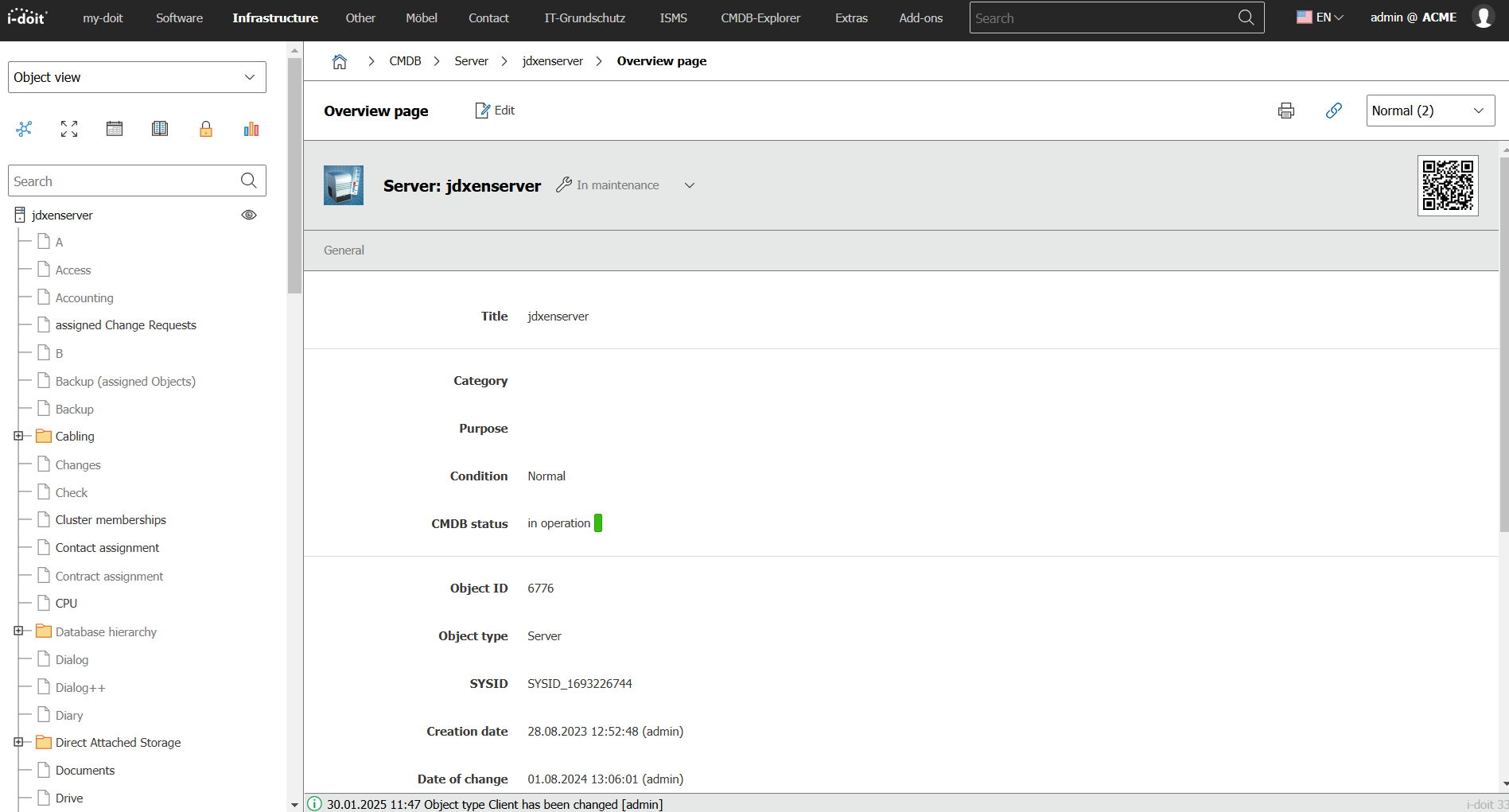
If an object is under maintenance, this is indicated symbolically. On every page of the object -- on the overview page or within categories -- the note In maintenance appears.
You can add the Maintenance overview category to the object type via the object type configuration to also display maintenance activities directly in the object.
Maintenance on the dashboard#
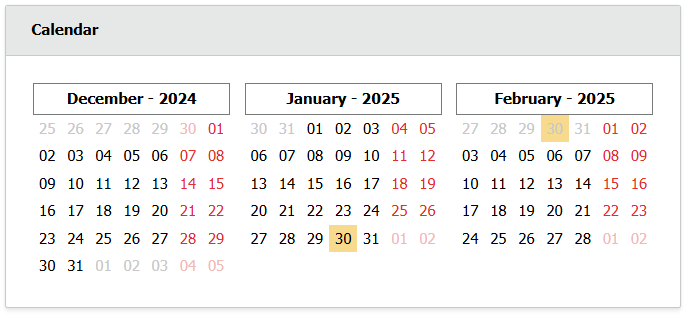
On the Dashboard, the calendar widget marks the days of planned and completed maintenance activities. Click a marked day to see which object is under maintenance.
The widget only shows maintenance activities for objects on which you are entered in the category Contact assignment with the role Administrator. Maintenance activities for other objects, or for objects where you are assigned with another role (for example User), do not appear, regardless of your permissions in i-doit. Two more conditions apply:
- The option Display object events must be enabled in the widget configuration (default).
- Only maintenance activities from the beginning of the previous month to the end of the following month are shown.
Creating email templates#
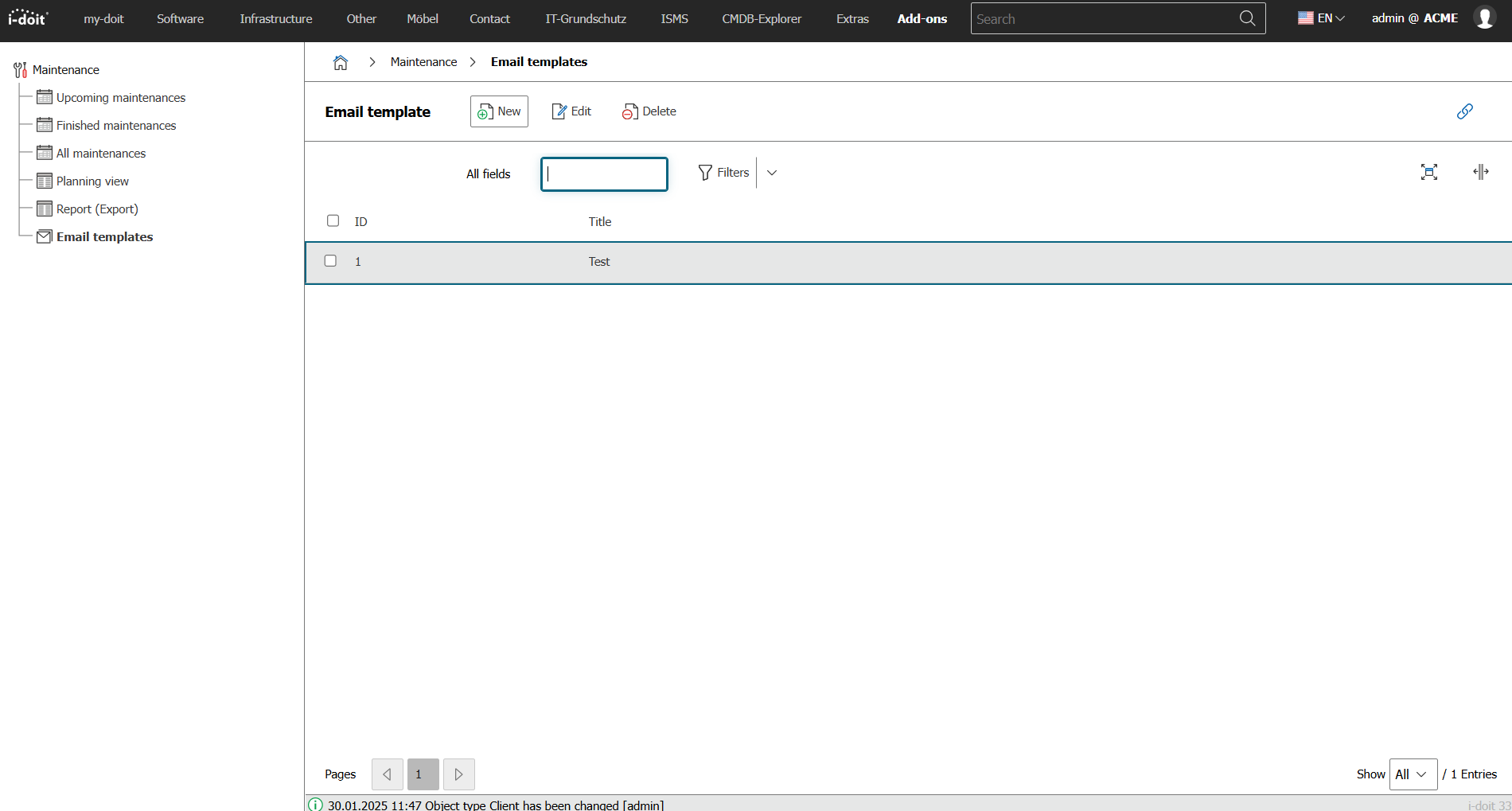
For each planned maintenance activity, you can generate an email to notify the affected persons. You specify them either as recipients or via their assigned role. You define the email text under Add-ons → Maintenance → Email templates. You can create any number of templates and assign them to individual planned maintenance activities (see above).
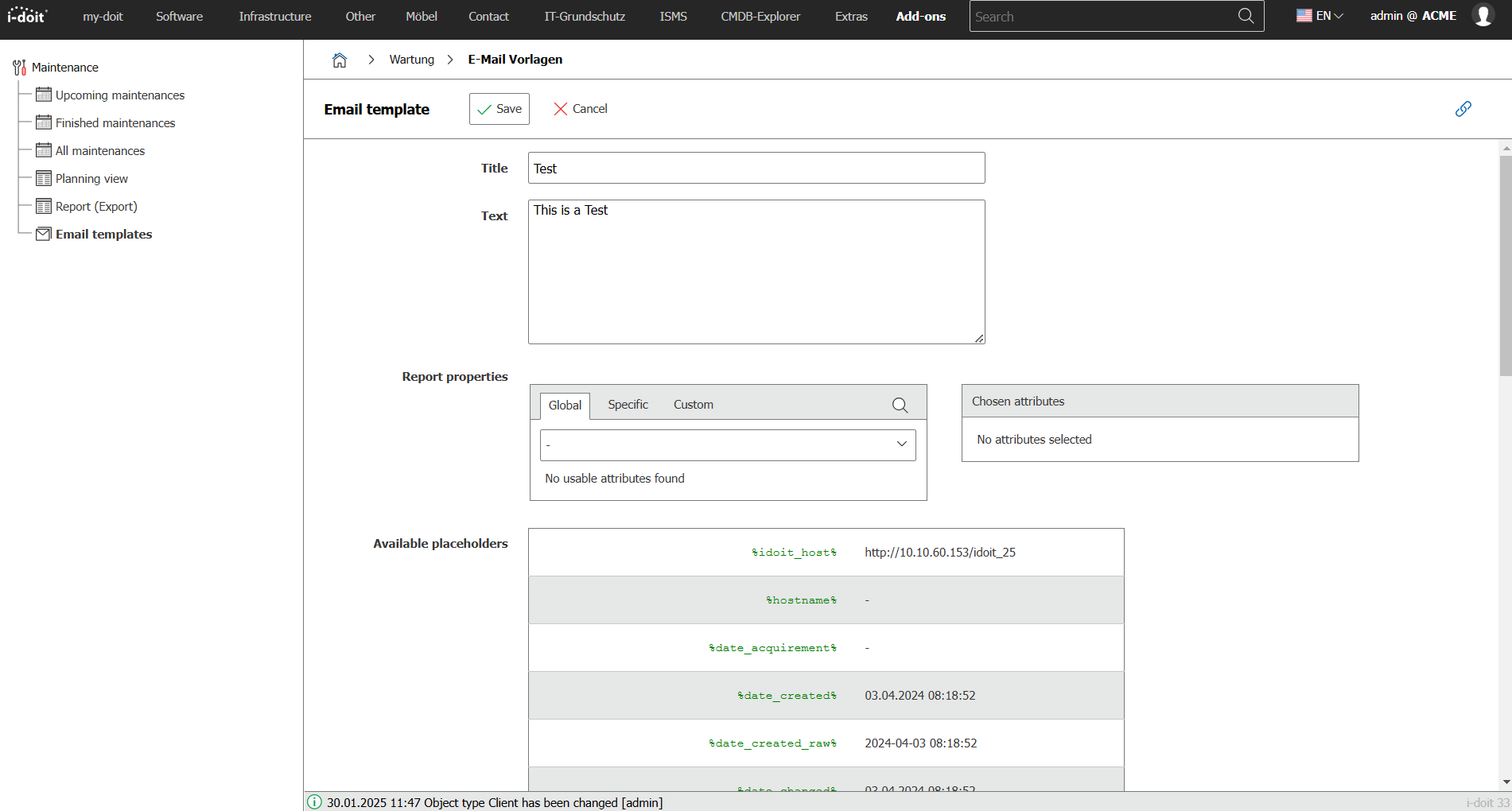
Using the New button, you create a new template; using Edit, you modify an existing one. Using Delete, you irrevocably remove templates.
The form for creating and editing offers the following Options:
| Option | Description |
|---|---|
| Titel | Subject of the email |
| Inhalt | Text of the email |
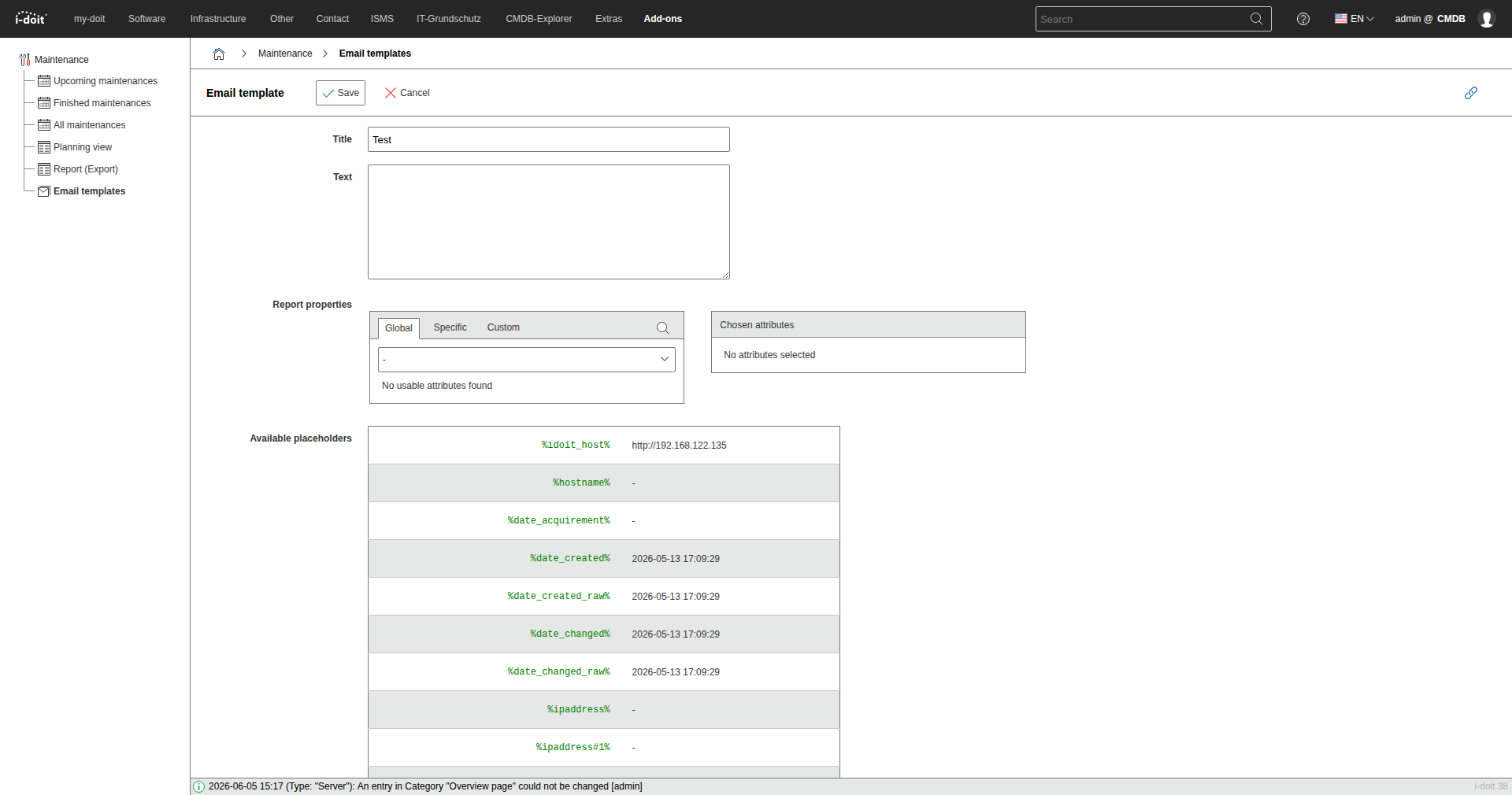
You can populate both the Title and the Content with placeholders that are replaced before sending. The list of available placeholders can also be found on the page.
Sending emails automatically#
The actual sending of emails takes place in the background via the Console, the CLI tool of i-doit. For this, you use the maintenance command. It is best to set up a cron job to send emails automatically. Example call:
1 | |
This automates the manual sending of emails (Send emails button under Add-ons → Maintenance → All maintenance).
CLI console commands and options#
| Command | Internal description |
|---|---|
| maintenance | Sends notifications for planned maintenance from the Maintenance add-on |
This command is only available after installation of the Maintenance add-on.
maintenance#
Sends emails with planned maintenance according to defined time periods.
Optionen:
| parameter (Kurzform) | parameter (Langform) | Description |
|---|---|---|
| -u | --user=[USERNAME] | Username of a user authorized for execution |
| -p | --password=[PASSWORD] | Password for authentication of the previously specified user |
| -i | --tenantId=[TENANT-ID] | Tenant ID of the tenant to be used (default: 1) |
| -h | --help | Help message for displaying further information |
| -q | --quiet | Quiet mode to disable output |
| -V | --version | Display the version of the i-doit Console |
| --ansi --no-ansi | Force ANSI output (or disable with --no-ansi) | |
| -n | --no-interaction | Disables all interaction questions of the i-doit Console |
| -v / -vv / -vvv | --verbose | Increases the output verbosity. (1 = Normal output, 2 = Detailed output, 3 = Debug level) |
Usage example
1 | |
Releases#
| Version | Date | Changelog |
|---|---|---|
| 1.7 | 09.09.2025 | [Task] PHP 8.4 compatibility [Bug] SQL error when installing via console |
| 1.6 | 26.02.2025 | [Task] Make symfony 6.4 compatible [Bug] Option 'Send multiple notifications for each maintenance?' automatically sets to 'Yes' after finishing an upcoming maintenance |
| 1.5 | 10.10.2024 | [Bug] Fix autoload issue during add-on installation |
| 1.4 | 09.07.2024 | Improvement Send an email with all the objects within the maintenance Bug Only one role can be selected to be notified |
| 1.3 | 07.11.2023 | Task Use new routes to display object and object type images / move add-on related files |
| 1.2.2 | 22.08.2023 | Improvement PHP 8.1 Compatibility Bug Filter in list views not working Bug Creating a new E-Mail template does not work when the object type constant of client,server or switch or not available |
| 1.2.1 | 24.01.2023 | Bug Error when sending multiple mails |
| 1.2 | 05.09.2022 | Task PHP 8.0 Compatibility Task Design Compatibility Bug HTML code in browser message |
| 1.1.4 | 18.01.2021 | Improvement Compatibility with i-doit 1.16 |
| 1.1.3 | 20.10.2020 | Bug Maintenance without an object can be completed despite the error message Bug Keeping the filters in add-on "Maintenance" Bug Maintenance report shows the wrong period Bug Placeholder model>manufacturer is swapped with model>title Bug Email notification notifies archived contacts |
| 1.1.2 | 31.07.2019 | Bug Column 'Person (Role)' is empty when exportingBug Maintenance report: periods underneath each other to save space Bug Export of corrects duplicates objects Bug Double mailing possible for recurring maintenance Bug Maintenance can not be completed |
| 1.1.1 | 05.12.2018 | Bug Export does not report assigned contacts in the report Bug Object browser for recipients shows no results |
| 1.1 | 16.04.2018 | Improvement Multiple selection of types in the report view Improvement Definition of times for start and end of maintenance Improvement Recurring maintenance Improvement Redirect Maintenance Handler to Command and create Command with logic from Handler |
| 1.0.3 | 18.12.2017 | Initial release |