Nagios#
Please create a complete backup before making any changes to an interface or import. If the result is not satisfactory, you can then restore it.
Nagios is a Network Monitoring software that you configure from the data of your IT documentation. This way you avoid duplicate data maintenance and minimize errors. The export generates complete or partial configurations -- either manually created or automatically populated with values from i-doit.
Compatibility
The exported data is compatible with Nagios version 3 and Icinga version 1. Nagios version 4 is not fully compatible. Other Nagios derivatives are not supported.
Basic configuration#
Set up the configuration under Administration → Import and interfaces → Monitoring → Export configuration
- Local path -- Absolute or relative path where the generated configuration is stored.
- Link to the monitoring tool -- Base link to generate links from i-doit to the monitoring instance.
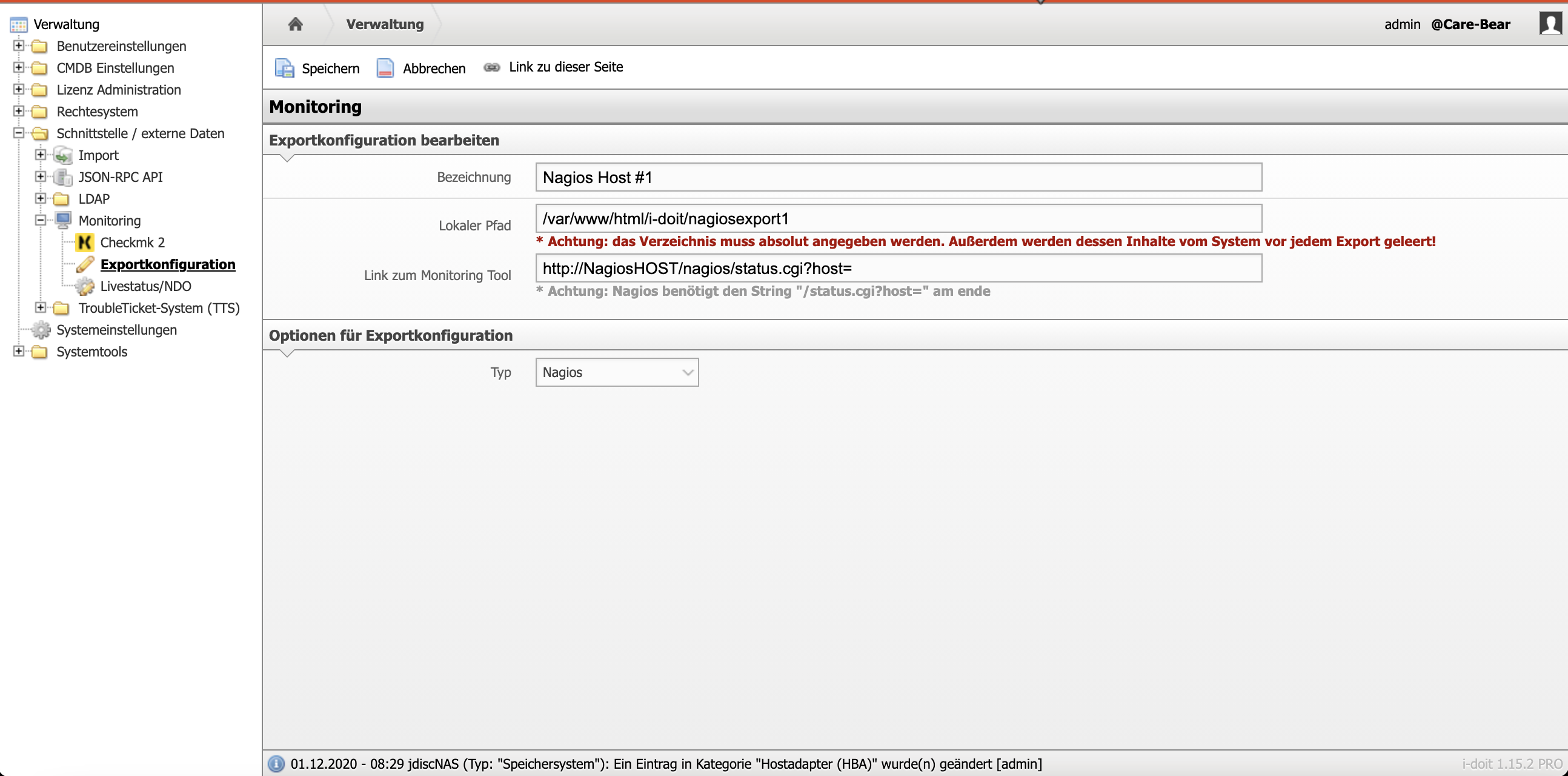
Base configurations#
Under Add-ons → Nagios the base configurations are created.
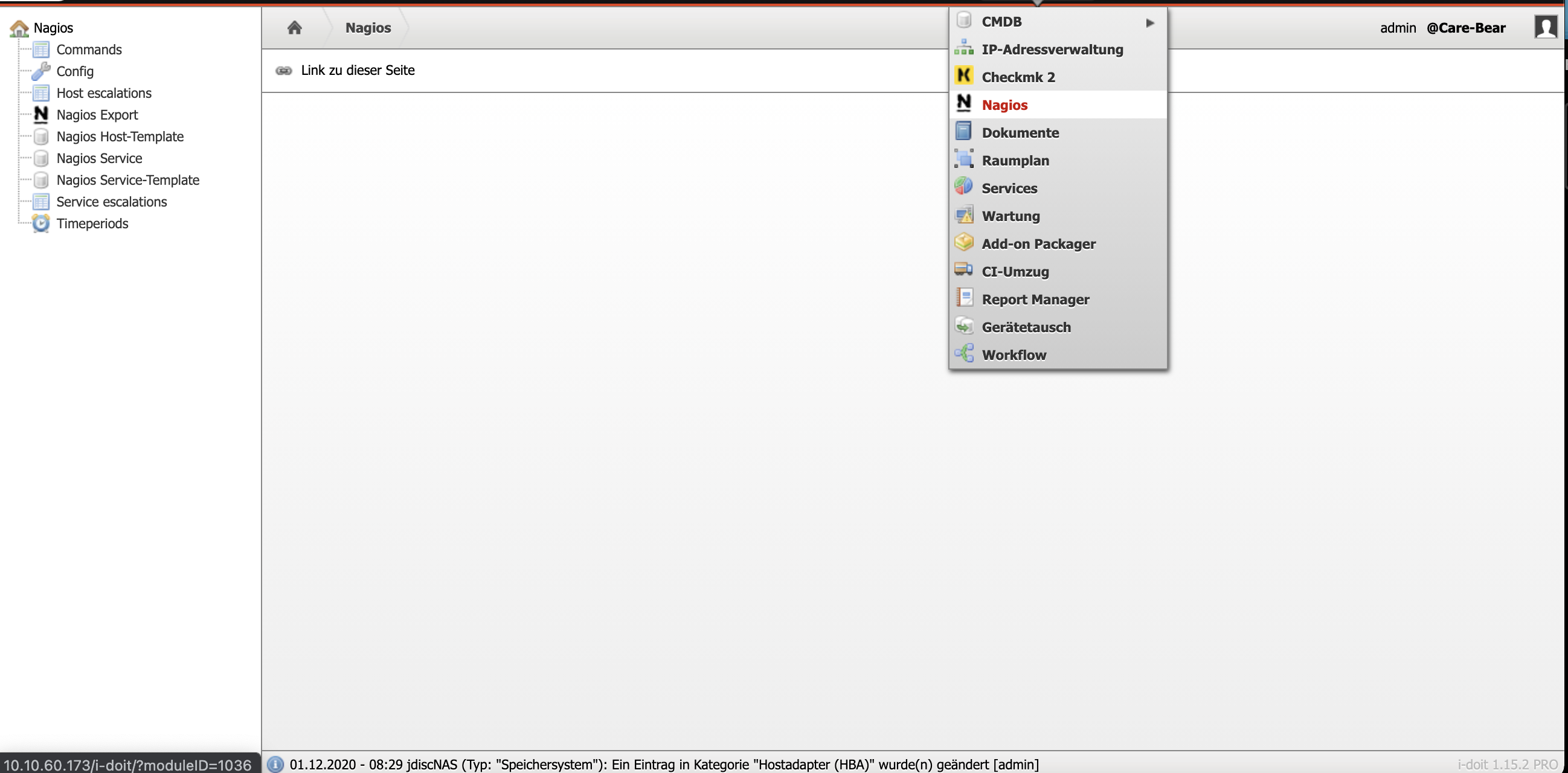
This includes the main configuration, service and host templates, and other basic settings. All values are identical to the Nagios configuration.
Configuration in objects#
All other configurations are made within the objects. For host parameters, proceed as follows:
- Assign via Edit data structure the category folder Nagios (Host) to the desired object types.
- Enter in the category Host Definition a host definition -- either via a Nagios template or through individual configuration.
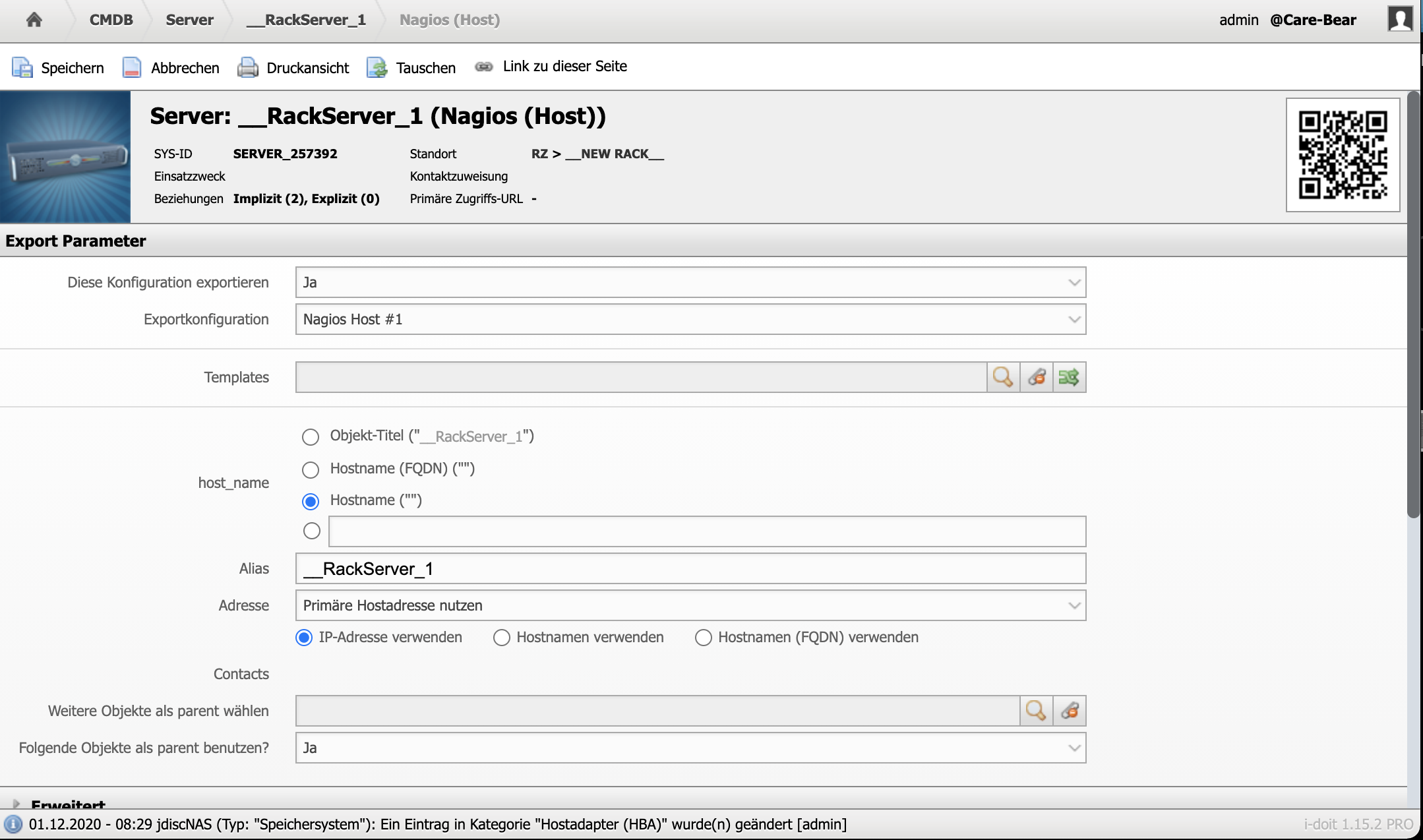
Host and service templates follow the Nagios principle. Via the Service assignment category, you assign service checks to a host.
There are two ways to link services with hosts:
- Direct assignment -- Via the Service assignment category in the host object.
- Inheritance via software -- In a software object (category Nagios (Applications)) assign a service check. If the software is installed on a host via the Software assignment category, the host automatically inherits the service check.
You can find additional Nagios configurations in objects of the type Persons, Person groups, and Object groups.
Export of the Nagios configuration#
You start the export manually under Administration → Import and interfaces → Monitoring → Export configuration. Select an export configuration and optionally enable validation.
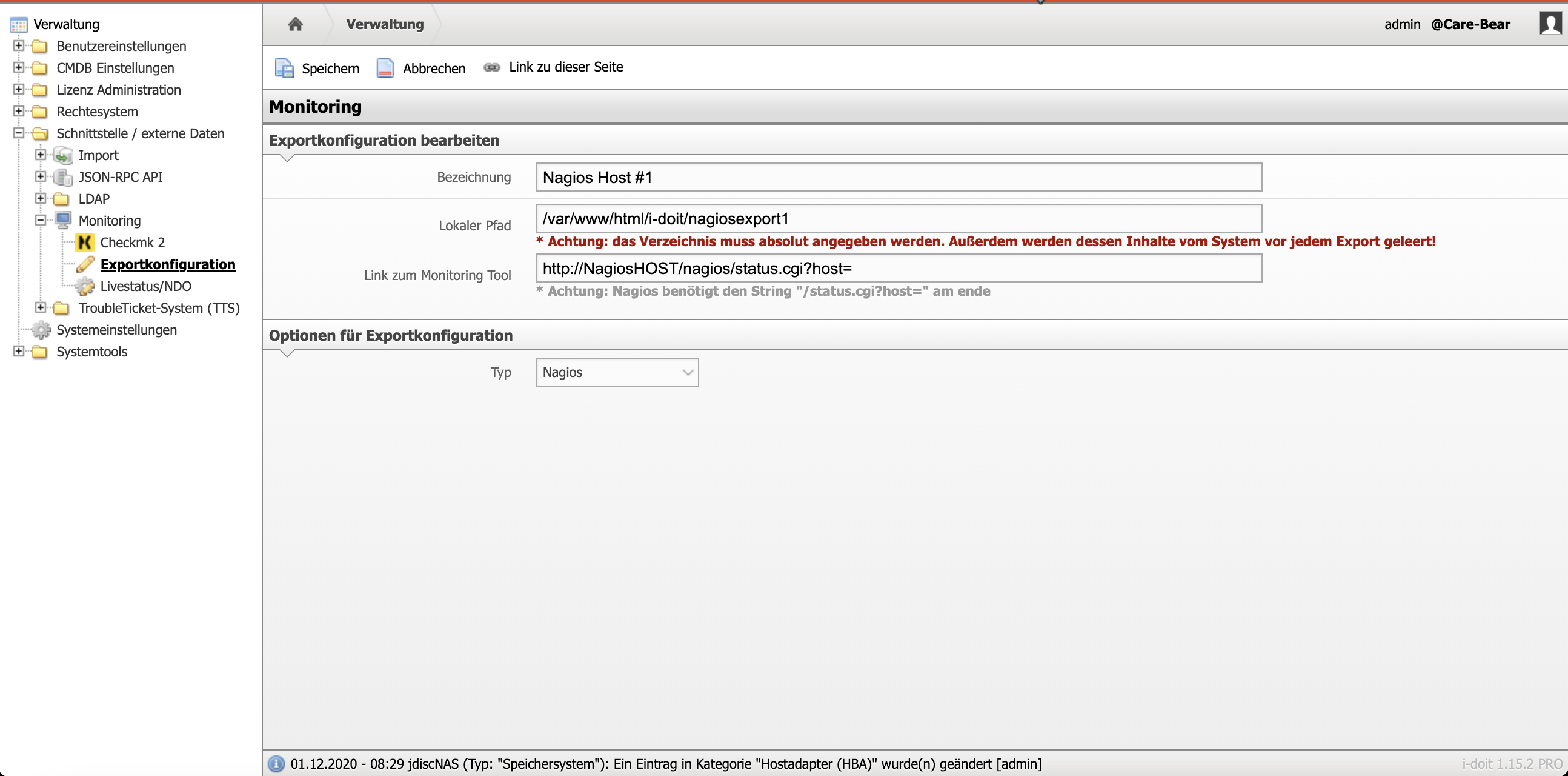
The validation checks basic dependencies -- e.g. whether an IP address is entered for a host. It protects against corrupt configurations but does not offer 100 percent protection. Therefore, always additionally test the generated configuration with the Nagios binary.
The configuration files are stored in the configured path. You can also automate the export via the i-doit console utility (--help shows all options).
CLI console commands and options#
| Command | Internal description |
|---|---|
| nagios-export | Exports the Nagios settings and i-doit objects into Nagios configuration files |
| nagios-ndoutils | Imports monitoring status changes from NDOUtils into the i-doit logbook |
These commands are only available after installation of the Nagios add-on.
nagios-export#
Exports the Nagios settings and i-doit objects into Nagios configuration files.
Options:
| Parameter (short) | Parameter (long) | Description |
|---|---|---|
| --nagiosHostId=NAGIOSHOSTID | Specification of the Nagios host to be used for export | |
| --validate | Validates the export files | |
| -u | --user=[USERNAME] | Username of a user authorized for execution |
| -p | --password=[PASSWORD] | Password for authentication of the previously specified user |
| -i | --tenantId=[TENANT-ID] | Tenant ID of the tenant to be used (default: 1) |
| -c | --config=[CONFIG-FILE] | Specification of the path to the configuration file |
| -h | --help | Help message for displaying further information |
| -q | --quiet | Quiet mode to disable output |
| -V | --version | Display the version of the i-doit Console |
| --ansi --no-ansi | Force ANSI output (or disable with --no-ansi) | |
| -n | --no-interaction | Disables all interaction questions of the i-doit Console |
| -v / -vv / -vvv | --verbose | Increases the output verbosity. (1 = Normal output, 2 = Detailed output, 3 = Debug level) |
Usage example
1 | |
nagios-ndoutils#
Imports monitoring status changes from NDOUtils into the i-doit logbook.
Options:
| Parameter (short) | Parameter (long) | Description |
|---|---|---|
| -u | --user=[USERNAME] | Username of a user authorized for execution |
| -p | --password=[PASSWORD] | Password for authentication of the previously specified user |
| -i | --tenantId=[TENANT-ID] | Tenant ID of the tenant to be used (default: 1) |
| -c | --config=[CONFIG-FILE] | Specification of the path to the configuration file |
| -h | --help | Help message for displaying further information |
| -q | --quiet | Quiet mode to disable output |
| -V | --version | Display the version of the i-doit Console |
| --ansi --no-ansi | Force ANSI output (or disable with --no-ansi) | |
| -n | --no-interaction | Disables all interaction questions of the i-doit Console |
| -v / -vv / -vvv | --verbose | Increases the output verbosity. (1 = Normal output, 2 = Detailed output, 3 = Debug level) |
Usage example
1 | |
Changelog#
| Version | Date | Changelog |
|---|---|---|
| 1.4 | 2025-03-31 | [Task] Remove gettext extension from add-on |
| 1.3 | 25.02.2025 | [Task] Make symfony 6.4 compatible [Bug] Some attributes are not writable via API in category folder Persons category Nagios |
| 1.2 | 07.09.2024 | [Bug] Server error when open Nagios category |
| 1.1.1 | 22.08.2023 | [Improvement] PHP 8.1 Compatibility |
| 1.1 | 05.09.2022 | [Task] PHP 8.0 compatibility [Task] Design Compatibility |
| 1.0.3 | [Improvement] Compatibility with i-doit 1.16 | |
| 1.0.2 | [Bug] The Nagios category cannot be opened among persons [Bug] Clicking on "Edit" after saving an object, navigates to object list [Bug] Click on "Edit" in object list should be only possible if object is selected | |
| 1.0.1 | [Bug] Creation of Nagios tables is performed in the wrong order | |
| 1.0 | [Change] Add-onize Nagios |