Documenting Licenses
As an IT administrator, you use i-doit to keep track of all software licenses for your client and server systems. This ensures legally compliant licensing, allows you to quickly identify multiply used licenses, and makes new assignments easy.
As your infrastructure grows, so does your license pool. i-doit helps you identify unused licenses at the push of a button and remove them -- so your organization always has only the licenses that are actually needed.
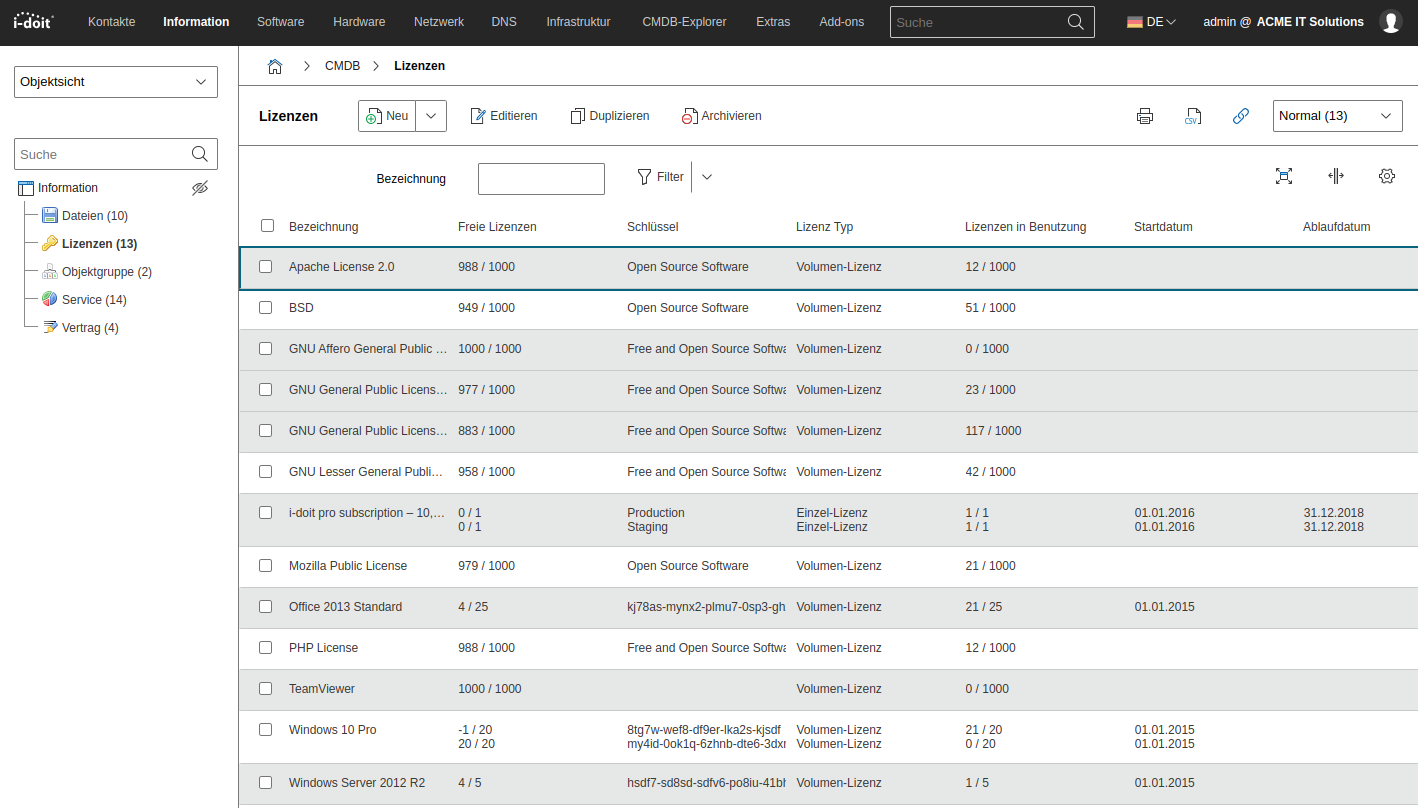
Creating and Managing Licenses#
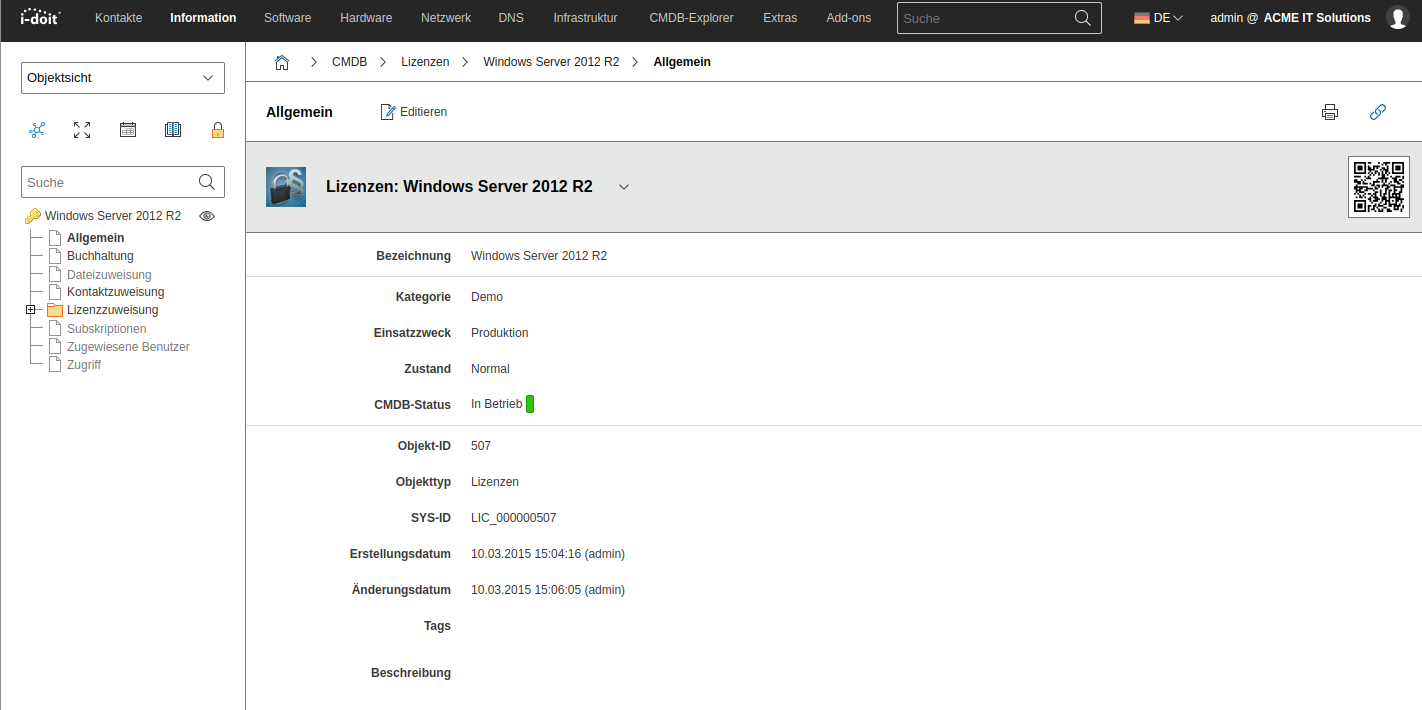
Each new license is created in i-doit via the "Licenses" object type. In addition to a unique label, the CMDB status of the license can be set here. This depends on whether the license has just been ordered, delivered, or is in operation. The entire asset lifecycle is thus also mapped for licenses in i-doit.
All important information about payment and delivery is recorded in the "Accounting" category. The warranty calculation is performed automatically based on the entered values and can be used in custom reports.
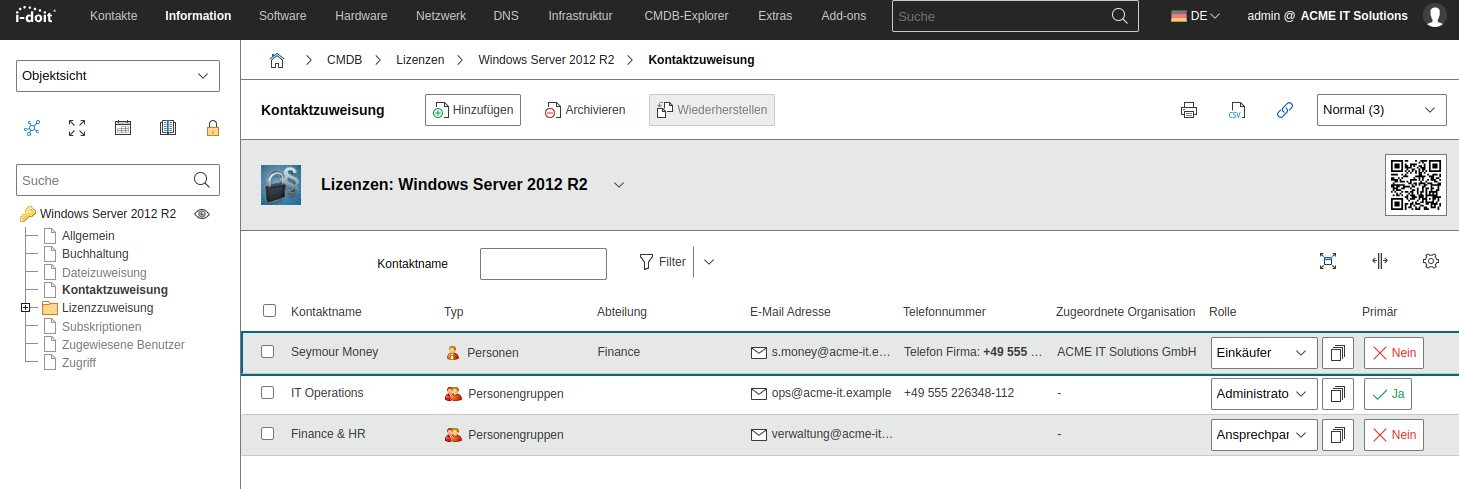
Questions may arise about licenses. Often this leads to searching for information on old invoices and delivery notes. In i-doit, you store important contacts in the "Contact assignment" category. You can also assign various roles to these contacts.
Creating License Keys#
A license object can have multiple keys. Often it is not just one Windows server in operation, but many. Accordingly, different license keys are used, which are created separately in i-doit. A distinction is made between single licenses and volume license keys. Additionally, a start and expiration date for the license can be specified. These are especially helpful for notifications and reporting, enabling you to take action before licenses expire.
Adding Licenses to Existing Assets#
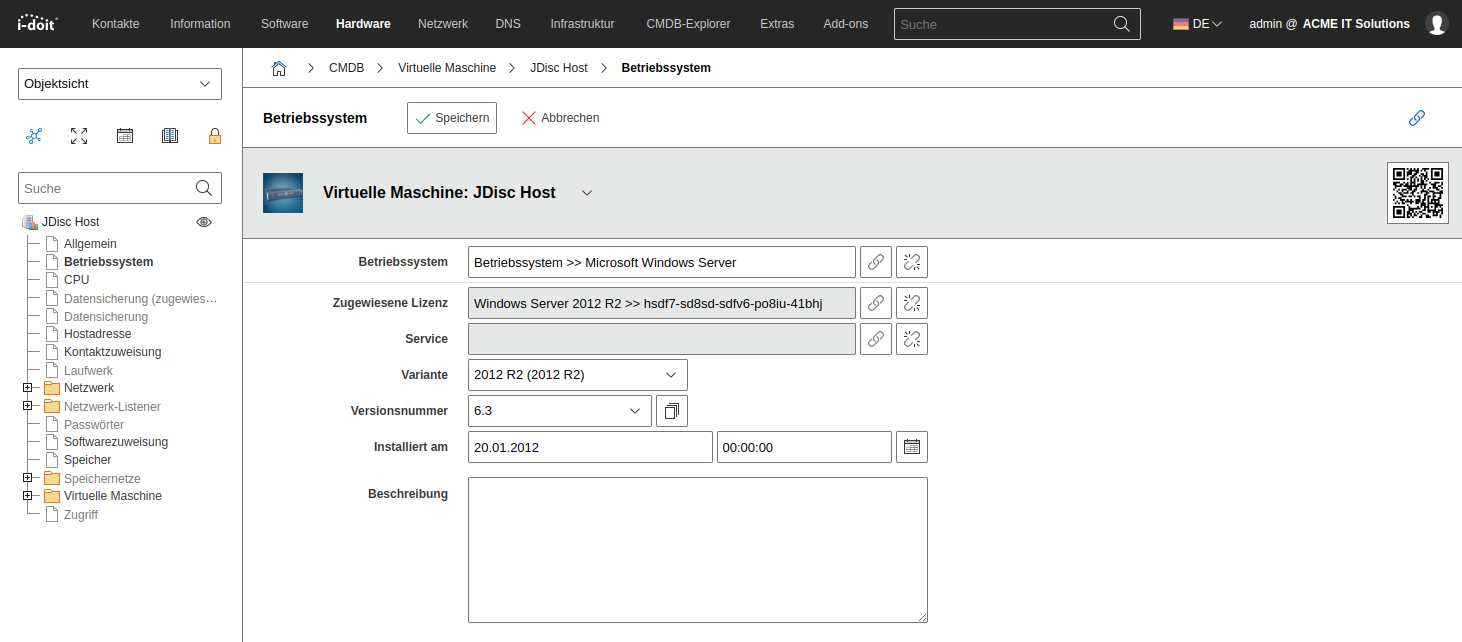
License assignment is done directly in the asset (e.g., server or client) and is performed in the "Software assignment" or "Operating system" category. In addition to the license assignment, the respective version and variant of the software can also be configured here. IT administrators always have the patch level of different systems in view and can use this information in any reports.
Reporting and Notifications#
All information about software, licenses, and systems supports technical and managerial staff in planning and executing tasks. For regular evaluation of information, i-doit provides the tools Notifications and Report Manager. With these, you can create automatic notifications and evaluate existing information in a granular manner.
Use case: Evaluating used licenses by department or location
It is often necessary to determine which licenses are used and deployed by individual persons or entire departments. For this purpose, a report can be created in the Report Manager that lists all systems with an assigned license. This report can be individually extended with information about location, model, user, and more.
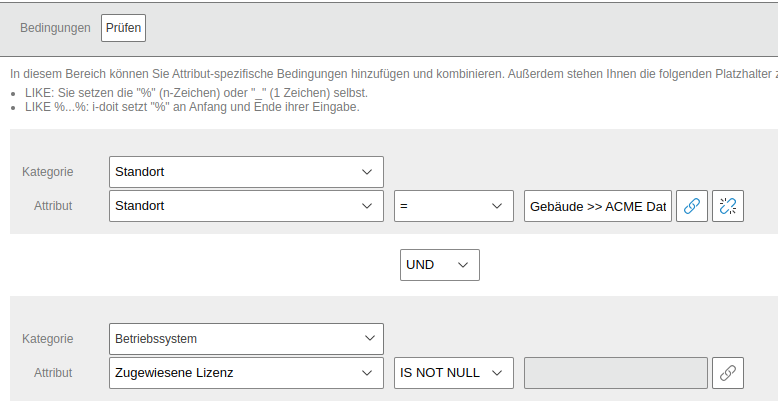
As a condition, the report specifies that all systems below a location should be displayed. In this example, we selected the Vienna branch. As a second condition, it was specified that only systems with an assigned license in the "Operating system" category should be displayed. Through this combination of conditions, only systems below the Vienna location with an assigned operating system license are now shown.
After defining the conditions, various pieces of information should be output in the report. To do this, we select the desired attributes and verify the output.
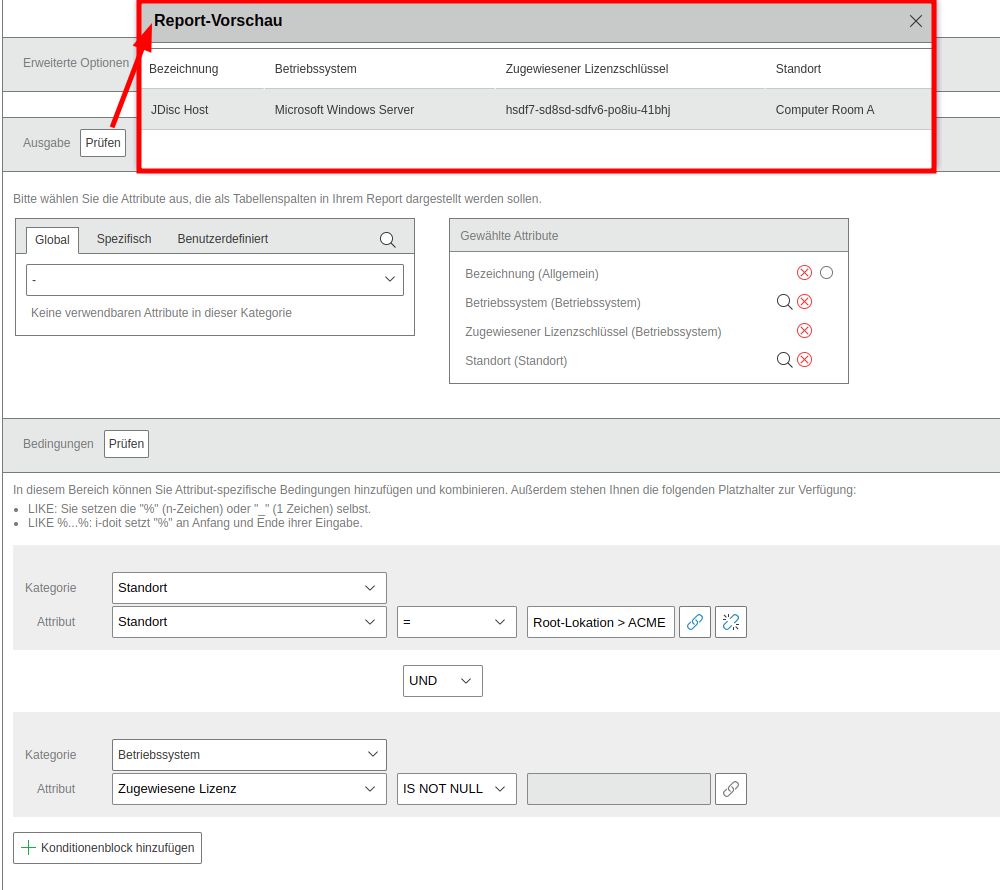
Instead of a location, you can also choose membership in a department, a specific user, or a specific device type.
Displaying Available and Used Licenses#
To determine allocated and free licenses, there are several options. The simplest approach is to open the Licenses and activate the Free Licenses category via the object lists.
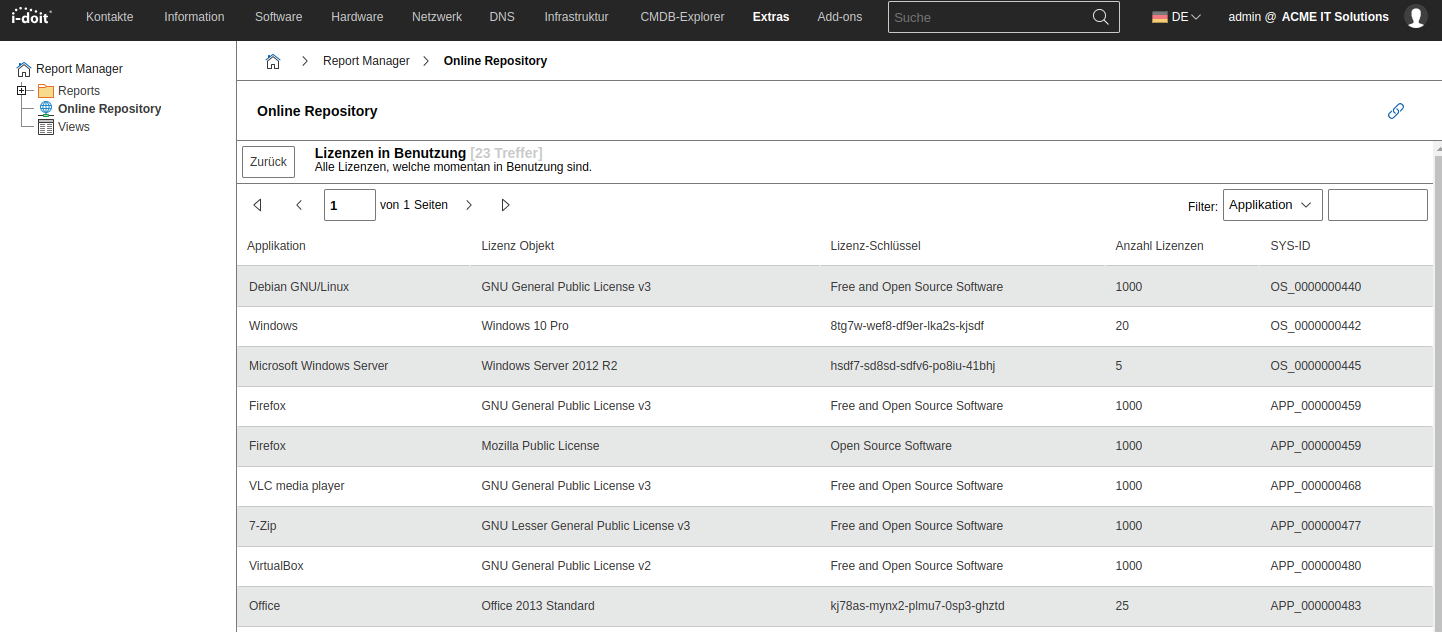
In the Report Manager, the standardized report "License utilization" is available in the Online Repositories. This can also be used to display all licenses with license keys, total available licenses, and actually used licenses.
Automatic Notification of Expiring Licenses#
i-doit has a built-in notification tool. It can be accessed via Extras > CMDB > Notifications. Here you can precisely define when persons and departments should be notified about soon-to-expire licenses or license shortfalls. You can define from which threshold (e.g., 30 days) the responsible persons should receive a notification.
Automatic Detection of Software and Licenses with Network Discovery#
Infrastructure is constantly changing. New clients and servers are put into operation and old systems are decommissioned. And sometimes a user quickly needs specific software to complete a task. Documenting all these changes can easily be forgotten in the hectic workday. This can lead to double assignment of licenses and under-licensing, which in the worst case becomes costly. Especially in the area of software and licenses, it often makes sense to regularly check this information automatically on the systems.
Whether for license usage control or to relieve your staff and colleagues: with a discovery tool you reduce the documentation effort. Professional tools for network discovery include, for example, JDisc, Lansweeper, and Monitos Inventory.