Complex Reports#
The Report Manager already allows you to generate many useful reports via the query editor. For more complex cases, the underlying SQL can be edited. This lets you use MySQL/MariaDB-native functions, for example to query time intervals.
Preparation#
The required knowledge about reporting and the database structure of i-doit can already be found in the corresponding articles. Good knowledge of SQL and the SQL functions provided by MySQL/MariaDB is clearly an advantage.
Time Intervals#
A common requirement for a report is to get information about a specific time period. i-doit already provides the necessary fields with date entries, for example when an object was last modified or when a maintenance contract expires. The query editor in the Report Manager can address these fields, but only with fixed date values: Which objects have been modified since 01/01/2016? However, the date should often be relative to the current time: Which objects have been modified this month? This does not specify which month is meant, but rather assumes the month in which the report is executed.
To generate such a report, we first create a new report with the query editor. For output, we add for example object title, object type, date of last change, and the name of the editing person.
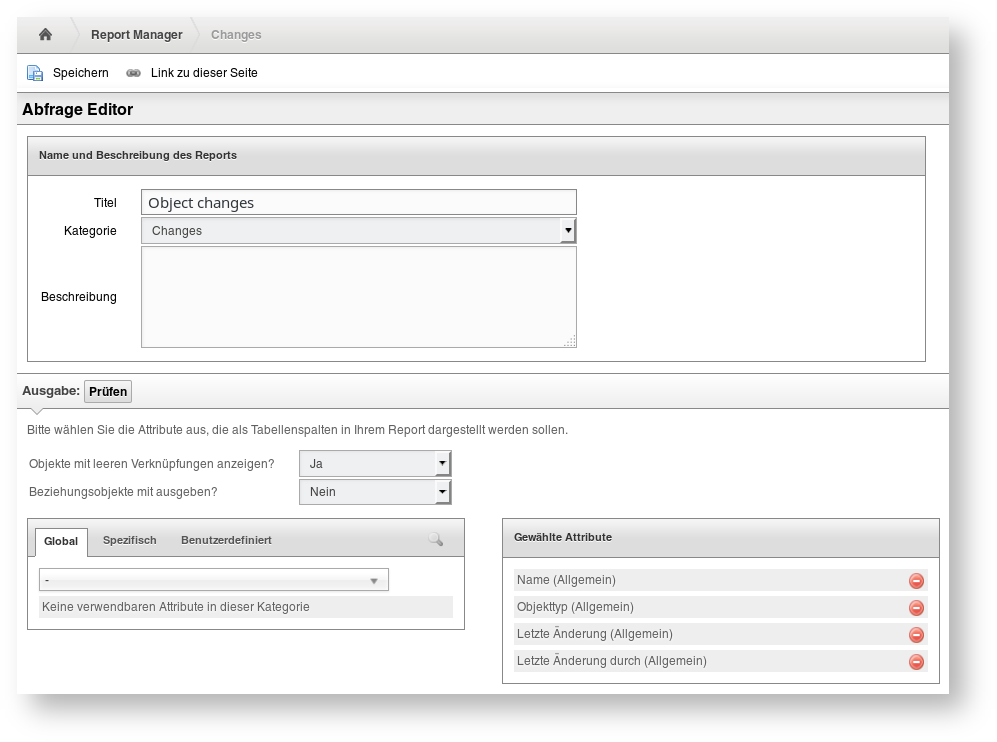
We save this report. Then we duplicate it and give the duplicate a descriptive name like "Modified objects this month".
Post-editing SQL
We duplicate the report because it can no longer be opened with the query editor after the SQL has been edited.
We then edit the duplicate with the SQL editor and extend the WHERE clause:
1 2 3 4 5 6 7 8 9 10 11 12 13 14 | |
To narrow down this month as the time interval, we use the SQL functions NOW(), YEAR(), and MONTH(). We apply these to the modification date, which is stored in the table column obj_main.isys_obj__updated. Additionally, we exclude all relationship objects with j2.isys_obj_type__const != 'C__OBJTYPE__RELATION'.
This and further examples for querying time intervals can be found, for example, in this Stackoverflow question.